

All scenarios/ Small business
Structured data across the whole site: what is broken and what is missing
A plugin added the markup once, the template was rebuilt later, and nobody knows what is left of it. Google's test checks one address, and there are thousands of pages. You need to know which templates carry markup, where it is broken and what it lacks.
- Who
- Shop owner, marketer, the template's developer
- Site
- A shop, blog, events or jobs site built on page templates
- What hurts
- Rich results are gone, and nobody knows how many pages have the problem
- What you need
- Pages listed by problem type, to fix the template rather than every page
Steps in Molfar
See where markup exists
The Structured data tab starts with two filters: "Has structured data" and "No structured data". The types column shows what was found: Product, Article, BreadcrumbList, FAQPage, and "Markup source" shows where it came from: JSON-LD, Microdata or RDFa. A product without Product or an article without Article is the first thing you see.
Structured data — docs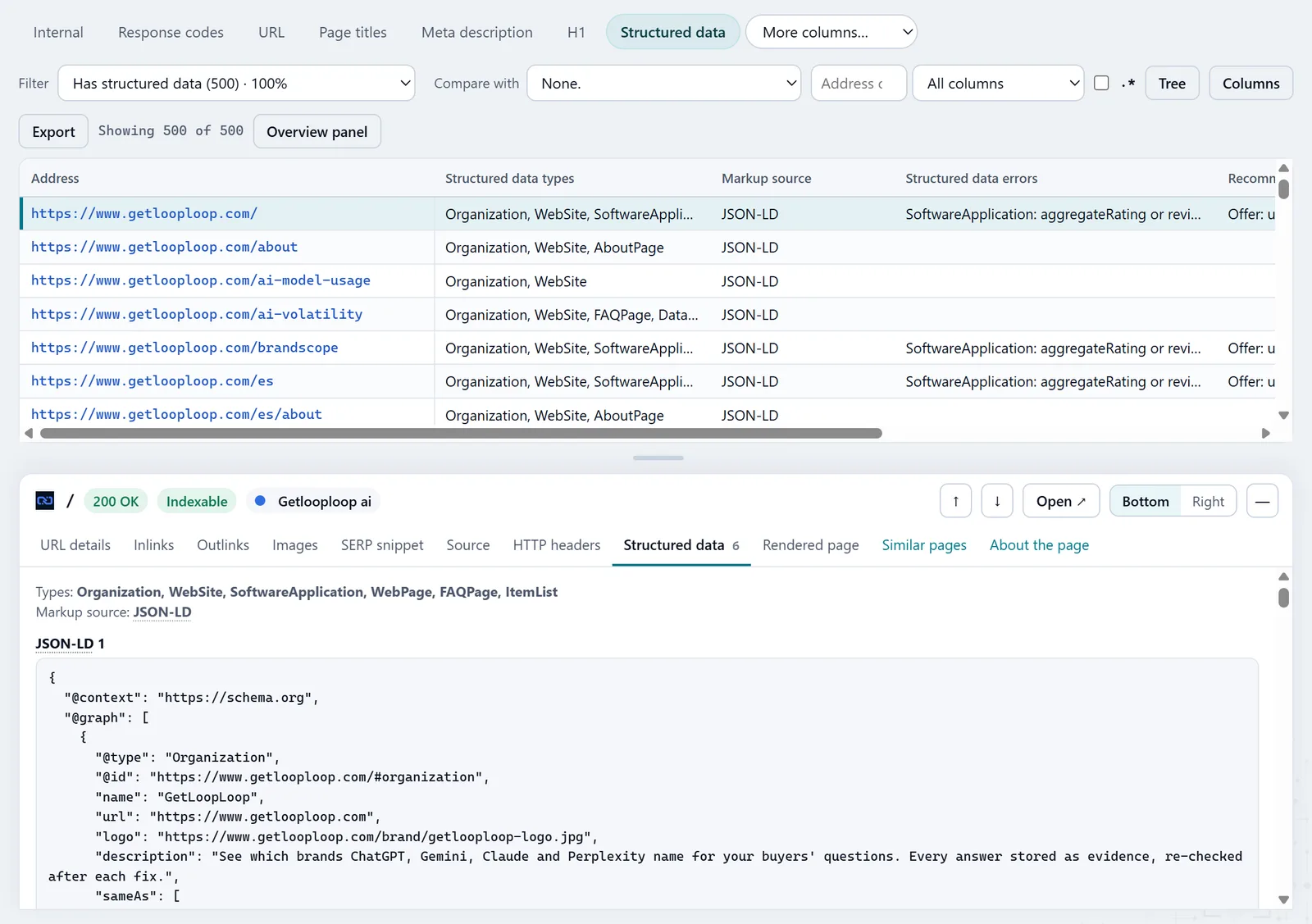
In the screenshot: Structured data Find broken JSON-LD
"Invalid JSON-LD" lists blocks that do not parse as JSON: a stray comma, a cut-off string, an unescaped quote. A search engine cannot read such a block at all, so these come first.
Structured data — docsIn the screenshot: Structured data Check the required properties
"Required properties missing" shows pages where the type is there but what it needs is not: a product without a name or an offer, an event without a date. The errors column names the missing property as Type.property.
Structured data — docsIn the screenshot: Structured data Add the recommended ones
"Recommended properties missing" are not errors but openings: a rating, an image, an author, a modified date. Sort by the number of pages: a property missing on a thousand products is added in the template once.
Structured data — docsIn the screenshot: Structured data Read the block on the page
In the page inspector, the structured data view shows the types found, their source and their properties. Molfar reads microdata and RDFa into the same structure as JSON-LD and checks them the same way, so a template built on microdata gets the same errors and suggestions.
Page inspector — docs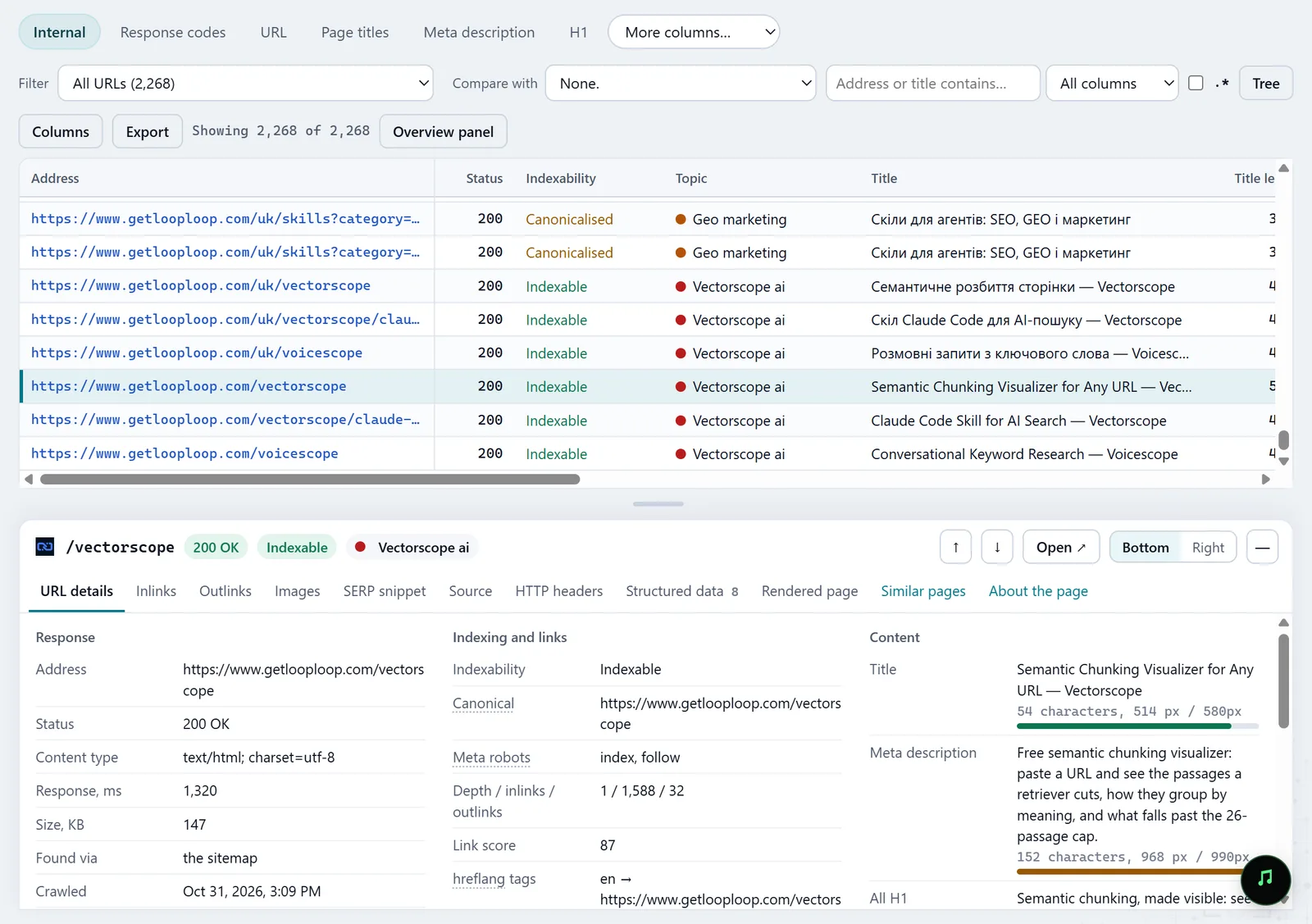
In the screenshot: All pages table with the inspector Fix the template and check
Test one page of the template in Google's Rich Results Test, fix the template, crawl again and compare in History: the pages should leave the error filters.
History — docs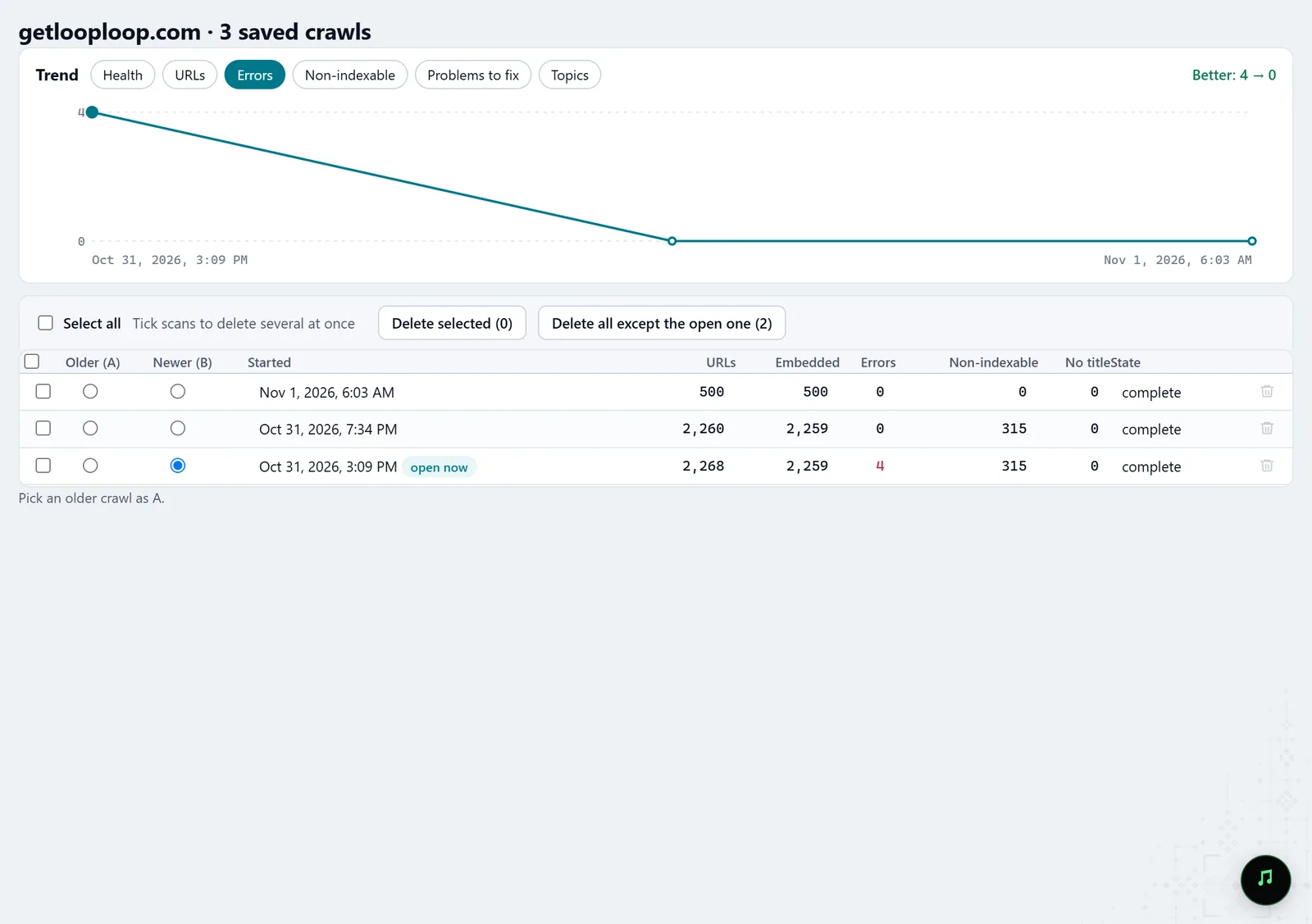
In the screenshot: Crawl history
What you get
Markup coverage
Which types sit on which pages, and where there is no markup at all.
Errors by type
Broken JSON-LD and missing required properties, grouped so the template can be fixed.
What to add
Missing recommended properties, with the number of pages.
Good to know
- Molfar checks common schema.org types and is not a full validator; Google's tool has the last word on rich results.
- JSON-LD and microdata are read in full; of RDFa, only RDFa Lite (vocab, typeof, property, resource, prefix). Pages crawled before Molfar 0.9.35 show microdata types only until they are crawled again.
- Correct markup does not guarantee a rich result: whether to show one is the search engine's call.
- Some tabs may be locked on your account; the lock on the tab says what opens it.
Questions
- Which types are checked?
- Common ones: products and offers, ratings and reviews, articles and blog posts, breadcrumbs, FAQ, organisations and local businesses, events, recipes, videos, job postings, software, the website and people.
- Is markup added by JavaScript seen?
- Yes, if the page was rendered. For sites where a script inserts the markup, render every page.
- Can I export the errors?
- Yes, like any table: the current filter to CSV, or several tables into one XLSX workbook.