

All scenarios/ Freelancer
A client site audit: from the crawl to a PDF report and Jira tasks
A client asks you to "see what's wrong with the site". You need to get from thousands of crawl rows to a few priorities fast, explain them in plain words, and hand them to the client's team in a form they will act on.
- Who
- An SEO freelancer or consultant
- Clients
- Several sites of different sizes
- What hurts
- Turning raw crawler data into a report takes days
- What you need
- Priorities, a client report and tasks for developers
Steps in Molfar
Crawl the client's site
One address and Start. A staging site behind a password gets Basic authentication in the request settings, and the crawl scope drops parameters, subdomains and depth that add nothing to the audit.
Crawl · Crawl scope — docs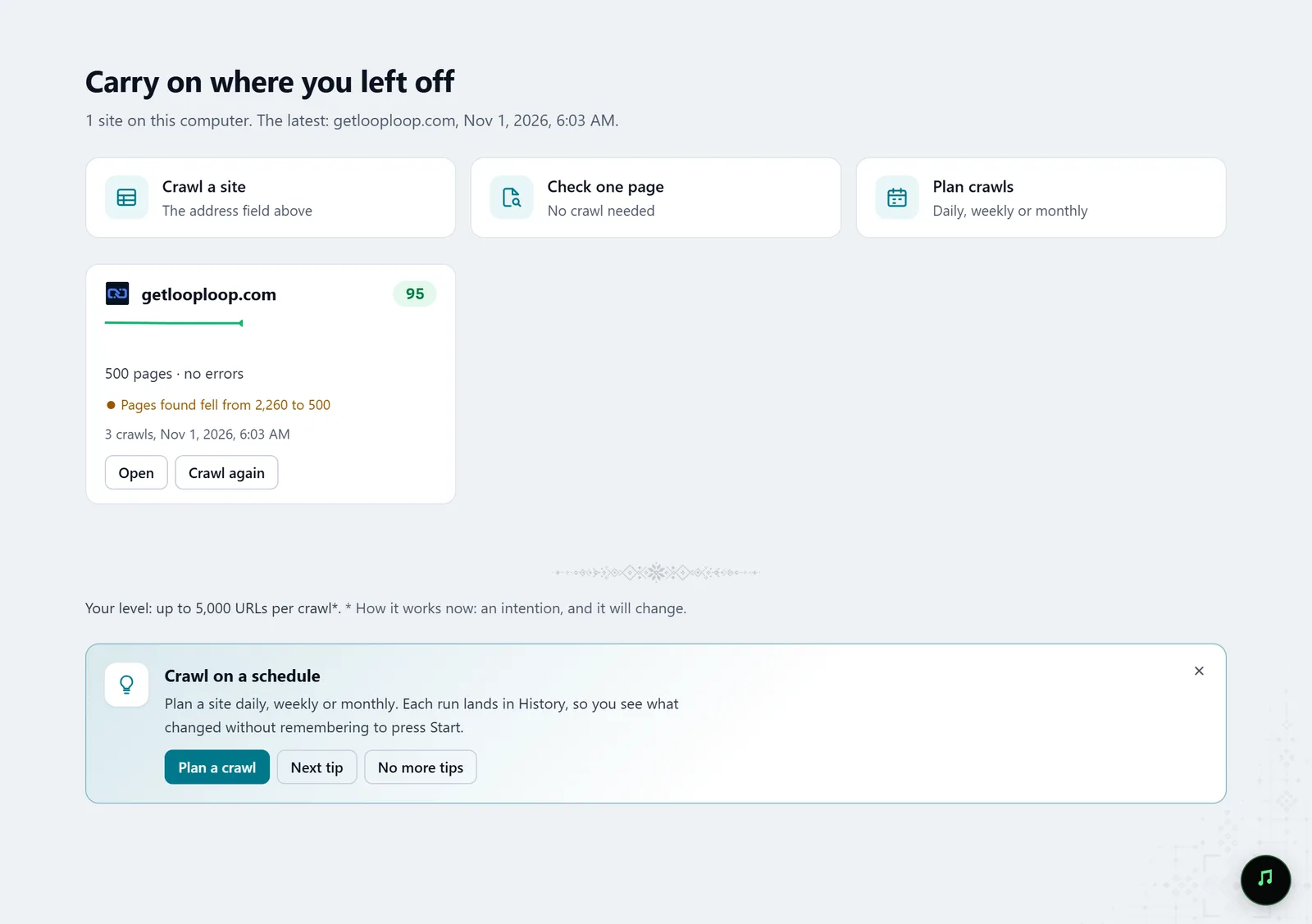
In the screenshot: Starting a crawl Start with the Fix list
Molfar turns every failed check into a numbered list, most important first: why it matters, how to fix it, and which URLs it touches.
Fix list — docs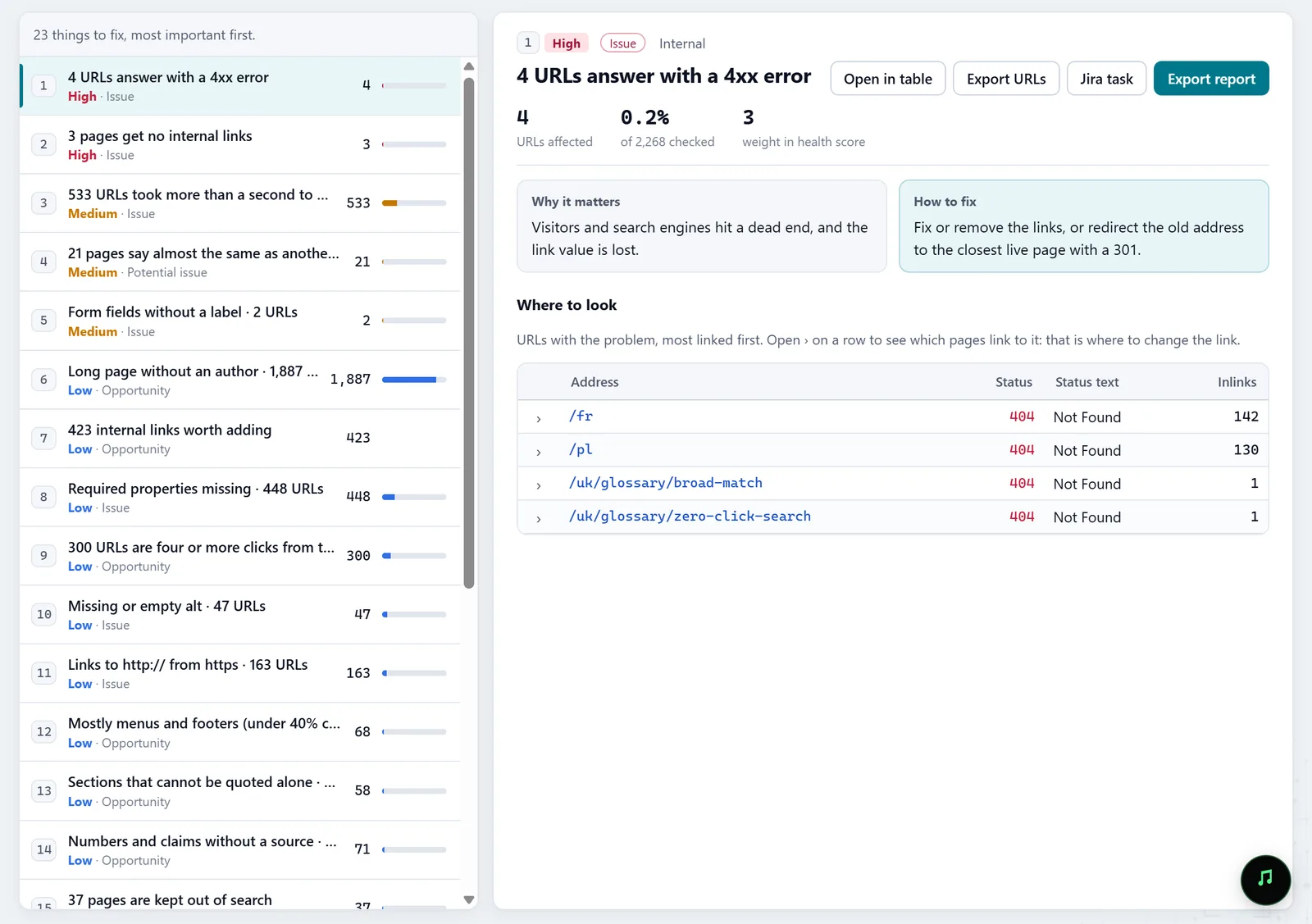
In the screenshot: Fix list Find a few causes instead of a thousand symptoms
Batch fixes groups problems by where one change fixes many pages: a server setting, the shared layout, a page template or the texts of one topic. The client gets a handful of tasks, not a thousand-row table.
Batch fixes — docs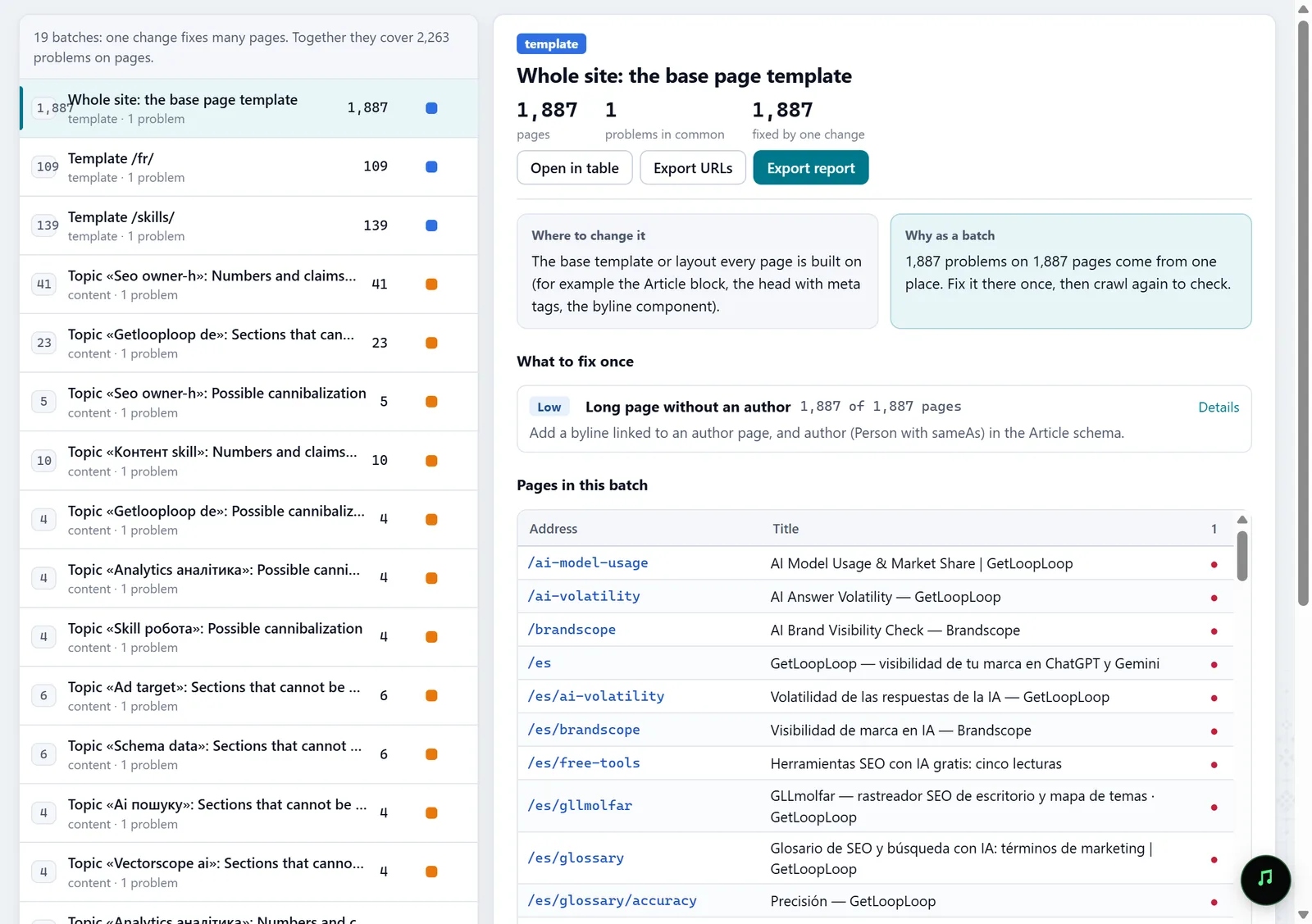
In the screenshot: Batch fixes Check single pages
URL audit checks one page without a crawl: status, speed, what JavaScript changes, failed checks, and screenshots on desktop and as Googlebot smartphone. It makes a problem easy to show a client.
URL audit — docs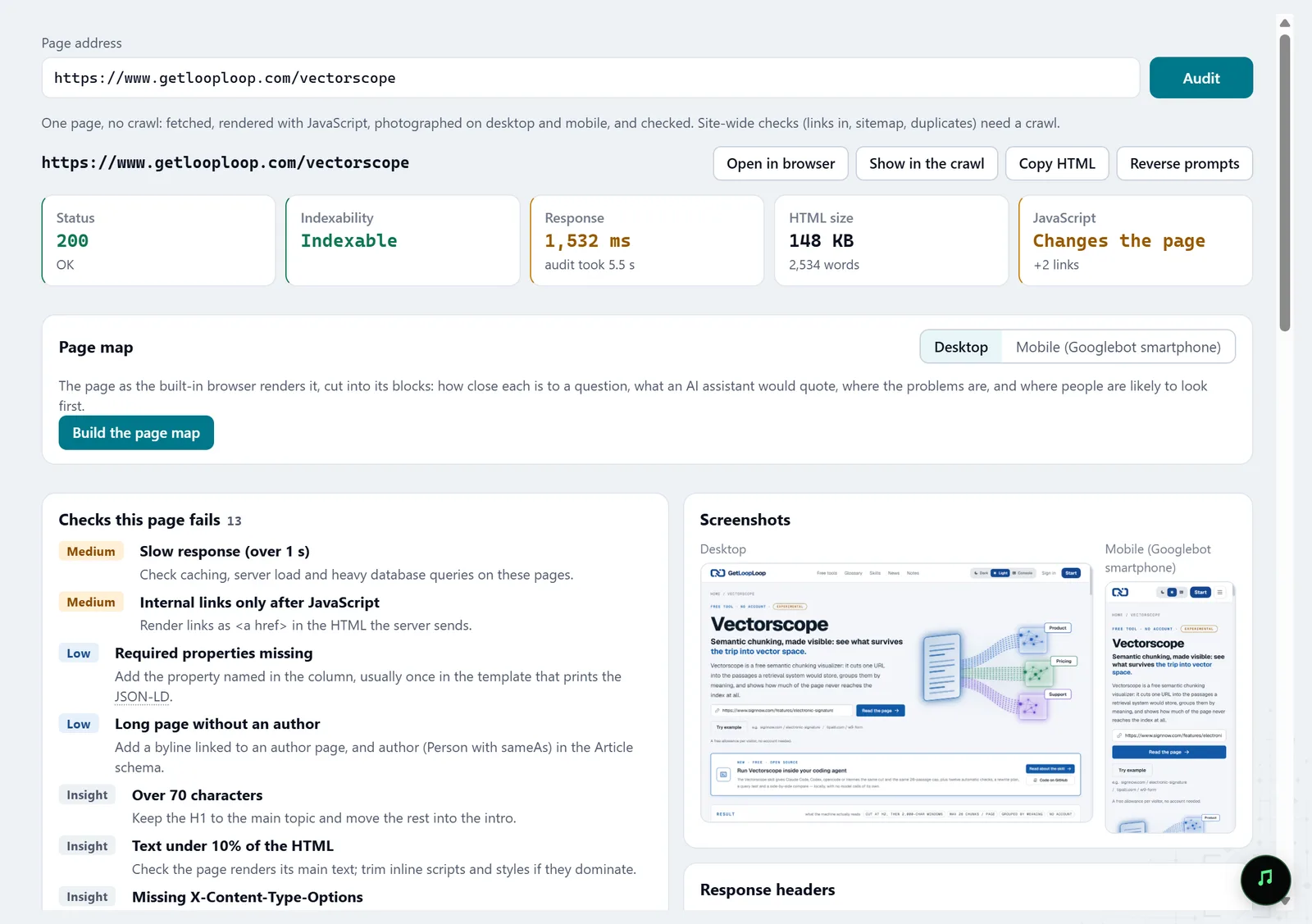
In the screenshot: URL audit Hand over the report and the tasks
Reports save as HTML or PDF exactly as they are on screen, and any fix in the Fix list opens as a Jira task with its fields and files. The fix's URLs export on their own as well.
Reports · Jira task — docs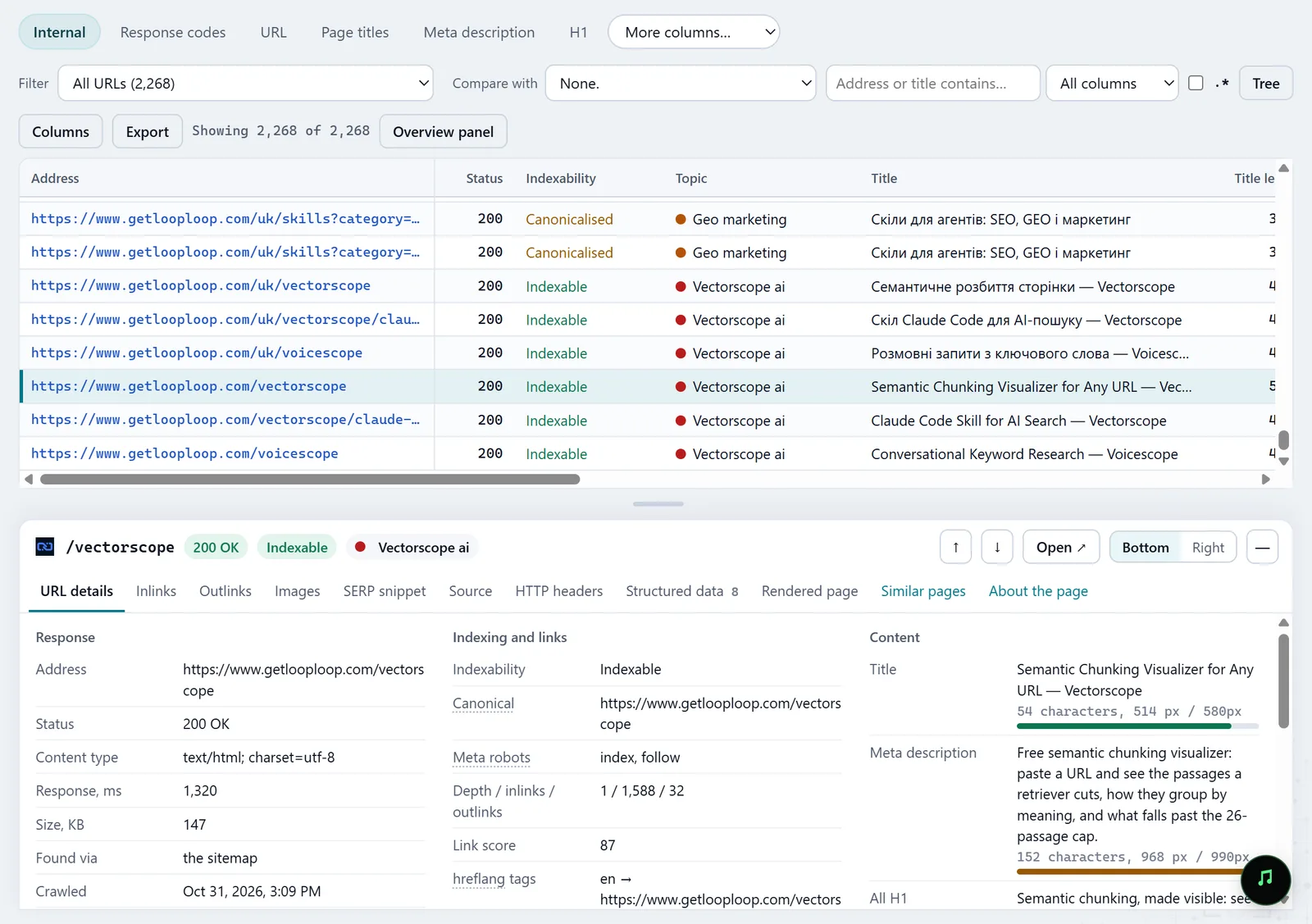
In the screenshot: All pages table with the inspector Crawl again next month
History compares the new crawl with the last one page by page, and its trend follows one number across every crawl. Your next report shows the client what got fixed, not only what is wrong.
History — docs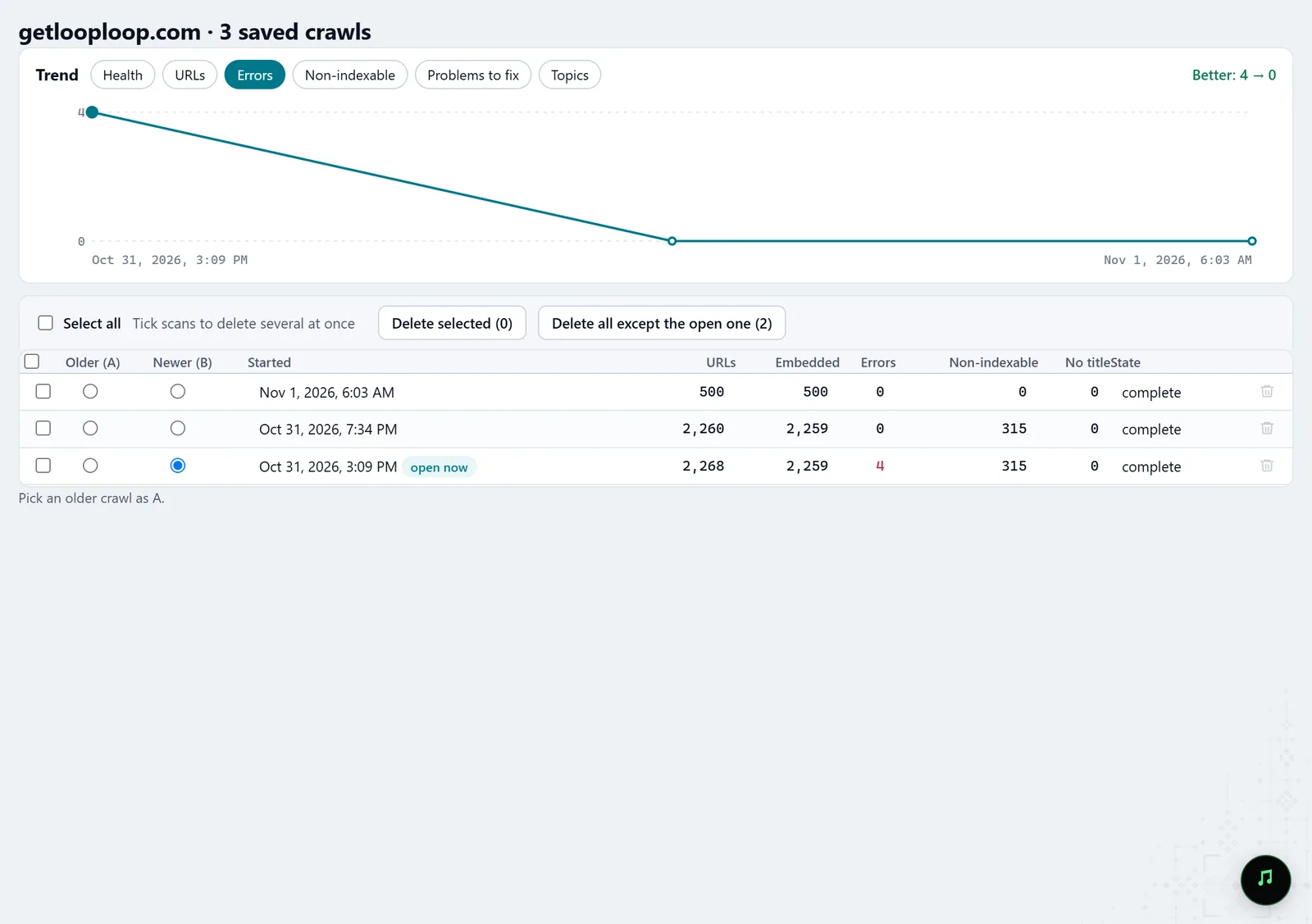
In the screenshot: Crawl history
What you get
Priorities
A numbered fix list ordered by importance, with an explanation for each item.
A client report
HTML or PDF you can send without retelling it in your own words.
Tasks for the team
Fixes as Jira tasks or URL lists, in the tools the client already uses.
Good to know
- Molfar crawls from your computer: a big site takes time and disk space, and the crawl goes at the pace the site allows.
- It obeys robots.txt by default; a site that turns away unknown bots should be crawled with the client's permission.
Questions
- Does the client need the app to open the report?
- No. HTML and PDF open in a browser.
- How do I keep several clients apart?
- Every crawled site becomes a project in the Projects tab, with its own health and crawl history.
- What if I'm on a Mac?
- Molfar runs on Windows and on Macs with Apple silicon, and the reports open anywhere.