

All scenarios/ Freelancer
Only the pages Search Console points at
The site is large, a full crawl takes hours, and the question is narrow: why these twenty pages dropped, and what holds back the ones at position eleven. Crawling the whole site for them is slow, and opening each by hand is unreliable.
- Who
- A freelancer or SEO looking after a client monthly
- Site
- A large site with Search Console connected
- What hurts
- Specific pages lost clicks, and a full crawl takes too long
- What you need
- To check exactly these pages, fix them and make sure it worked
Steps in Molfar
Find the pages near page one
Search Console › Positions groups queries by average position and shows the ones close to the top. The pages behind those queries are the cheapest growth: they lack little.
Search Console — docs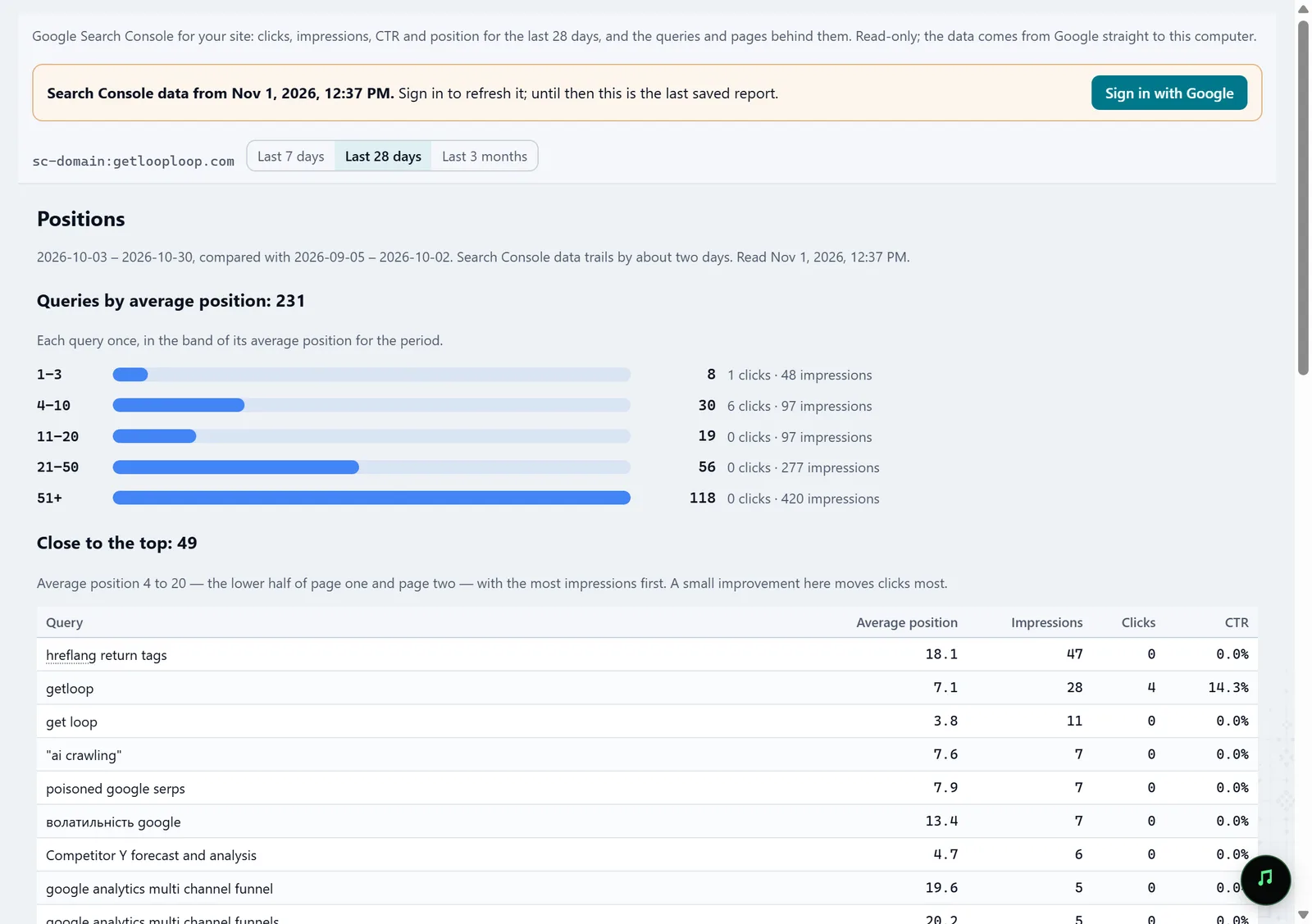
In the screenshot: Search Console Add the ones that lost clicks
Lost clicks shows the pages and queries that lost clicks against the previous period. With the previous step, that is a short list of addresses worth checking first.
Search Console — docsIn the screenshot: Search Console Crawl only that list
"Crawl a list of URLs…" in the Crawl menu (Ctrl+L) takes addresses one per line, or a TXT, CSV or XML file, and crawls only those. If a crawl is already running, "Add URLs to this crawl" adds them to it.
Crawl a list of URLs — docs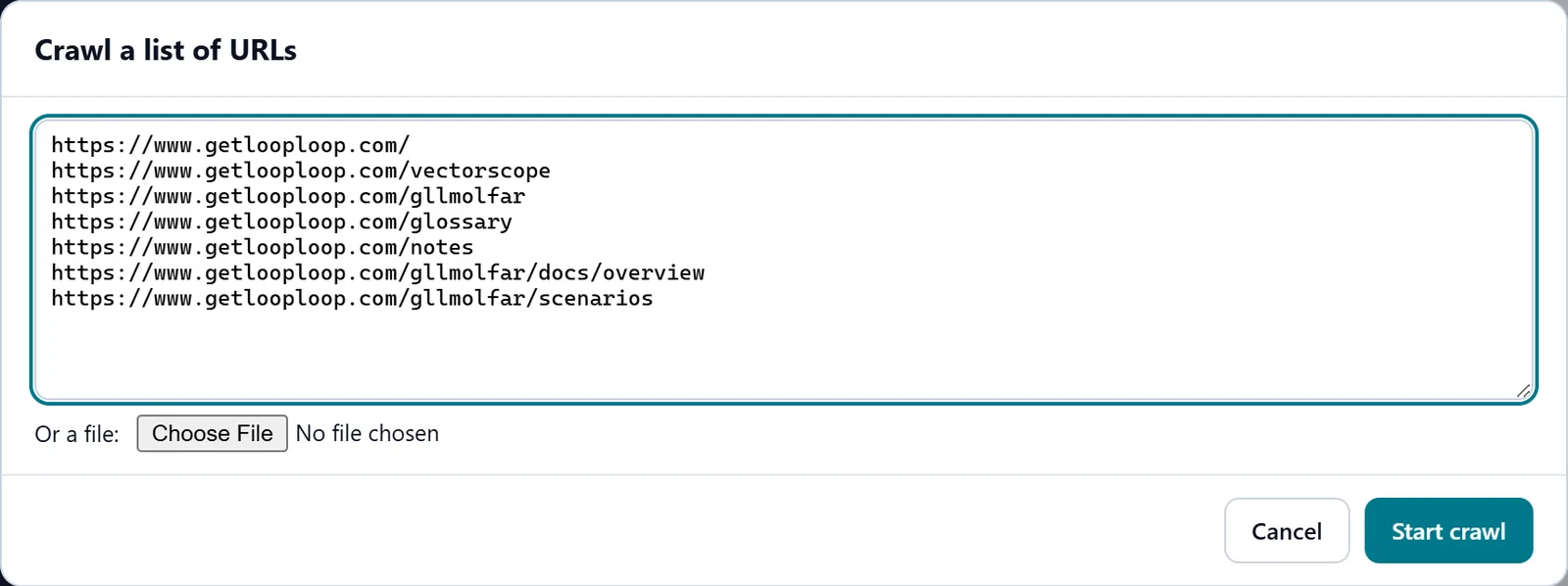
In the screenshot: Crawl a list of URLs Read what is wrong with them
For this short crawl, the Fix list shows the problems of exactly these pages in order of importance: indexability, canonical, title, depth, response time. The page inspector gives everything for each address.
Fix list — docs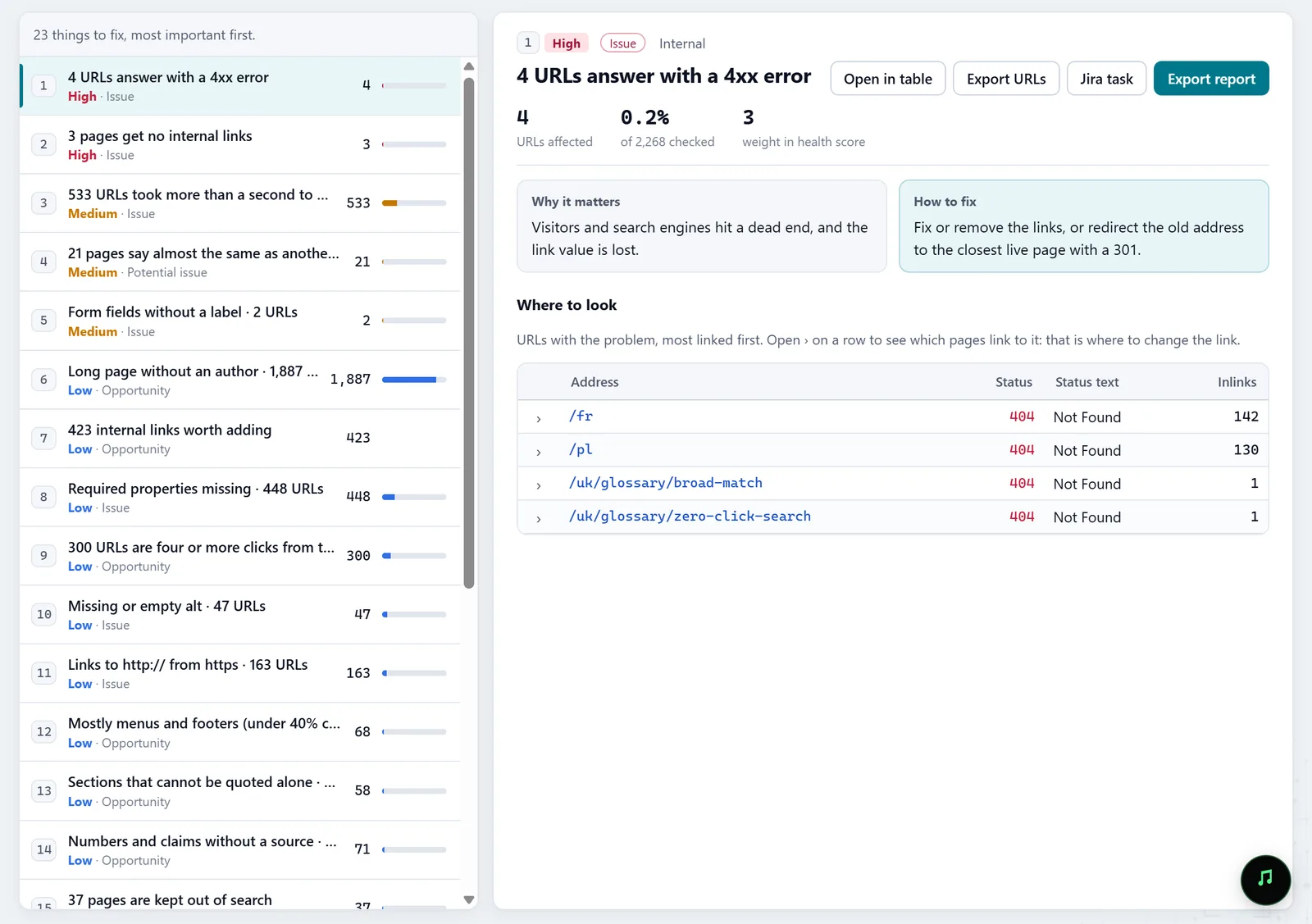
In the screenshot: Fix list Or a whole section
When a section dropped rather than single pages, start the crawl at its folder, /blog/ say, and turn on "Stay inside the start folder" in Crawl scope: the rest of the site stays out. For several folders at once, use an Include rule with a regular expression.
Settings · Crawl scope — docsIn the screenshot: Crawl a list of URLs Check with the same list
After the edits, crawl the same list again and compare the two crawls in History: which problems are gone, which titles and canonicals changed. Clicks in Search Console come later; the technical result shows at once.
History — docs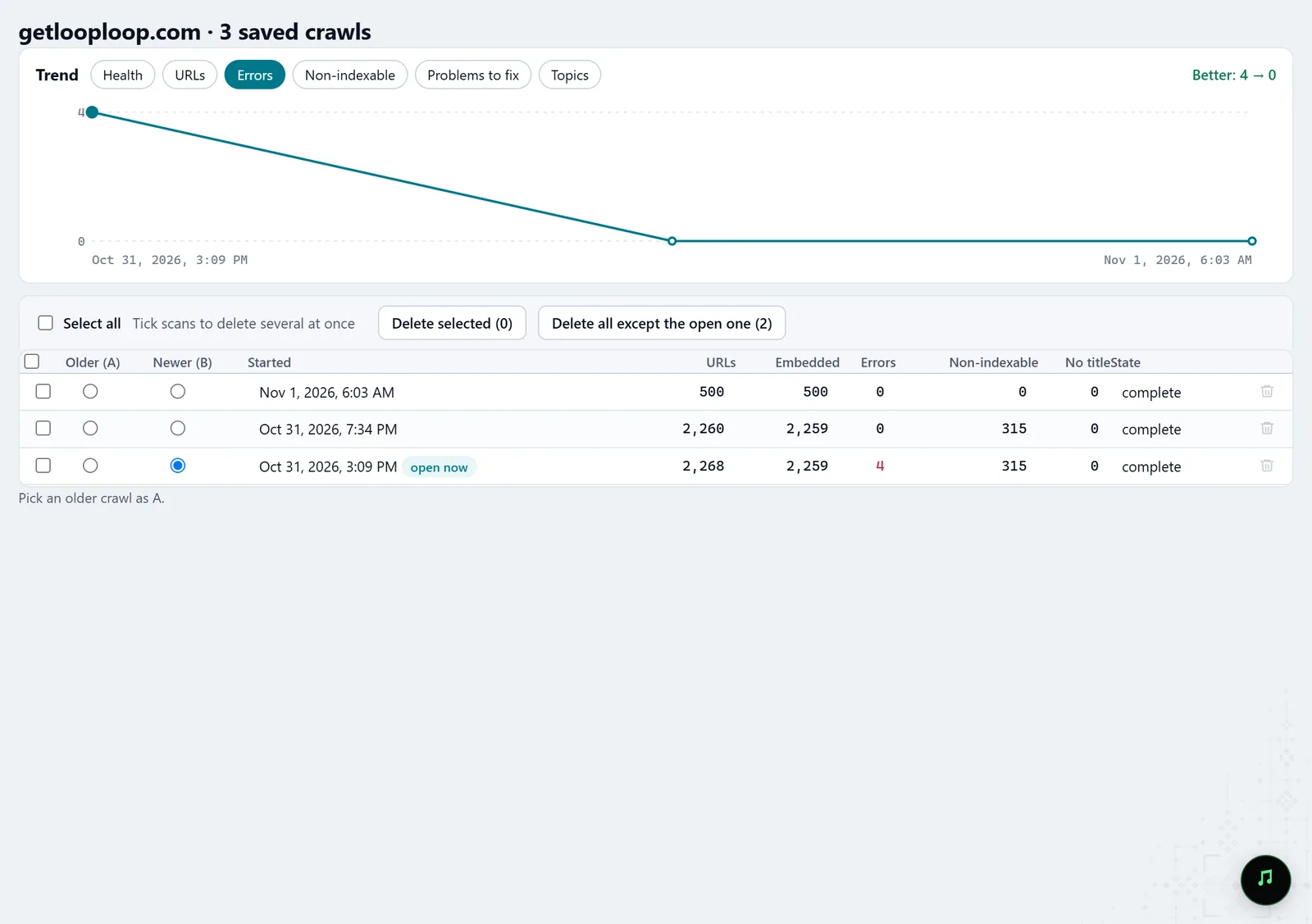
In the screenshot: Crawl history
What you get
A short list
The pages that lost clicks or sit near the first page of search.
The reasons for each
The technical problems of exactly these pages, not the whole site.
A check after the edits
The same crawl before and after, page by page.
Good to know
- Search Console has to be connected; Molfar reads its data and changes nothing in it.
- Search Console reports with a delay of a few days, so the effect of the edits on clicks does not show at once.
- A list crawl has no graph of the whole site, so inlinks and depth for these pages are incomplete; they need a full crawl.
- List crawling is a Pro-mode control and may be locked on your account; the lock says what opens it.
Questions
- Can I take the addresses straight from Search Console?
- A Search Console report in Molfar exports with its Export button; copy the pages column from it and paste it into "Crawl a list of URLs".
- Can an agent do it?
- Yes. Over MCP an agent reads the Search Console data and starts a crawl with a list of addresses.
- Do added addresses bypass the scope rules?
- Yes, addresses you added by hand are crawled even outside the Include and Exclude rules.