

All scenarios/ Freelancer
Internal linking: from a map of sections to a plan of edits
The pages that make money sit four clicks deep, and blog posts link only to each other. A list of "add a link from page A to page B" hundreds of rows long will never be done. You need to see which sections should talk to each other, make a few template edits, and show the client what they will change.
- Who
- A freelancer or SEO specialist running several sites
- Site
- A services site, shop or blog with hundreds or thousands of pages, in sections
- What hurts
- Key pages buried deep, sections that do not connect, endless lists of page pairs
- What you need
- A few template and hub edits, exact links for the rest, and numbers before and after
Steps in Molfar
Crawl the site with embeddings
The plan needs two things: the link graph and what the pages are about. Molfar finishes the graph when the crawl ends, and records for every link where it sits: menu, header, footer, sidebar or content. The meaning comes from embeddings that the built-in model makes on your computer. To find pages nothing links to, the crawl has to see the sitemap.
Links — docs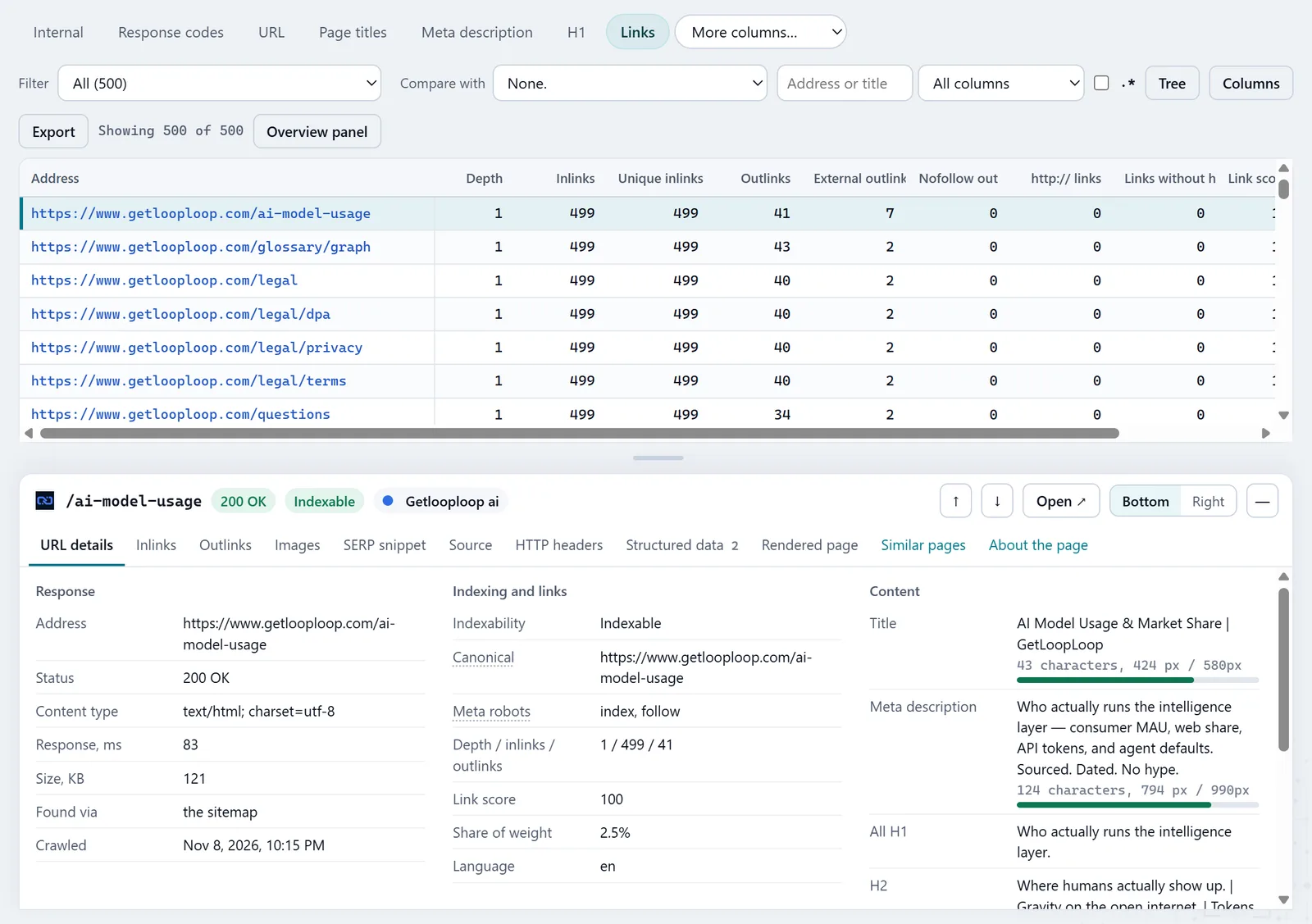
In the screenshot: Links table See where the weight sits now
In the Links tab, Link score is internal PageRank computed on your site's own links, 0 to 100 against the strongest page. "Share of weight, %" beside it says how much of all the internal weight the page holds. The filters "No internal links in" and "Four or more clicks deep" collect the orphans and the pages buried deep.
Links — docsIn the screenshot: Links table Open the Linking map by sections
Meaning › Linking map draws a group matrix: rows link to columns. Groups are the site's sections by URL folder or, with the switch, topics by meaning. A cell's fill is links in the content (menus and footers are counted apart: they say nothing about meaning), the ring is how close the two groups are in meaning, and a dashed border marks a gap: sections close in meaning with almost no links between them. The share-of-weight column shows what each section holds and what it passes out.
Linking map — docs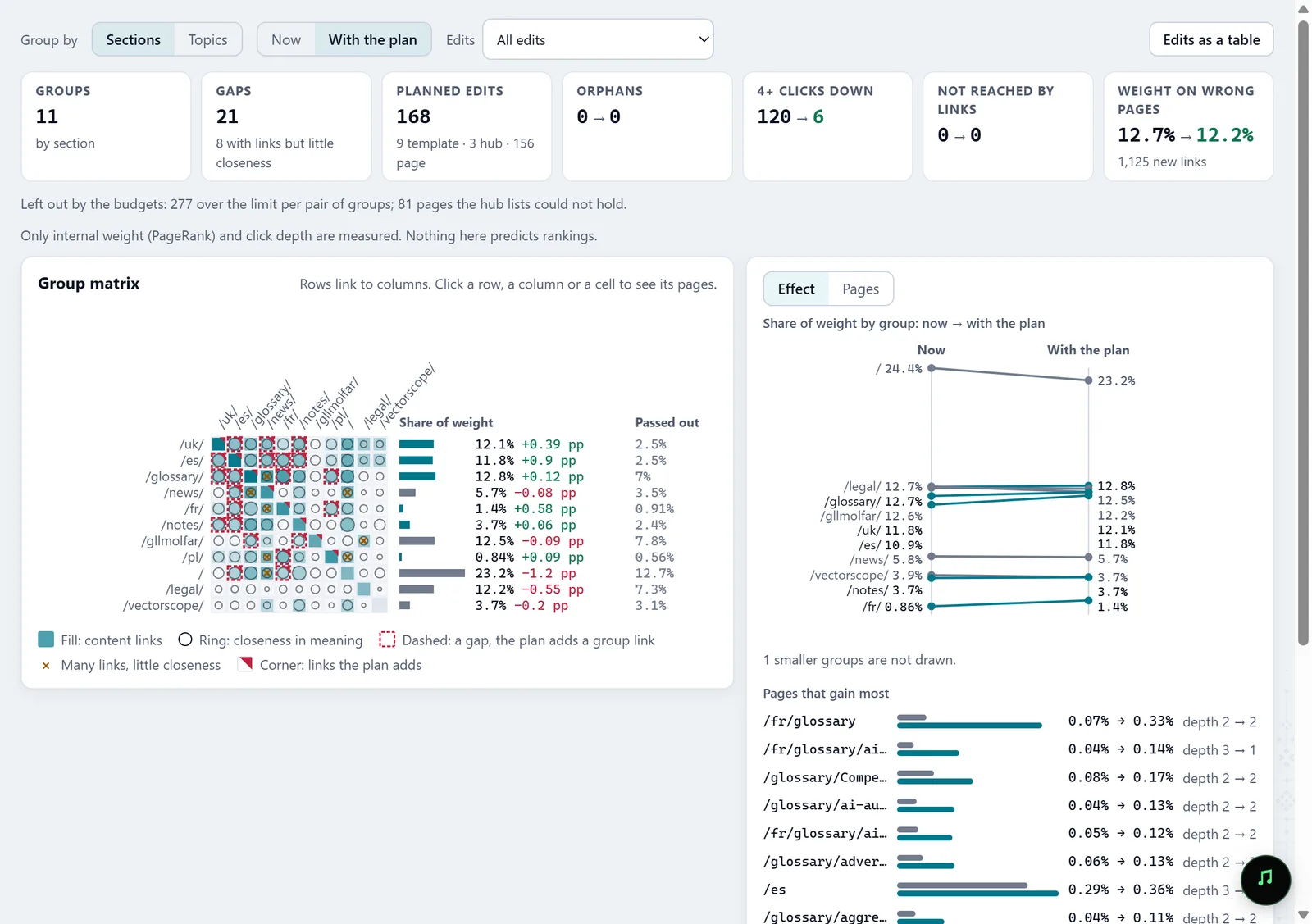
In the screenshot: Linking map Read the plan: templates first
For each group Molfar picks a hub: the folder's own page when there is one, else the strongest page that best represents the group. Then four rules: "Up to the hub", "Hub to its pages", "Nearest pages" in the same language, and "Group link", delivered to the other group's hub rather than to random pairs. When a rule covers most of a group's pages it becomes one template edit, such as a related block or a link to the hub in the breadcrumb. Hub lists come next, and page edits last. Budgets keep one page from being asked to carry dozens of new links, and the plan says what they left out.
Linking map — docsIn the screenshot: Linking map Switch Now to With the plan
Molfar computes PageRank and click depth again on your site's graph with the plan's links added. The strip on top shows orphans, pages 4+ clicks down, unreached pages and "Weight on wrong pages" — errors, redirects, non-indexable and utility pages — now and with the plan. Effect draws each section's share of weight now → with the plan, the pages that gain most and the ones that give most away, with their depth beside. You can see the effect of template edits only, hub lists only, or the edits you ticked. Click a row of the matrix and Pages shows that group as a graph with the planned links dashed; click a page for its links in and out by position and its planned edits.
Linking map — docsIn the screenshot: Linking map Hand over the edits as a table
Link opportunities is the same plan as rows, template edits first: kind, rule, where to add the link (for a template, "N pages of the group"), where it points, the placement on the page (such as the page's section closest in meaning to the target), a suggested anchor, and the effect: the target's share of weight and depth before and after. The anchor comes from the H1, the title or Search Console queries and avoids words the target already gets; when nothing else is left, the row says so. "Export, a sheet per kind" and "Export as one table" give the developer and the editor a file.
Link opportunities — docs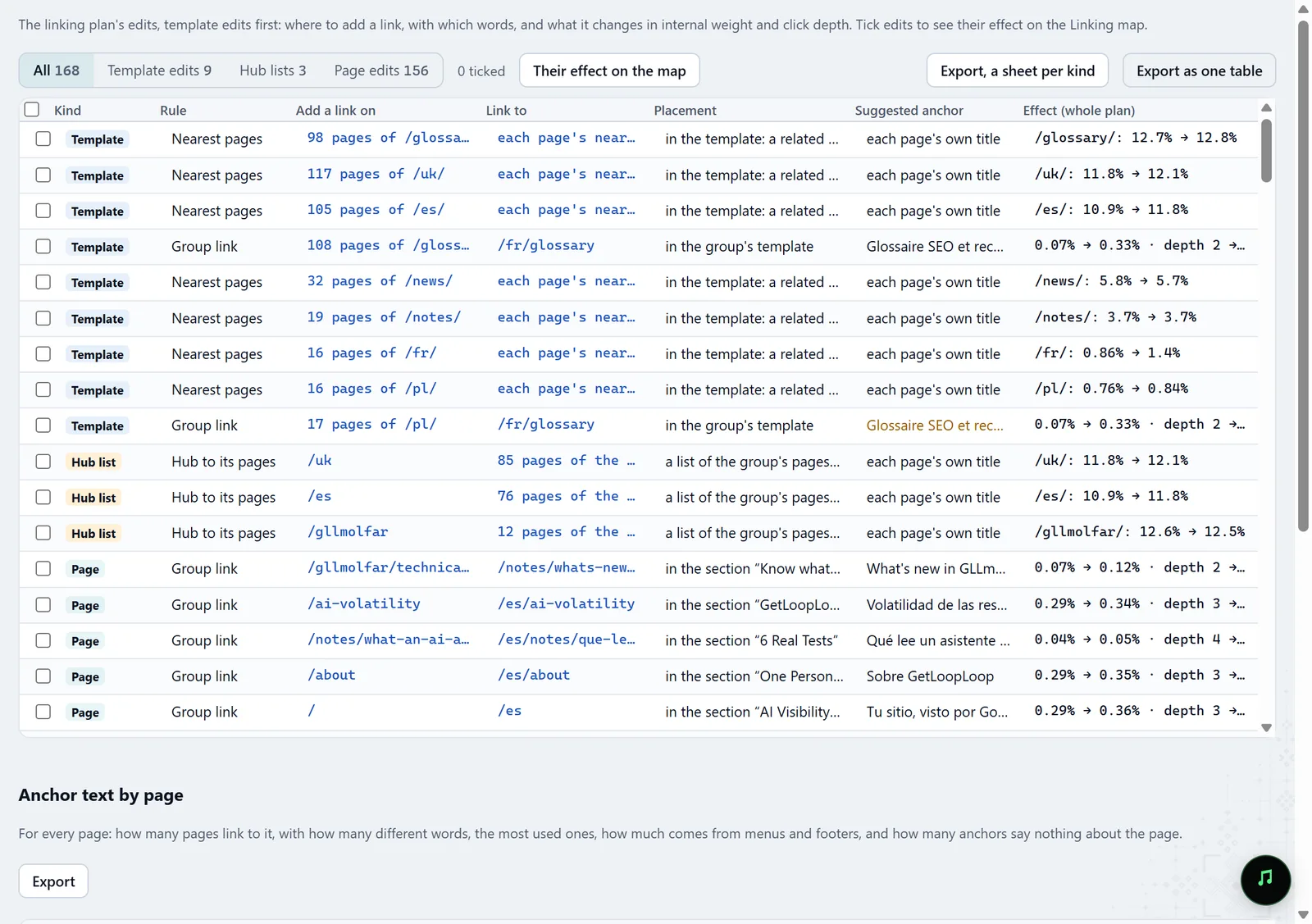
In the screenshot: Link opportunities Check the anchors you already have
Anchor text by page, lower in the same tab, shows for each address how many pages link to it, how many different anchors, the most used ones, the share coming from menus and footers, and how many anchors say nothing ("read more", "here") or are empty. A page linked only from the menu with the word "Services" is barely described to a search engine.
Anchor text by page — docs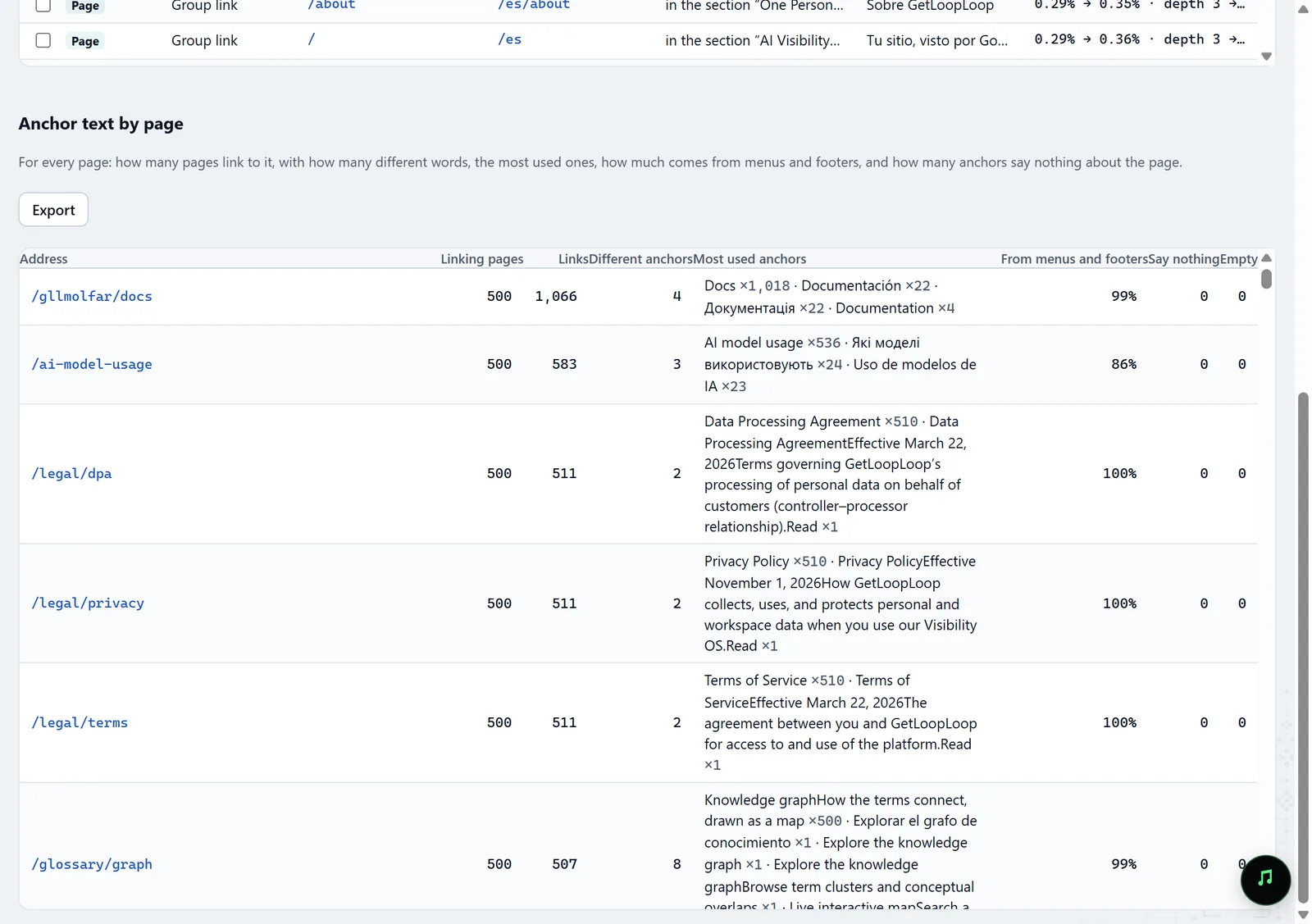
In the screenshot: Anchor text by page Check with the next crawl
After the edits, crawl again and compare in History: the orphans should be gone, and the share of weight and depth of the pages you lifted should come close to what the plan showed.
History — docs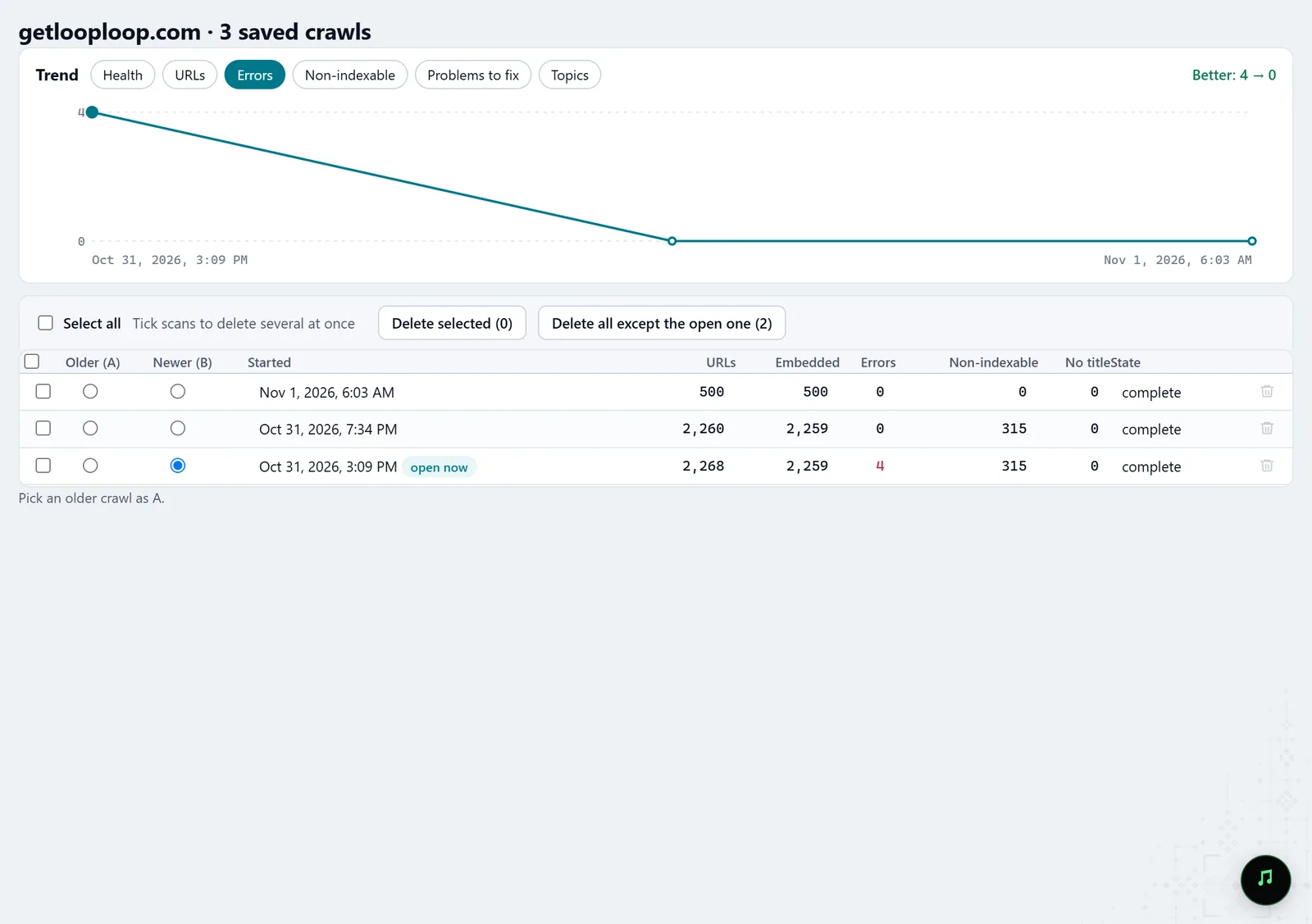
In the screenshot: Crawl history
What you get
A map of sections
Which sections are close in meaning, how many content links run between them, and where the gaps are.
A plan of edits by level
Template edits, hub lists and page edits with placement and anchor, in a file for the developer and the editor.
Weight before and after
Each section's and page's share of internal weight, depth and orphans now and with the plan, to show the client what the edits change.
Good to know
- With the plan, Molfar recomputes internal PageRank and click depth only. It promises nothing about rankings or traffic.
- Gaps between sections, nearest pages and topics need embeddings; without them the map shows links and weight, but no gaps.
- Link score counts only internal links between crawled pages. An orphan shows only if the crawl knows about it — from the sitemap or a list of URLs.
- In a crawl saved before Molfar 0.9.35 the share of weight is an estimate, and the window labels it so; a new crawl gives the exact value.
- Some tabs may be locked on your account; the lock on the tab says what opens it.
Questions
- Is Link score Google's PageRank?
- No. It is the same idea computed on your site's own links: it shows how your site spreads weight between its pages, not how Google rates the site.
- Do menu links count?
- In PageRank, yes: they pass weight too. In the group matrix and the gaps, no: only links in the content count there, because menus and footers sit on every page and say nothing about meaning.
- Why do some pages lose weight with the plan?
- A new link splits the weight of the page it sits on: its other links pass a little less. That is why Effect shows the pages that give weight away as well as the ones that gain.
- Can an agent read the plan?
- Yes. Over MCP, get_link_plan returns the groups, the gaps, the edits with rule, placement and anchor, and each target's share of weight and depth now and with the plan.