

Link opportunities
Describes GLLmolfar 0.9.22current release 0.9.23 · checked 1 Nov 2026
Internal links worth adding. Each row is one link: the page to put it on, the page it points to, an anchor, and how close the two pages are in meaning. The pages that need links most come first.
- Where
- Meaning › Link opportunities
- Mode
- Pro
- Built from
- The open crawl's embeddings and internal links
- Changes
- Once, when the crawl ends
On the screen
One line on what the tab shows, then one table.
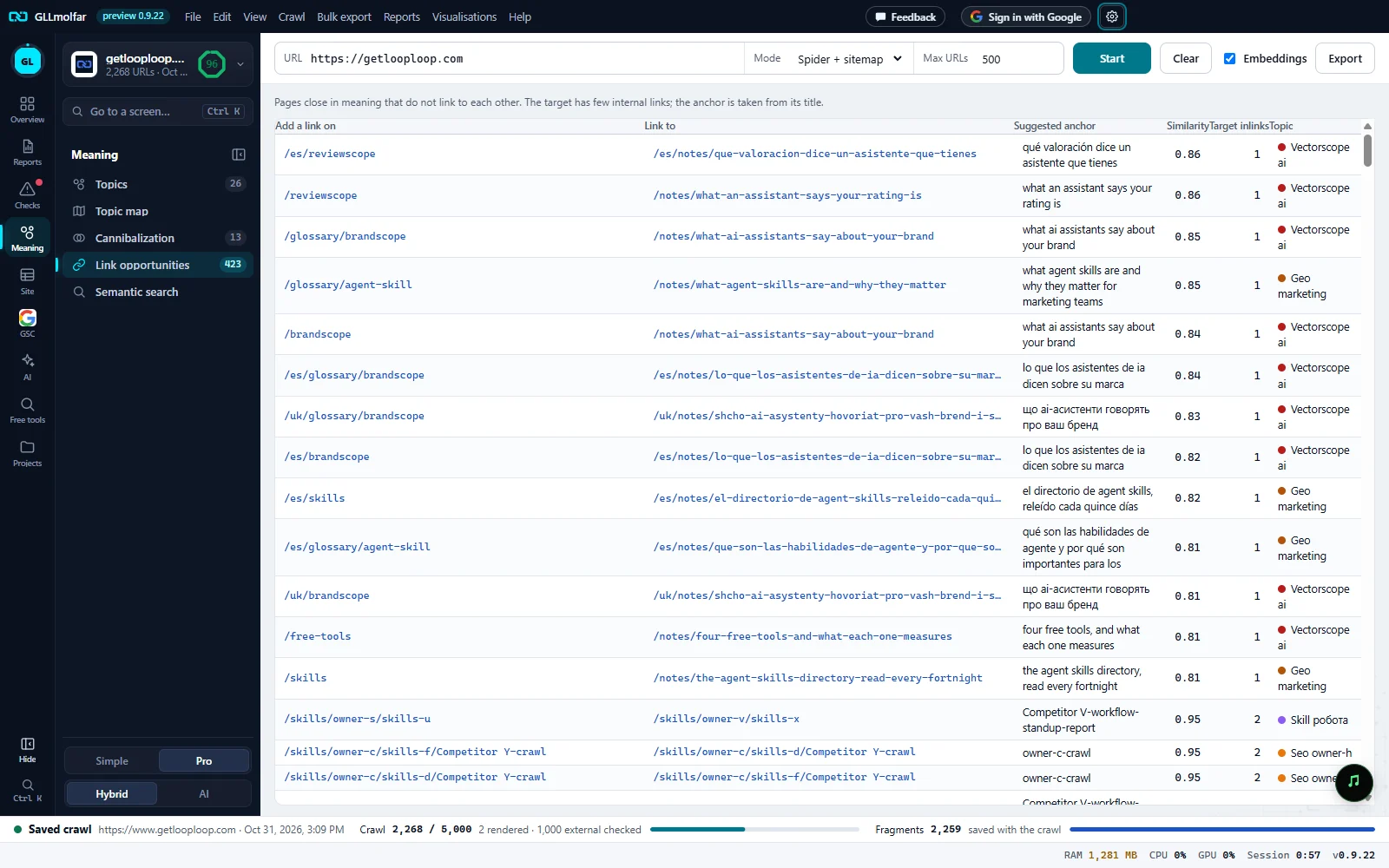
What it shows. Pages close in meaning that do not link to each other. The target has few internal links.
Add a link on, Link to. The page to edit, and the page the new link points to. Either opens that page's details.
Suggested anchor. Text for the link, taken from the target's H1, or its title when it has none.
Similarity, Target inlinks, Topic. How close the two pages are, how many internal links the target has now, and its topic.
Order. Targets with the fewest inlinks first; for the same count, the closest pages first.
Columns
| Column | What it shows |
|---|---|
| Add a link on | The page to put the link on. It is close in meaning to the target and does not link to it yet. |
| Link to | The weakly linked page that needs the link. |
| Suggested anchor | The target's H1, or its title when it has no H1, cleaned up for use as link text. |
| Similarity | How close the two pages are in meaning, from 0 to 1. Only pairs at 0.80 or more are suggested. |
| Target inlinks | Internal links pointing to the target now. |
| Topic | The target's topic, with its colour. |
Which pages get suggestions
- Both pages are indexable and in the same topic.
- The target has fewer than 5 internal links pointing to it. A page with more gets no suggestions.
- Each target gets at most three pages to link from: the closest ones, with pages that already carry more link weight preferred.
- Suggestions are worked out once, when the crawl ends. During a crawl the tab waits.
When there are very many, the analysis keeps the strongest. The table then ends with Showing {n} of {total}. Export CSV for the full list. The toolbar's Export saves the suggestions the analysis kept, with a note that it kept the {n} strongest of {total}.
States and messages
Link opportunities appear when the crawl ends and pages are embedded.
The crawl is still running, or the pages are not embedded yet. Turn on Embeddings in the toolbar if they are off.
No missing links found.
No weakly linked page has a close page that does not link to it yet.
A tab with a lock is not open on this account; pressing it says what opens it.
The tab keeps its place in the Meaning panel with a lock.