

Settings › General
Describes GLLmolfar 0.9.22current release 0.9.23 · checked 1 Nov 2026
How the app looks and behaves: its language, whether it explains technical terms, its mode, what a new crawl starts with, whether it checks for updates and sends anonymous statistics, what the close button does, and whether AI agents may use it.
- Where
- Settings › General
- Opens
- The gear at the top right
- Stored
- In the settings file on this computer
- Changes
- When you press Save
On the screen
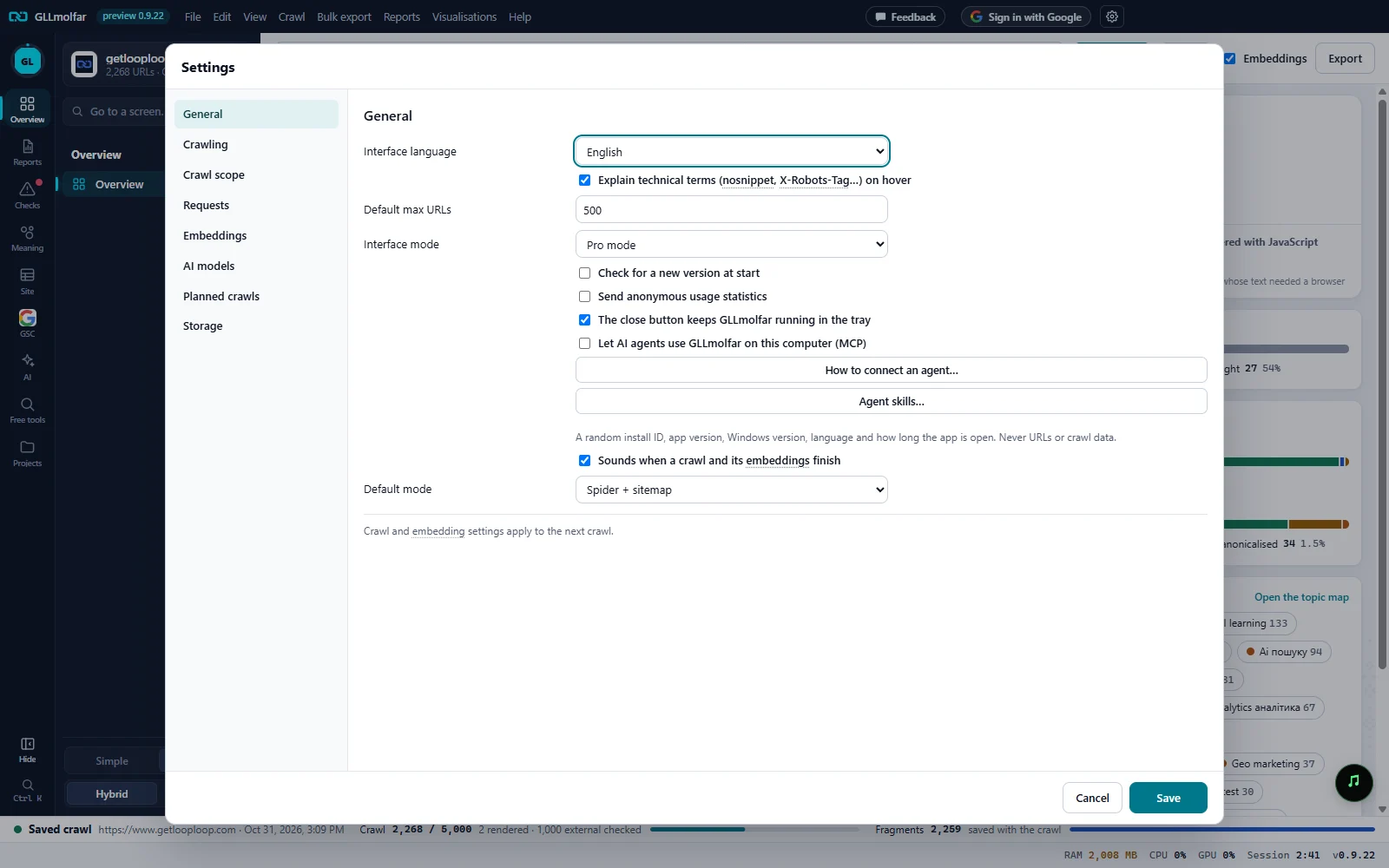
Interface language. English, Українська, Español, Français or Polski.
Explain technical terms. Explain technical terms (nosnippet, X-Robots-Tag…) on hover: the dotted underlines and their one-line explanations.
Max URLs and interface mode. The number the toolbar starts with, and Simple mode or Pro mode.
Updates, statistics, tray. Three switches: a new version at start, anonymous usage statistics, and the close button.
AI agents (MCP). Lets AI agents on this computer use the app, with How to connect an agent… and Agent skills….
Sound. Sounds when a crawl and its embeddings finish.
Default mode. Spider + sitemap, Spider only or Sitemap only.
Fields
| Field | What it does | Options | Default |
|---|---|---|---|
| Interface language | The language of the whole app. | English, Українська, Español, Français, Polski | English |
| Explain technical terms (nosnippet, X-Robots-Tag…) on hover | Terms such as nosnippet, X-Robots-Tag, hreflang, llms.txt or LCP get a dotted underline wherever they appear. Hovering or focusing one shows one sentence in the interface language and More in the GetLoopLoop glossary. Off: the underlines go. | On or off | On |
| Default max URLs | How many URLs a crawl reads, as the Max URLs box in the toolbar starts. | A number | 500 |
| Interface mode | Simple shows what to do and why; Pro shows every table and filter. | Simple mode, Pro mode | Simple mode |
| Check for a new version at start | Asks getlooploop.com for the latest version when the app starts. | On or off | On |
| Send anonymous usage statistics | A random install ID, app version, Windows version, language and how long the app is open. Never URLs or crawl data. Messages from GetLoopLoop arrive only in reply, so switching this off stops those too. | On or off | On |
| The close button keeps GLLmolfar running in the tray | On: closing the window hides it to the tray, and planned crawls can still run. Off: closing the window quits the app. | On or off | On |
| Let AI agents use GLLmolfar on this computer (MCP) | AI agents may drive the app through its MCP server on this computer. See MCP tools. | On or off | Off |
| How to connect an agent… | Shows how to connect an AI agent to the app. | Button | — |
| Agent skills… | Opens the agent skills. | Button | — |
| Sounds when a crawl and its embeddings finish | Plays a soft sound at the end of a crawl. | On or off | On |
| Default mode | How a crawl finds pages, as the Mode box in the toolbar starts. | Spider + sitemap, Spider only, Sitemap only | Spider + sitemap |
States and messages
Settings saved.
Save closes the dialog. Cancel, Escape or a click outside it closes it without saving.
Crawl and embedding settings apply to the next crawl.
A crawl that is running keeps the settings it started with.