

Settings › Requests
Describes GLLmolfar 0.9.22current release 0.9.23 · checked 1 Nov 2026
What GLLmolfar adds to each request it sends. Extra headers, such as a language, and a user name and password for a site that asks for Basic authentication.
- Where
- Settings › Requests
- Mode
- Simple and Pro
- Stored
- In the settings file on this computer
- Changes
- From the next crawl
On the screen
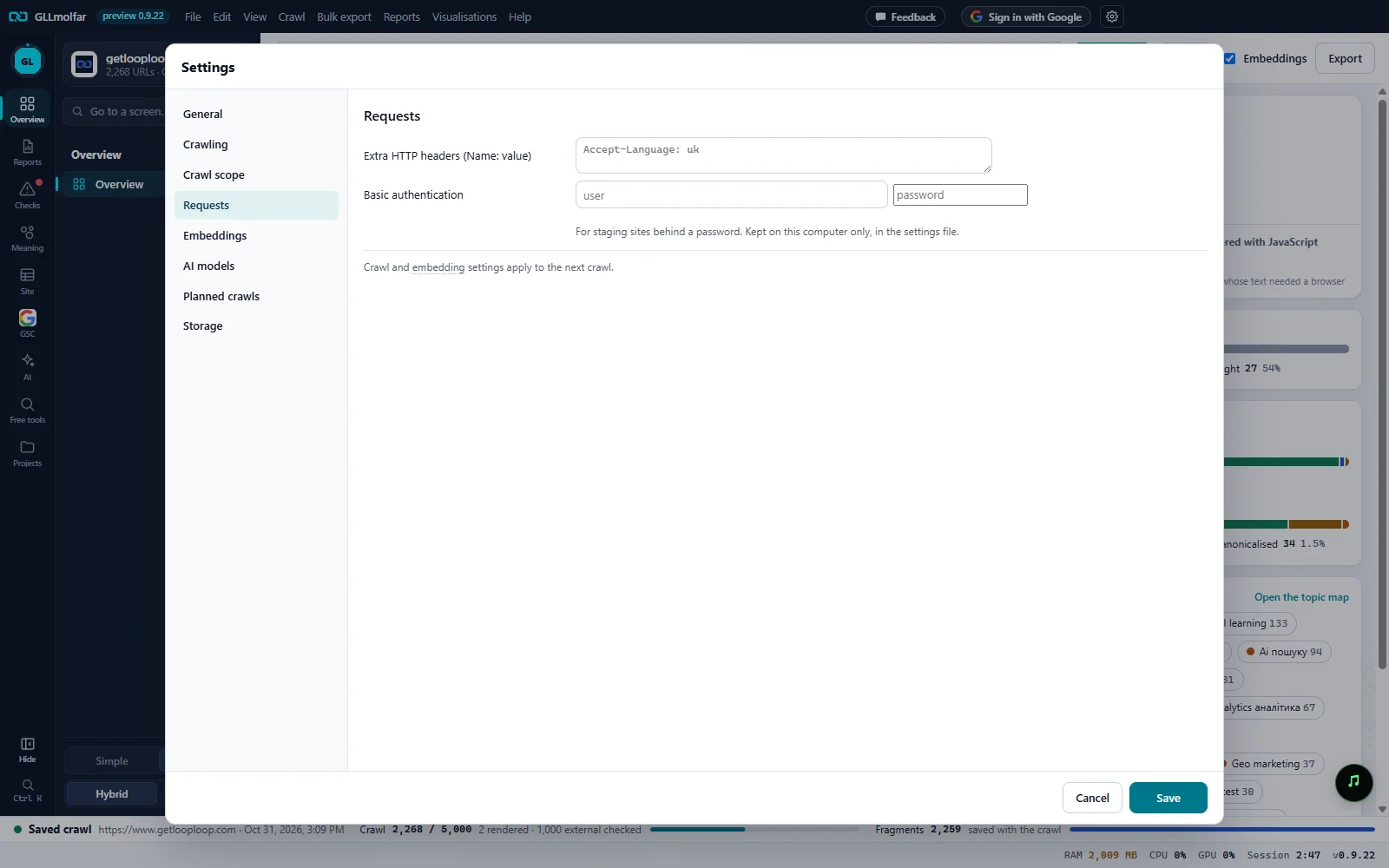
Sections. The Settings sections. Requests is the fourth.
Extra HTTP headers. One header per line, as
Name: value.Basic authentication. A user name and a password for a site behind a password.
Where it is kept. For staging sites behind a password. Kept on this computer only, in the settings file.
When it applies. Crawl and embedding settings apply to the next crawl.
Cancel and Save. Nothing changes until Save.
Fields
| Field | What it does | Default |
|---|---|---|
| Extra HTTP headers (Name: value) | Each line becomes one header on every request of the crawl. The name is the text before the first colon, the value the text after it. A line without a colon is ignored. Example: Accept-Language: uk. | Empty |
| Basic authentication: user | With a user name set, every request carries an Authorization: Basic header made from the user name and the password. | Empty |
| Basic authentication: password | The password for that header. The field hides what you type. | Empty |
States and messages
Saved
Settings saved.
The new headers and credentials go out with the next crawl.