

Settings › Planned crawls
Describes GLLmolfar 0.9.22current release 0.9.23 · checked 1 Nov 2026
Planned crawls run on this computer while GLLmolfar is open or in the tray. This section decides what happens to a run that came due while the computer or the app was off, and whether the app tells you about each run.
- Where
- Settings › Planned crawls
- Mode
- Simple and Pro
- Applies to
- Every schedule in Projects › Schedule
- Changes
- When you press Save
On the screen
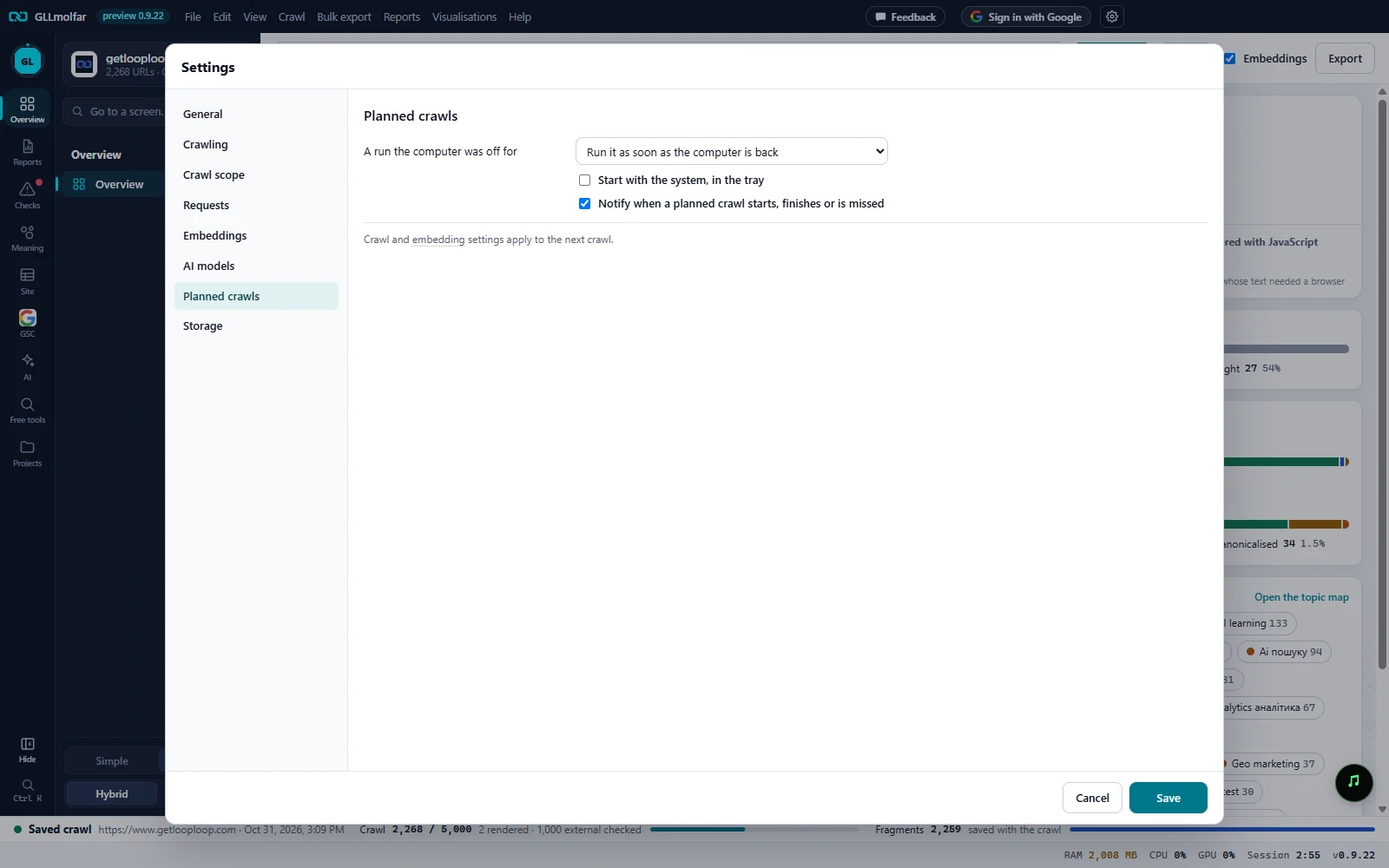
A run the computer was off for. Run it when the computer is back, skip it, or skip it and remind you.
Start with the system. Start with the system, in the tray, so planned crawls keep running after a restart.
Notifications. Notify when a planned crawl starts, finishes or is missed.
When it applies. Crawl and embedding settings apply to the next crawl.
Cancel and Save. Nothing changes until Save.
Fields
| Field | Options | What it does |
|---|---|---|
| A run the computer was off for | Run it as soon as the computer is back (default), Skip it, Skip it and remind me | A run that came due while the computer was off or asleep, or the app was closed, is noticed at the next check. Run it puts it in the queue. Skip it marks it Skipped in the calendar. Skip it and remind me marks it Missed and sends a notice. |
| Start with the system, in the tray | On or off. Off by default. | GLLmolfar starts when you sign in to the computer, hidden in the tray. |
| Notify when a planned crawl starts, finishes or is missed | On or off. On by default. | System notifications for each planned run: started, waiting, done with its counts, missed, or did not start. |
Notifications
With notifications on, each comes under the title GLLmolfar · planned crawl.
example.com: planned crawl started, up to N pages
The run began.
example.com: the planned crawl waits for the crawl in progress to finish
A crawl was already running. A planned run never interrupts it.
example.com: done — N pages, N errors, N non-indexable
Each figure carries its change against the crawl before, in brackets, when it changed.
example.com: the run of … was missed — the computer or the app was off
Only with Skip it and remind me.
example.com: the planned crawl did not start (code)
The code says why.