

Reports
Describes GLLmolfar 0.9.22current release 0.9.23 · checked 1 Nov 2026
Eleven reports drawn by the app from the open crawl. Each one answers one question, in four directions: technical SEO, content, AI visibility, and demand and progress.
- Where
- Reports, the second section of the rail
- Mode
- Simple and Pro
- Built from
- The open crawl, Search Console, history
- Export
- HTML, PDF
On the screen
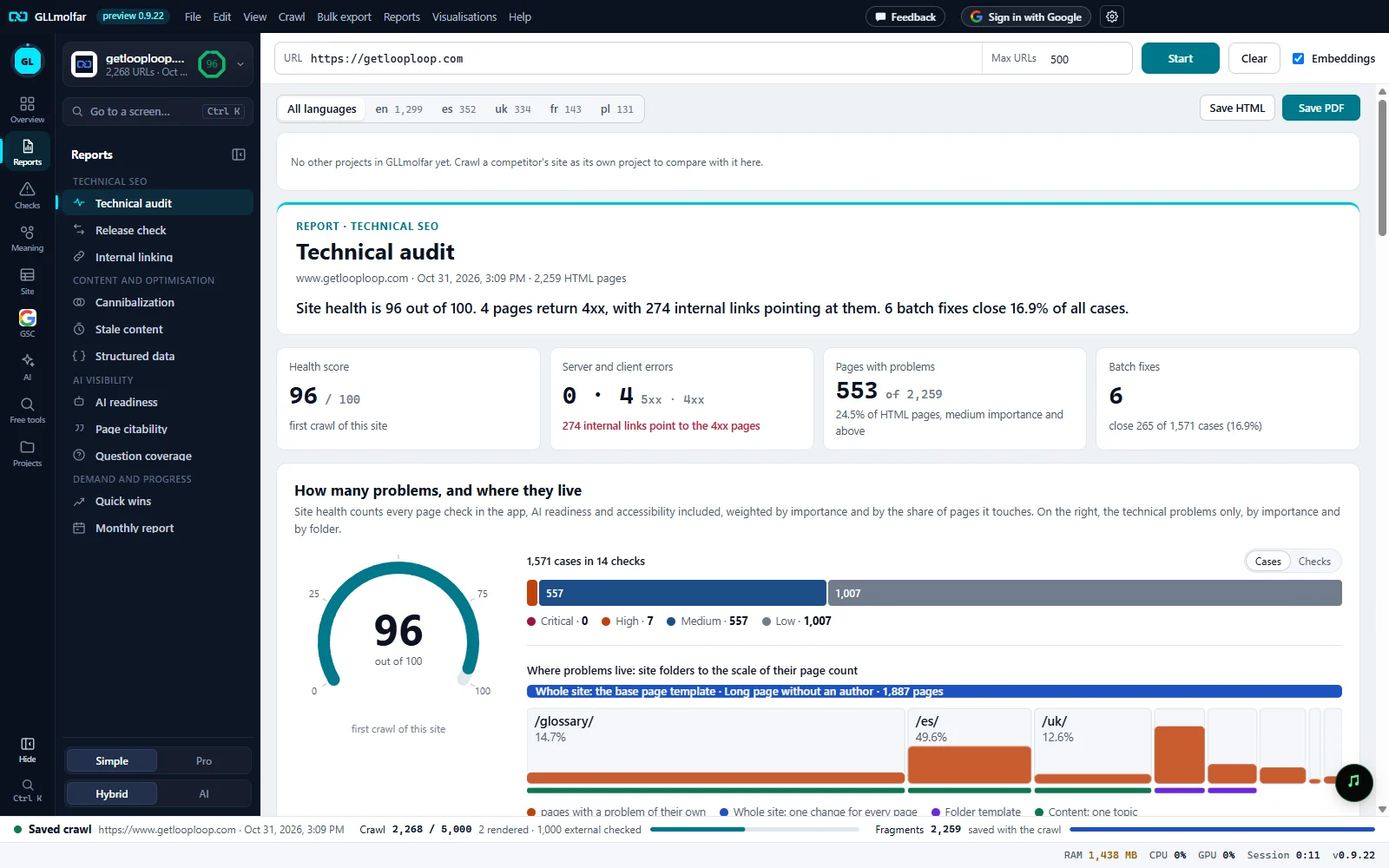
Report list. The Reports section of the rail opens them in its panel, grouped by direction. The report open is highlighted.
Language. All languages, or one language version of the site with its number of URLs.
Export. Save HTML and Save PDF save the report as it is on screen.
Beside your other projects. The same figures for your other saved sites. With none saved, it says how to add one.
Report head. The direction, the report's name, the site, the crawl's date and the number of HTML pages, then the verdict in a few sentences.
Key figures. Four cards with the report's main numbers and how they moved since the last crawl.
Details. Charts and findings by level, each with the pages behind it. Show these pages opens them in the table.
The eleven reports
| Report | Direction | The question it answers |
|---|---|---|
| Technical audit | Technical SEO | What is broken, where, and what to fix first |
| Release check | Technical SEO | What changed since the last crawl, and did the release break anything |
| Internal linking | Technical SEO | Which pages are deep, and which nobody links to |
| Cannibalization | Content and optimisation | Which pages compete for the same meaning |
| Stale content | Content and optimisation | Which pages are old, undated or unsourced, and which already lose clicks |
| Structured data | Content and optimisation | Which templates carry which schema.org markup, and what is missing |
| AI readiness | AI visibility | Can AI bots fetch and read the site: robots.txt, server answers, page structure |
| Page citability | AI visibility | How a retriever might cut a page into passages, which read as quotable, and what falls past a 26-passage cap |
| Question coverage | AI visibility | Which questions, from Search Console or your model, have a page on the site close in meaning |
| Quick wins | Demand and progress | Which searches are a small change away from more clicks |
| Monthly report | Demand and progress | What changed this month, what was done, and what comes next |
Quick wins and Question coverage read Search Console and say so when it is not connected. Cannibalization and Question coverage need embeddings and say so when they are off.
Language of a report
On a site with several language versions, the language picker narrows a report to one of them: Only the {l} pages: N of M URLs, with their Search Console pages. Totals Google reports for the whole site stay as they are. Release check and Monthly report always cover all languages.
States and messages
Open a saved crawl or start one: reports are drawn from it.
Reports have nothing to read until a crawl is open.
N s · usually about {t}
A report that loads data first (History, Search Console) shows the app's one wait bar: what it is reading, the seconds so far and, after the first time, how long it usually takes on this computer.
Beside your other projects
Reports that compare show the same figures for your other saved sites.