

Reverse prompts
Describes GLLmolfar 0.9.22current release 0.9.23 · checked 1 Nov 2026
Reverse prompting of a page and its blocks. GLLmolfar reads the page and cuts its copy into blocks; your AI agent, connected over MCP, writes what each block does; GLLmolfar checks the result and builds a prompt and an example for every block. It copies the shape of the text, never the text.
- Where
- Site › Reverse prompts, or **Reverse prompts** in the URL audit
- Mode
- Simple and Pro
- Built from
- One page read by GLLmolfar, judged by your agent
- Changes
- When you read a page or your agent builds a run
On the screen
At the top, what the screen does, the address field and the state of the agent connection. Below, the pages read so far on the left and the selected one on the right.
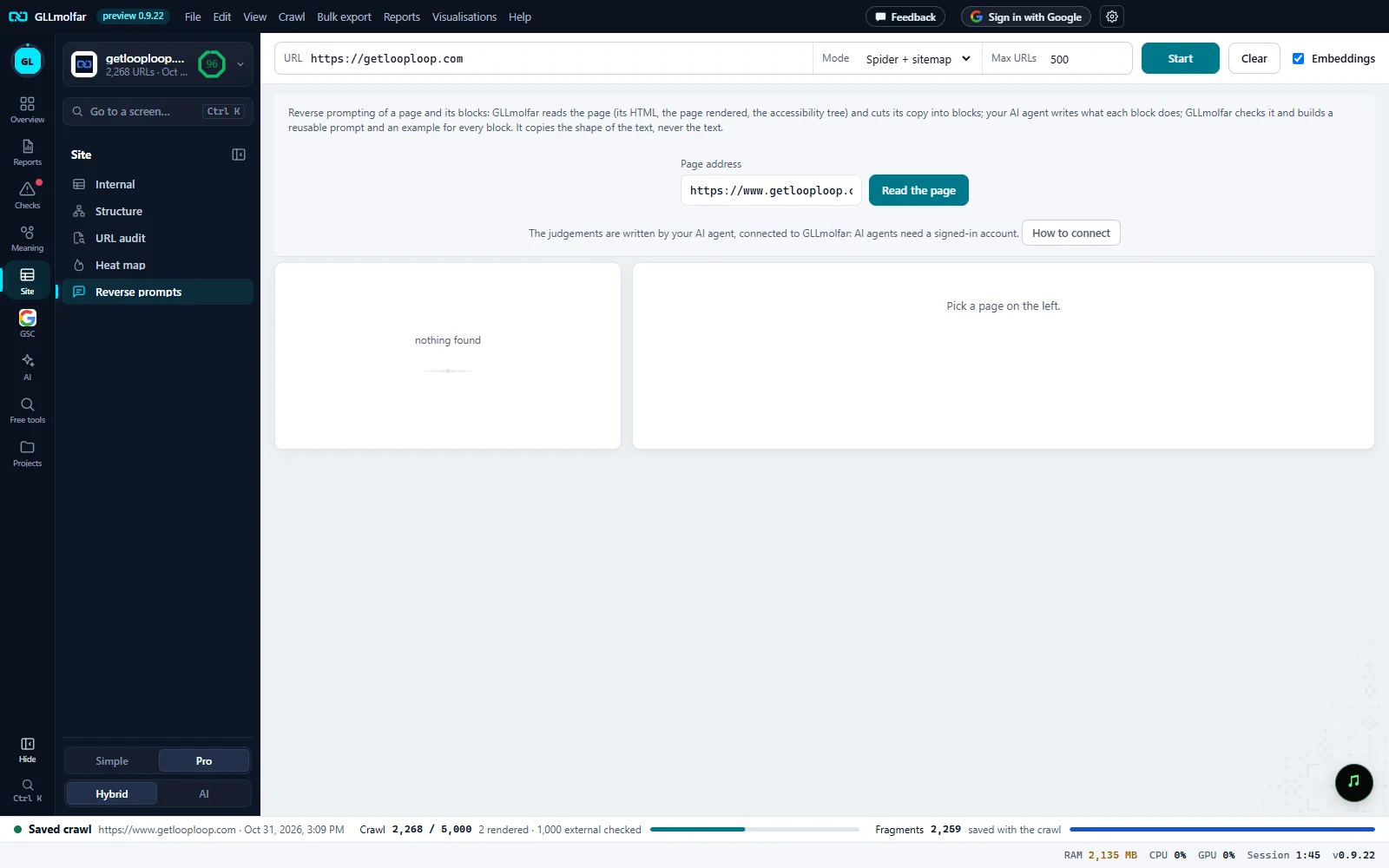
What it does. The page is read as HTML, as rendered and as its accessibility tree; your agent writes the judgements.
Page address. Filled with the open crawl's site. Read the page reads it and adds a run.
Agent connection. Whether your agent can do its part, with How to connect.
Runs. Every page read: blocks found, the address, the date, and Built or Waiting for agent.
The run. The selected run: its figures and, once built, the page profile and a prompt for every block.
How a run goes
- Read the page. GLLmolfar reads the address and cuts its copy into candidate blocks. The run appears in the list as Waiting for agent.
- Copy for the agent. The run shows a line to paste into your AI agent (Claude Code, Codex or any MCP client connected to GLLmolfar): “Use GLLmolfar's reverse_prompts tools: get run {id} ({url}), fill in its analysis and build it.”
- Your agent writes the judgements and sends them back through GLLmolfar's tools. GLLmolfar checks them.
- Built. The prompts appear in the run, selected, as soon as the agent builds it.
A run
| Part | What it shows |
|---|---|
| Figures while waiting | candidate blocks, visible words, text only after JavaScript and text folded behind a click, and Read as: with the layers read. |
| Figures once built | blocks with prompts, visible words and text only after JavaScript. |
| The page | Main promise, Page and reader, Persuasion logic and Skeleton: the page's blocks in order. |
| Blocks (N) | Each block with its name, type and role, its Prompt with Copy, and an Example from the prompt. |
| Actions | Open the full report, Copy all prompts, save as .md, .json or .html, and Delete. |
The agent connection
| Line on screen | What it means |
|---|---|
| The judgements are written by your AI agent, connected to GLLmolfar: AI agents need a signed-in account. | Sign in first. How to connect explains the rest. |
| The judgements are written by your AI agent: switch the agent connection on in Settings and connect your agent. | Signed in, but the connection is off or not running. |
| The agent connection is on: ask your agent to finish a run, or to reverse-prompt any page. | Ready. Your agent can also start a run itself. |
States and messages
nothing found
No page has been read yet. The right side says Pick a page on the left.
Reading…
The button stays busy until the page is read.
The page shows a captcha or a bot check; GLLmolfar does not get past it.
Nothing is read.
The site did not answer or refused automated readers.
Nothing is read.
Not a readable web page, or a page with no text (probably images).
Nothing to cut into blocks.
Not a public web address.
Nothing is read.
Not analysed: a page in Russian, or a site in Russia's domain zone, hosted in Russia or with a Russian-language version. The publisher's decision.
The page is not read.