

Settings › AI models
Describes GLLmolfar 0.9.22current release 0.9.23 · checked 1 Nov 2026
GLLmolfar can use your own language models for its written analyses. Add a connection, check it, and choose which model does which job. The section is marked alpha.
- Where
- Settings › AI models
- Stage
- Alpha
- Keys
- Encrypted on this computer, never shown again
- Changes
- Saved at once, apart from the Settings form
On the screen
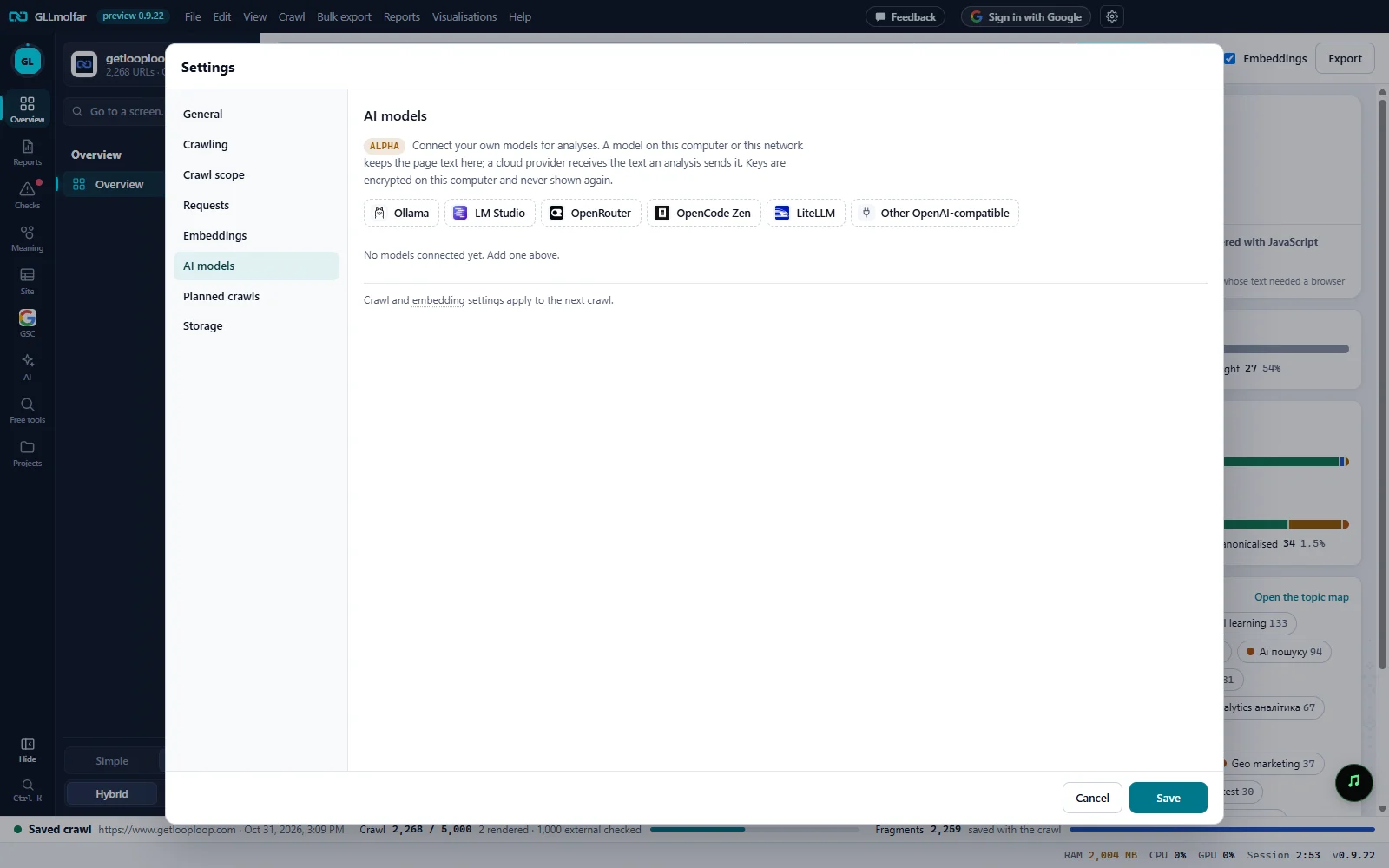
Alpha and the intro. Connect your own models for analyses. Where the page text goes, and how keys are kept.
Add a connection. One button per supported provider, each with its own mark, and Other OpenAI-compatible for any other server.
Connections. No models connected yet. Add one above. until the first one is added; then a card per connection.
When it applies. Crawl and embedding settings apply to the next crawl. The connections themselves are saved as you change them.
Cancel and Save. For the rest of the Settings form. Connections and routes do not wait for Save.
Where the text goes
A model on this computer or this network keeps the page text here; a cloud provider receives the text an analysis sends it. Keys are encrypted on this computer and never shown again. Each card says which of the two it is: On this computer or network, or Cloud: and the host.
A connection's card
Pressing a provider's button adds a card for it, with the provider's usual address filled in. Up to twelve connections can be kept.
| Part | What it shows or does |
|---|---|
| Header | The provider's mark and name, On this computer or network or Cloud: host, and Remove. Removing a connection also clears every job that used it. |
| Address (OpenAI-compatible, ends in /v1) | Where the server answers. It must start with http:// or https://. |
| API key | Shown as API key where the provider needs one, API key (if the server asks for one) where it may not, and not shown where it is never used. A saved key reads Saved — type to replace. |
| State | Not checked yet, Connected · models: N · N ms with the date of the check, or the reason it failed. |
| Model list | After a successful check: the models the server offers. The model picked here is the one Try a reply asks. |
| Check | Saves the address and key as typed, then asks the server for its models. Enter in a field does the same. |
| Try a reply | After a successful check: asks the model for one short sentence and shows the reply with its time. A cloud card adds A few tokens, billed to your key. |
| What the model was thinking | When the model sent its reasoning with the reply, it folds under the reply. |
Which model does what
Once a connection exists, a list of jobs appears under the cards. Each job takes one model from a checked connection, or — not set —. The note above it says: Alpha: the choice is saved now; the analyses start using it in the next builds. Only checked connections are offered.
| Job | What the app says it does |
|---|---|
| Topic names | Names each topic from its pages' titles and terms. |
| Explaining fixes | Why a problem matters and how to fix it, in plain words. |
| Page audit | A written summary of a single page's audit. |
| Reverse prompts | Judges a page's blocks and drafts their prompts. |
| Agent (test section) | Plans the work, ranks the tasks and checks its own findings. |
| Writing | Rewrites pages and writes articles in the agent's test section. |
| Fact checking | Checks every claim of a draft against its source, and judges pages flagged as risky. |
| Social posts | Posts, threads and articles for social networks. |
States and messages
Connected · models: 12 · 140 ms
The server answered and listed its models. The connection can now be chosen for a job.
Reachable, but it needs your API key before it can answer.
Type the key and press Check again.
The key was refused.
The server rejected the key.
No answer within 10 seconds.
The server did not answer the check in time.
Nothing is listening at this address. Is the server running?
Usually a local server that is not started.
This address does not resolve.
The host name in the address is wrong.
Could not connect: …
Any other failure, with its detail.
The model only thought and gave no answer within the limit. Thinking models need more room: it works in the agent, which allows long answers.
Try a reply allows a short answer only.
The answer was cut by the length limit before any text came out.
From Try a reply.
The server answered with empty text. Check that this model writes text (not an embedding model) and that it is loaded.
From Try a reply.
No checked model: connect one in Settings › AI models.
Shown by an analysis that needs a model when none is checked.