

Anchor text by page
Describes GLLmolfar 0.9.35current release · checked 8 Nov 2026
What the site's own links say about each page. For every internal URL: how many pages link to it, how many different anchors they use, the most used ones, how much of it comes from menus and footers, and how many anchors say nothing about the page.
- Where
- Meaning › Link opportunities, below the linking plan's edits
- Mode
- Pro
- Built from
- The internal links saved with the open crawl, with their words and their place on the page
- Changes
- Read once per crawl, after it ends
On the screen
A heading, one line on what the table counts, an Export button and the table, pages with the most linking pages first.
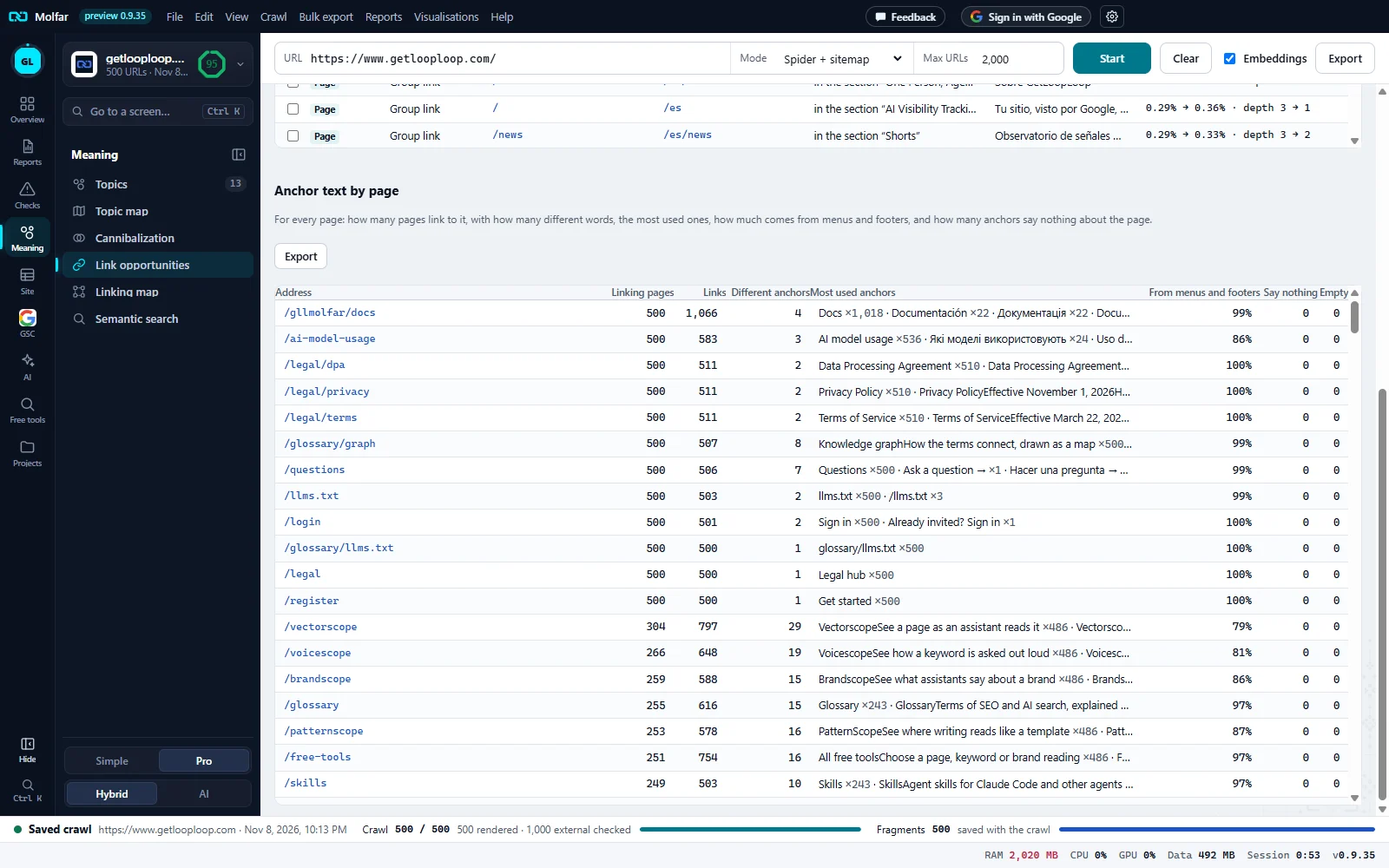
Anchor text by page. The heading and the line that says what each column counts.
Export. Saves the table in the export format set in Settings, up to 2,000 pages.
Linking pages, Links, Different anchors. Pages that link here, the links they carry, and how many different words those links use.
Most used anchors. The five most used anchors, each with how many links use it.
Menus, Say nothing, Empty. The share from menus, headers, footers and sidebars, anchors that name no page, and links without words.
Columns
| Column | What it shows |
|---|---|
| Address | The page the links point to. Click to open its details. |
| Linking pages | Different pages that link to it. A page linking twice with two anchors counts once. |
| Links | All the links pointing to it. |
| Different anchors | How many different link texts those links use. |
| Most used anchors | Up to five, most used first, each with ×N, the links that use it. |
| From menus and footers | The share of its links that sit inside a nav, header, footer or aside element rather than in the content. |
| Say nothing | Links whose words name no page: "read more", "here", "learn more" and the like, from one list in the app's five languages. |
| Empty | Links with no words at all, such as an image link without alt text. |
The table draws the first 300 pages and then says The first 300 of {total} pages. Export holds up to 2,000. A page that only menus link to, with one word, is barely described to a search engine by its own site: this table is where that shows.
Where these anchors go next
The linking plan above this table reads the same anchors: a planned link gets words the target does not get yet, and an anchor already in use is marked. See Link opportunities and the Linking map.
States and messages
Link opportunities appear when the crawl ends and pages are embedded.
Shown while the crawl runs; the anchors are read once it ends.
No internal links saved for this crawl.
The crawl kept no link rows, for example a crawl that stopped before any page linked to another.