

All scenarios/ Developer
A JavaScript site: what a search engine sees before rendering and after
The site moved to React, Vue or another framework, and some pages fell out of the index or show up with the wrong title. In the browser everything is fine, because the browser runs JavaScript. A search engine reads the raw HTML first, and you need to know what is missing from it and what JavaScript changes.
- Who
- Front-end developer, tech lead, technical SEO
- Site
- An SPA or a site rendered on the client, partly or fully
- What hurts
- Pages out of the index, empty snippets, links search engines do not see
- What you need
- The pages where HTML and the rendered page differ, and what exactly differs
Steps in Molfar
Render every page
"JavaScript rendering" in the crawl settings has three modes. Auto renders only pages whose raw HTML has little text, so it will not compare a page that has text but a canonical changed by JavaScript. For a framework site choose "All pages": slower, but every page is read twice.
Settings · Crawling — docs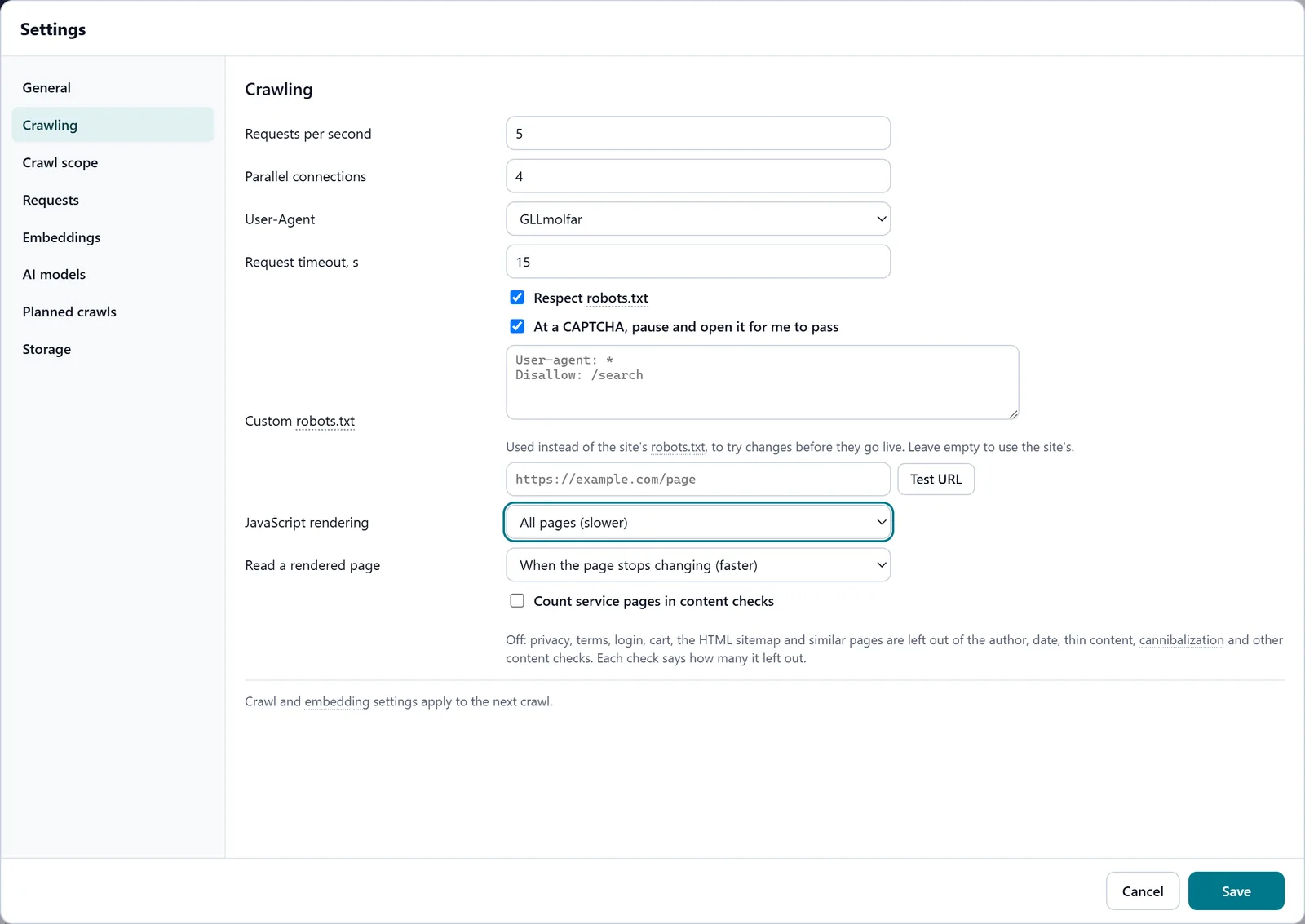
In the screenshot: JavaScript rendering settings Wait for content that loads late
"Read a rendered page" decides when a page counts as ready: when it stops changing, or when the network is quiet too. The second is for pages that fetch their text after loading, such as catalogues and reviews.
Settings · Crawling — docs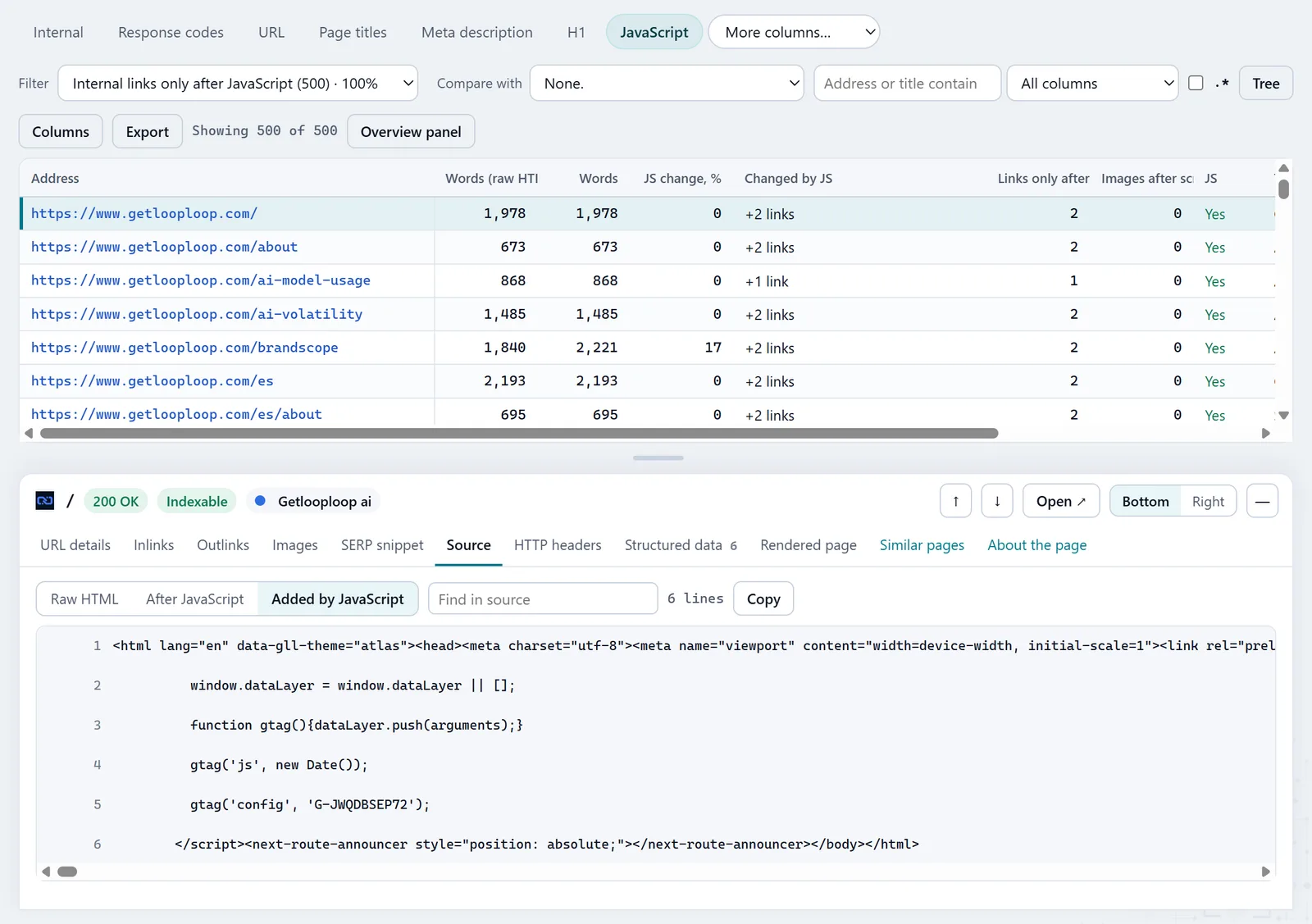
In the screenshot: JavaScript tab Find text that is not in the HTML
In the JavaScript tab, "Text appears only after JavaScript" shows pages whose raw HTML is nearly empty and whose rendered version has text. "JavaScript changes the text by over 20%" finds pages where the two versions differ a lot. The columns "Words (raw HTML)" and "JS change, %" say by how much. "Images that appear only after scrolling" finds images whose address a script writes in only when they scroll into view, with no fallback in the HTML.
JavaScript — docsIn the screenshot: JavaScript tab Check what JavaScript changes in the head
The worst case is JavaScript rewriting the signals for the index. "Canonical changes after JavaScript", "Meta robots changes after JavaScript", and the same for title, H1 and description show such pages, and "Canonical: HTML → JS" shows both values. Google says a noindex in the raw HTML may stop rendering, so a script cannot take it away. Beside them, "Internal links only after JavaScript": links a search engine sees only after rendering.
JavaScript — docsIn the screenshot: JavaScript tab Open one page three ways
In the page inspector the Source pane has three views: Raw HTML, After JavaScript and Added by JavaScript. The last shows only what the HTML did not have — the exact fragment the server should send.
Page inspector — docs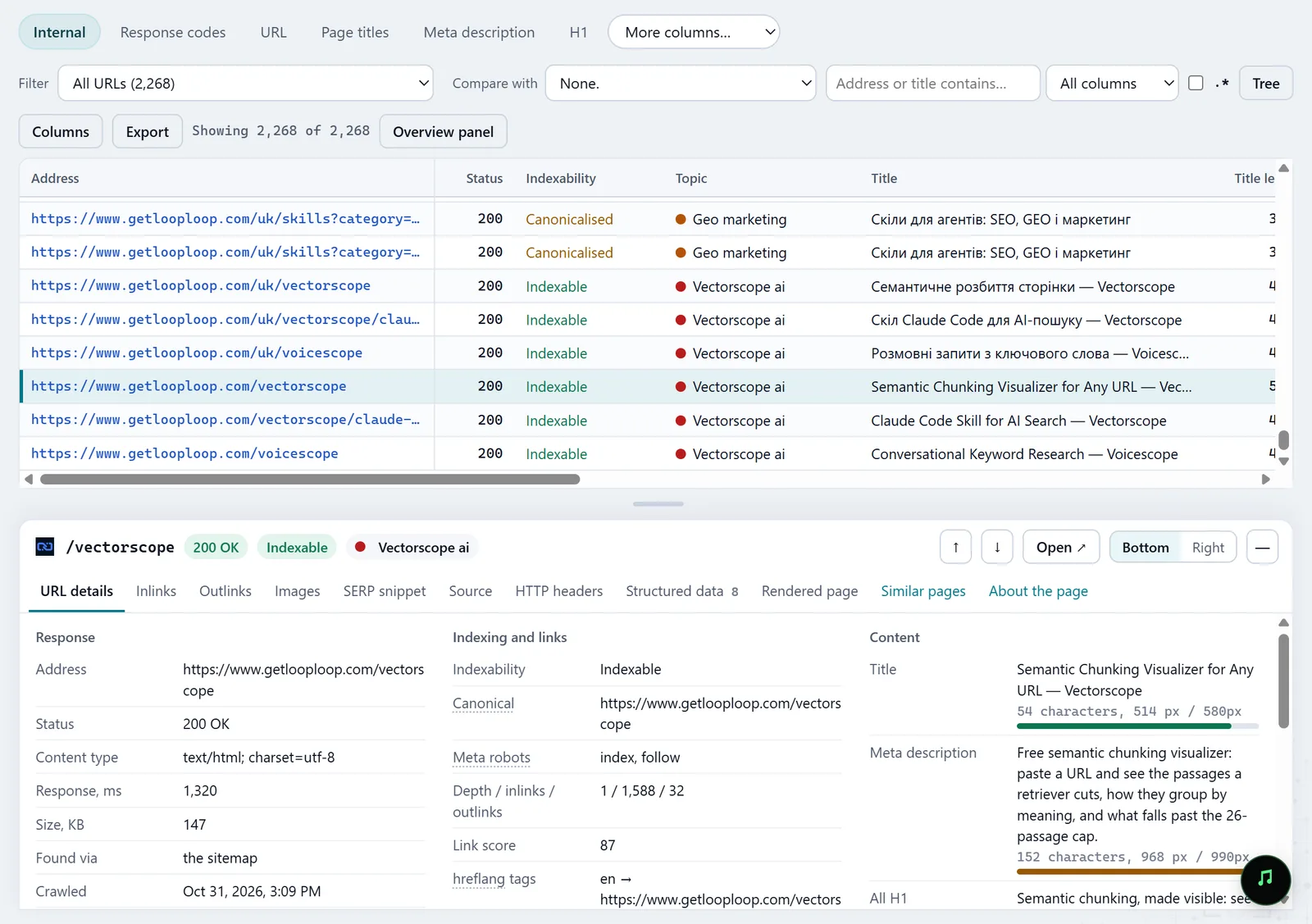
In the screenshot: All pages table with the inspector Check after the release
Once the server sends the text, canonical and links in the HTML, crawl with the same settings and compare in History: the pages should leave the JavaScript tab's filters.
History — docs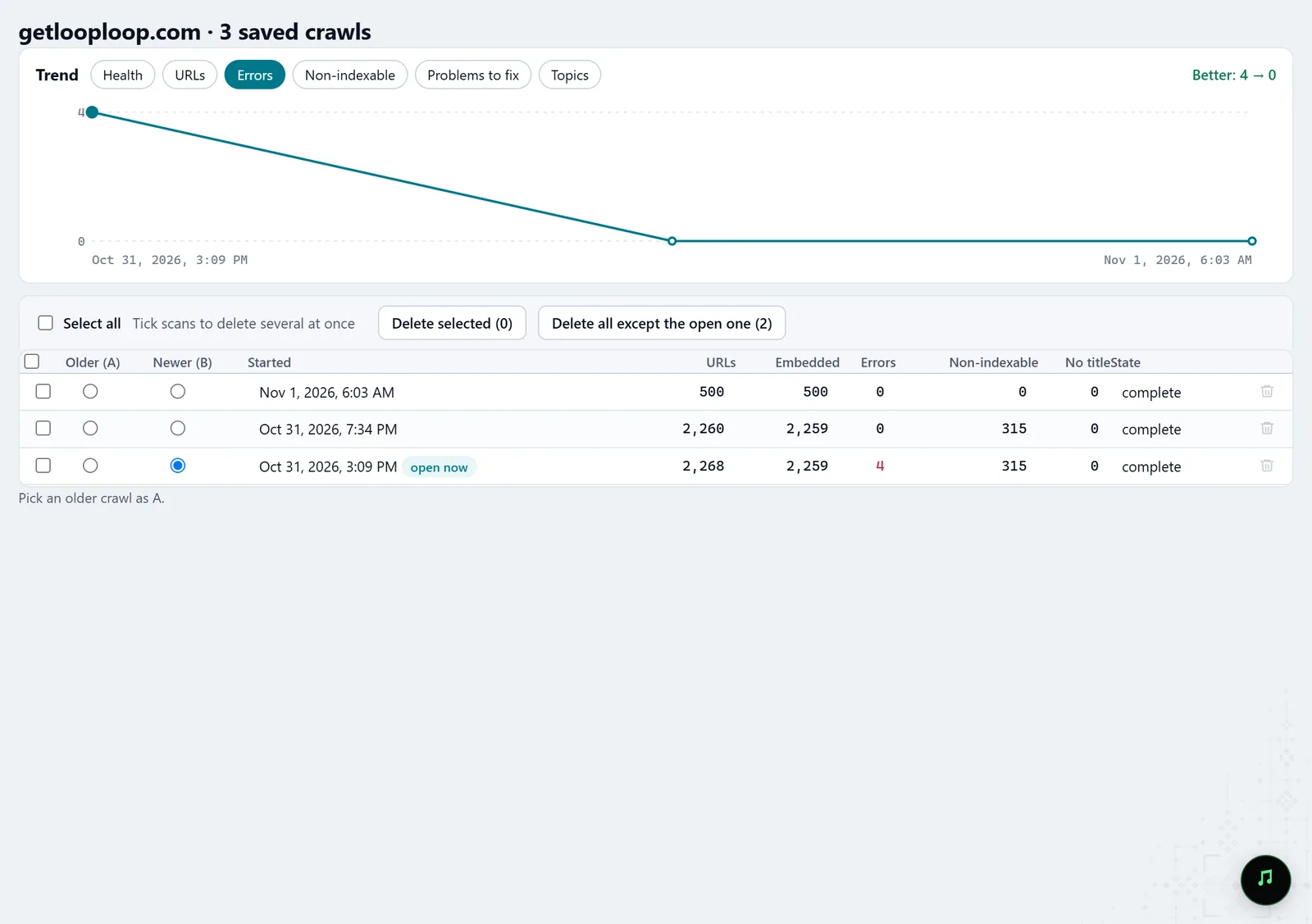
In the screenshot: Crawl history
What you get
Pages empty without JavaScript
The pages whose text exists only after rendering, with word counts before and after.
Signals JavaScript changes
Canonical, meta robots, title, H1 and description that differ between HTML and the rendered page.
Links and images for the server
Internal links that appear only after JavaScript, images with no fallback in the HTML, and the fragments worth rendering on the server.
Good to know
- Molfar renders with its own built-in Chromium. Google also renders in Chromium, with its own limits on time and resources, so the result is close, not identical.
- In Auto, only the pages that were rendered are compared; the full comparison needs "All pages".
- The scroll that finds such images runs only on rendered pages: a page read as raw HTML is not scrolled. Native loading="lazy" is fine and is not counted.
- Rendering is much slower than reading HTML; on a large site start with a sample of sections.
Questions
- Which mode for an SPA?
- "All pages", and "when the network is quiet too" under "Read a rendered page": every page is read twice, with the content that arrives by request.
- Can I check one page without a crawl?
- Yes. URL audit shows whether JavaScript changes the page, with the other checks for one address.
- Can an agent check it?
- Yes. Over MCP it can start a crawl with the rendering mode it needs, and the audit of one address returns both versions of the page.