

All scenarios/ Enterprise
Cannibalization across thousands of pages: what to merge, what to separate
Over the years a large site collects articles, landing pages and categories that answer the same question. They take clicks from each other, and Google keeps picking a different one. You cannot find them by hand: the titles and URLs differ while the content overlaps.
- Who
- In-house SEO, content lead, editorial team of a large site
- Site
- Thousands of articles, categories and landing pages, several writing teams
- What hurts
- Rankings hop between pages, clicks are spread thin
- What you need
- A list of groups, a decision for each, and a check in Google
Steps in Molfar
Crawl with embeddings
Molfar builds cannibalization, topics and semantic search from embeddings. The model downloads once and runs on your computer; the embeddings settings choose how much text of each page it reads.
Settings · Embeddings — docs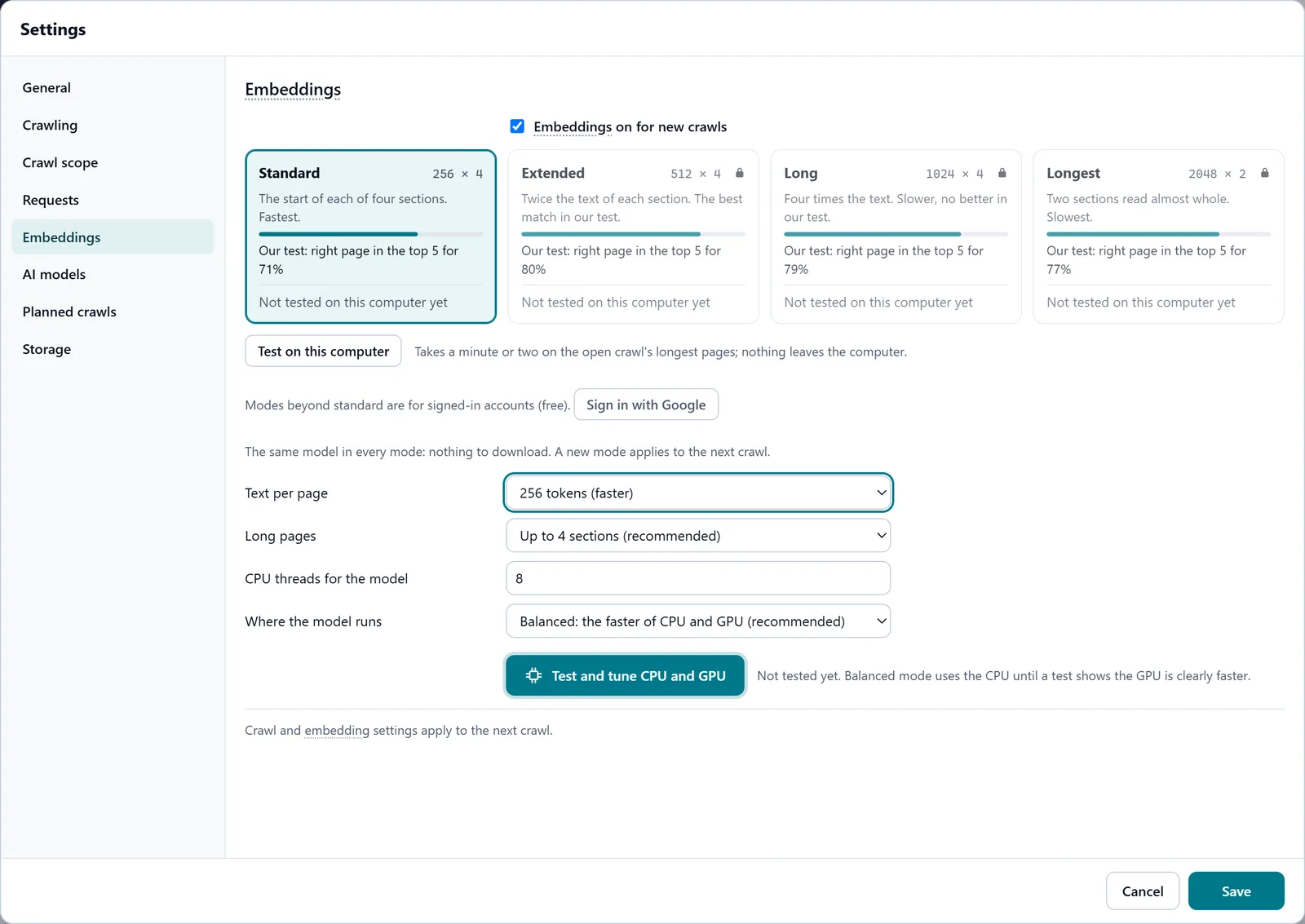
In the screenshot: Embeddings Look at the topics
The Topics tab groups pages by meaning: each topic's size, key terms, how tight it is, how its pages link to each other, how many cannibal pairs it holds and which page is its centre.
Topics — docs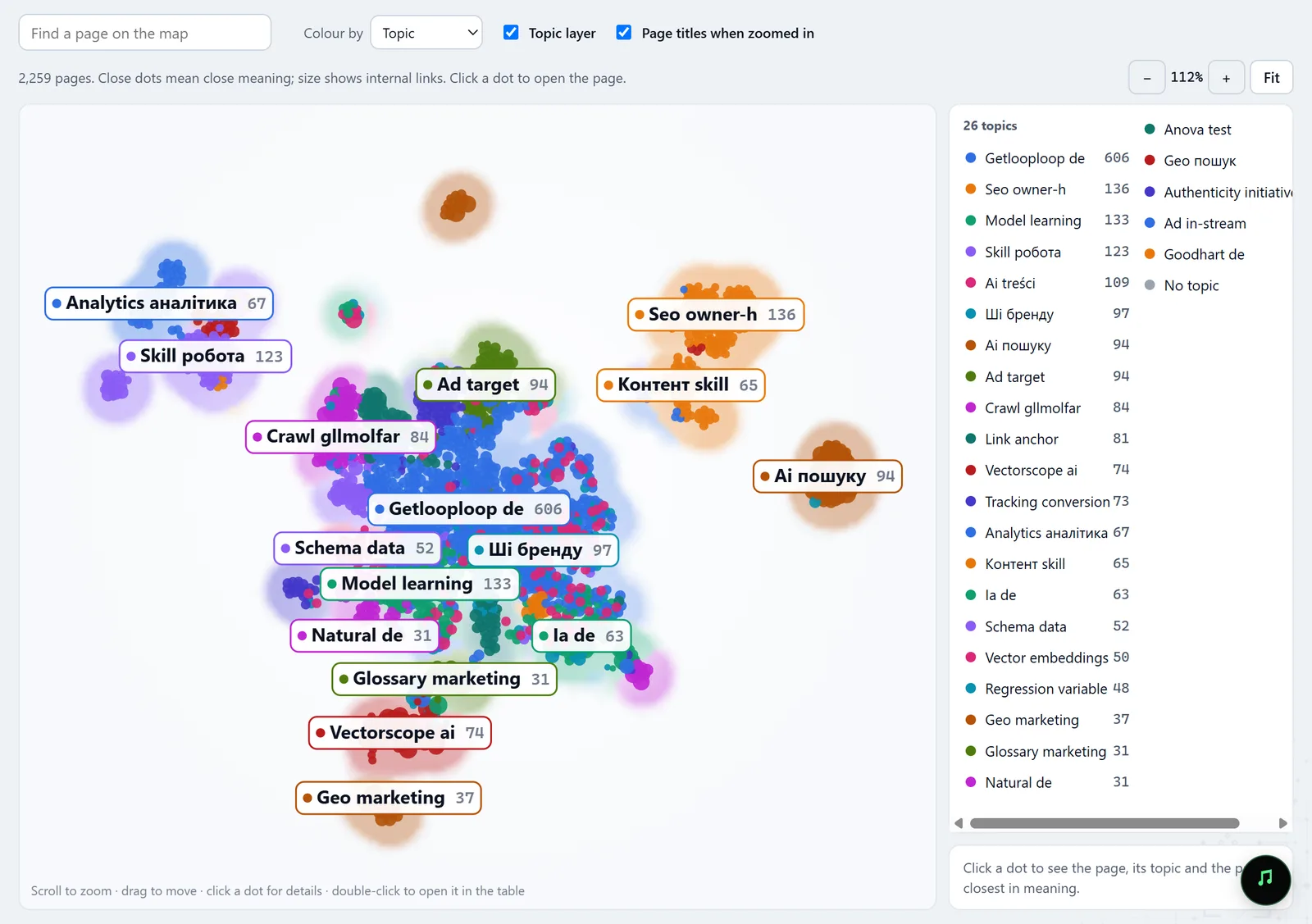
In the screenshot: Topic map Open the cannibalization groups
Two pages form a pair when their texts are close in meaning — similarity 0.94 or more on a scale from 0 to 1. Pairs that share a page join into a group; red from 0.97 means near copies.
Cannibalization — docs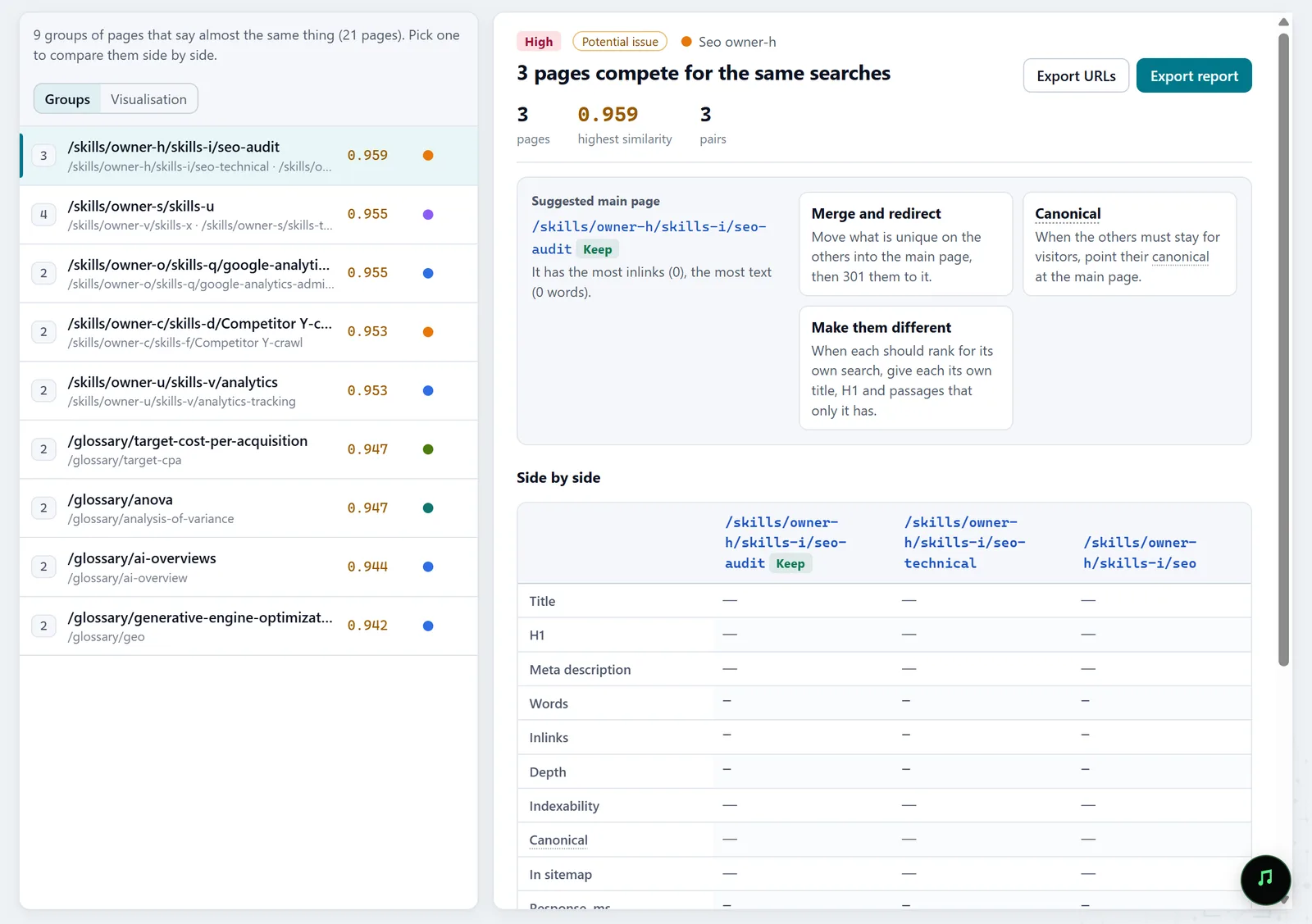
In the screenshot: Cannibalization Compare the texts passage by passage
Under a group, two pages are cut into passages and each is matched with the closest one on the other page. Green "only here" marks what the other page does not say: that is what makes a page worth keeping.
Cannibalization — docsIn the screenshot: Cannibalization Check what Google shows
GSC · Cannibalization lists the queries for which Google showed two or more of your pages in the last 28 days. Pages that pair up both by text and by query are the strongest case to resolve.
GSC · Cannibalization — docs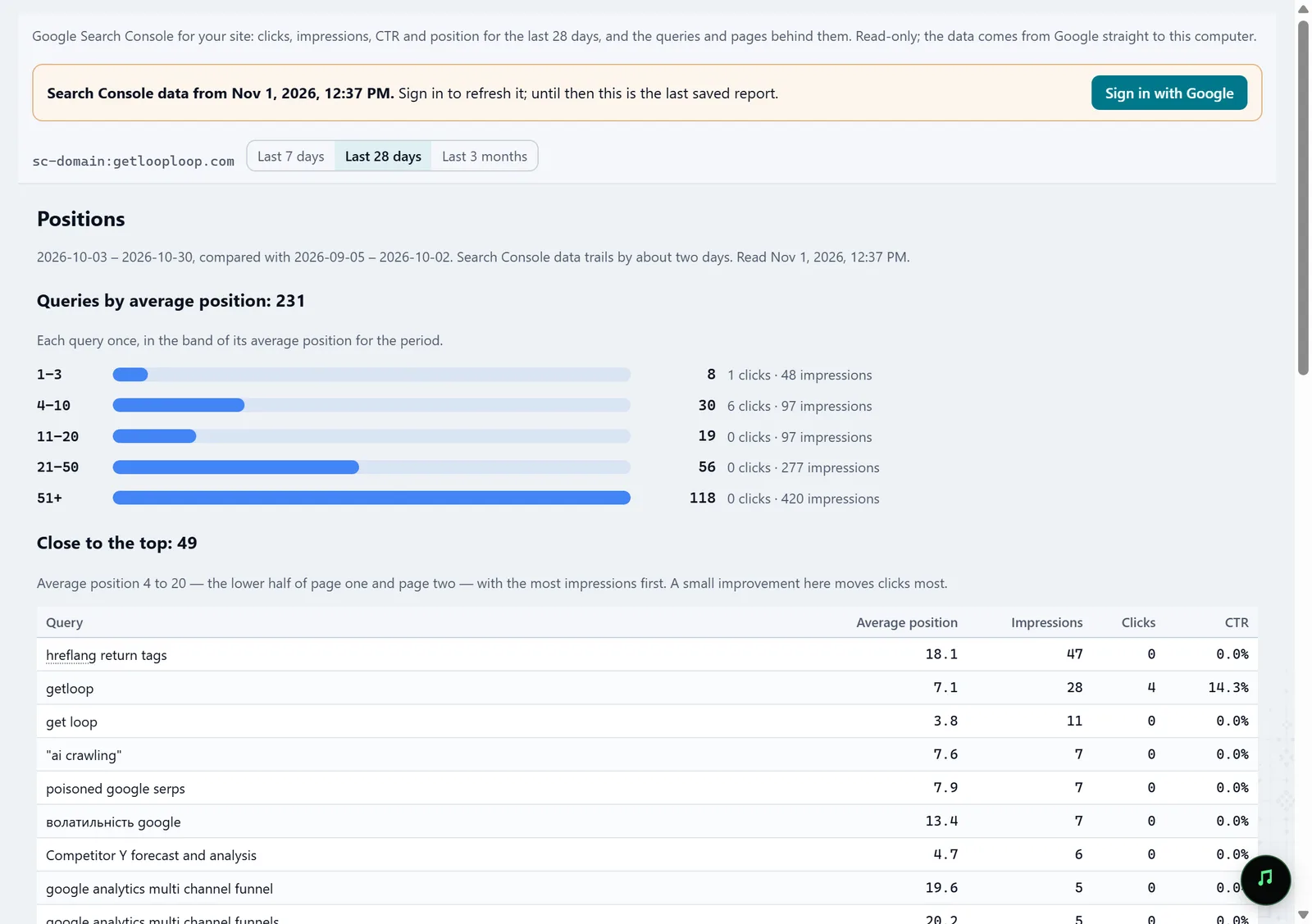
In the screenshot: Search Console Pick a resolution for each group
Molfar suggests a main page and three ways out: merge and 301 the others to it, point their canonical at it when they must stay for visitors, or separate them — each with its own title, H1 and passages no other page has.
Cannibalization — docsIn the screenshot: Cannibalization Check with the next crawl
After the changes, crawl again: History compares the two crawls page by page, and you see which groups are gone.
History — docs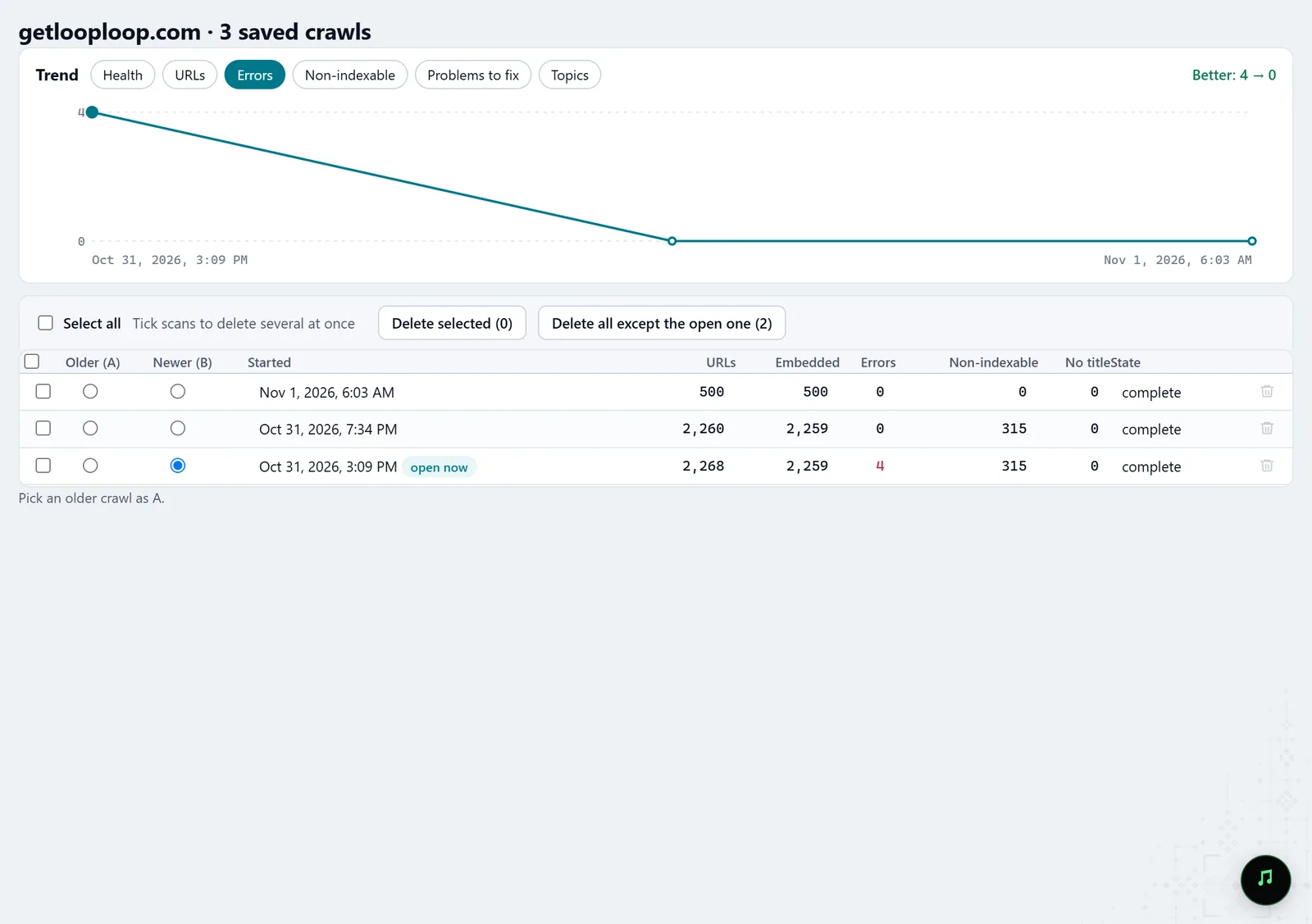
In the screenshot: Crawl history
What you get
Groups with a decision
Every group with its main page and the reason it was chosen.
Evidence from Google
The queries for which Google really splits impressions between your pages.
What to keep from the text
Passages found on one page only — move them before you merge.
Good to know
- Similar text does not prove the pages compete in Google: that shows only where a group matches GSC · Cannibalization.
- When there are very many pairs, the analysis keeps the strongest and says how many it shows of the total; the CSV export has the full list.
- Some tabs may be locked on your account; the lock on the tab says what opens it.
Questions
- Do I need Search Console?
- Not for groups by text. Yes, to see the queries for which Google shows several of your pages.
- Will pages in different languages be paired?
- No. A page with its own translation in another language folder, one page under two tracking tags, and pages of one paginated list are not pairs.
- Is my text sent anywhere to be compared?
- No. The built-in model on your computer does the comparison.