

All scenarios/ Enterprise
Pages off the site's subject: drift, old texts and foreign inserts
Over the years a site writes about everything: a section on something else was launched once, guest posts were allowed, and some pages appeared without your knowledge. Search engines also judge a site as a whole, so off-topic pages blur what the site is about. Finding them among thousands of addresses by reading titles is impossible.
- Who
- In-house SEO, content lead, editorial team
- Site
- A large site or a publication with years of archive and many authors
- What hurts
- The site loses focus; pages that are not about you reach search
- What you need
- The pages far from the site's subject, and a decision for each
Steps in Molfar
Crawl with embeddings
Molfar computes closeness to the site's subject from embeddings that the built-in model makes on your computer. The more of each page's text it reads, the better the comparison; you choose that in the embeddings settings.
Settings · Embeddings — docs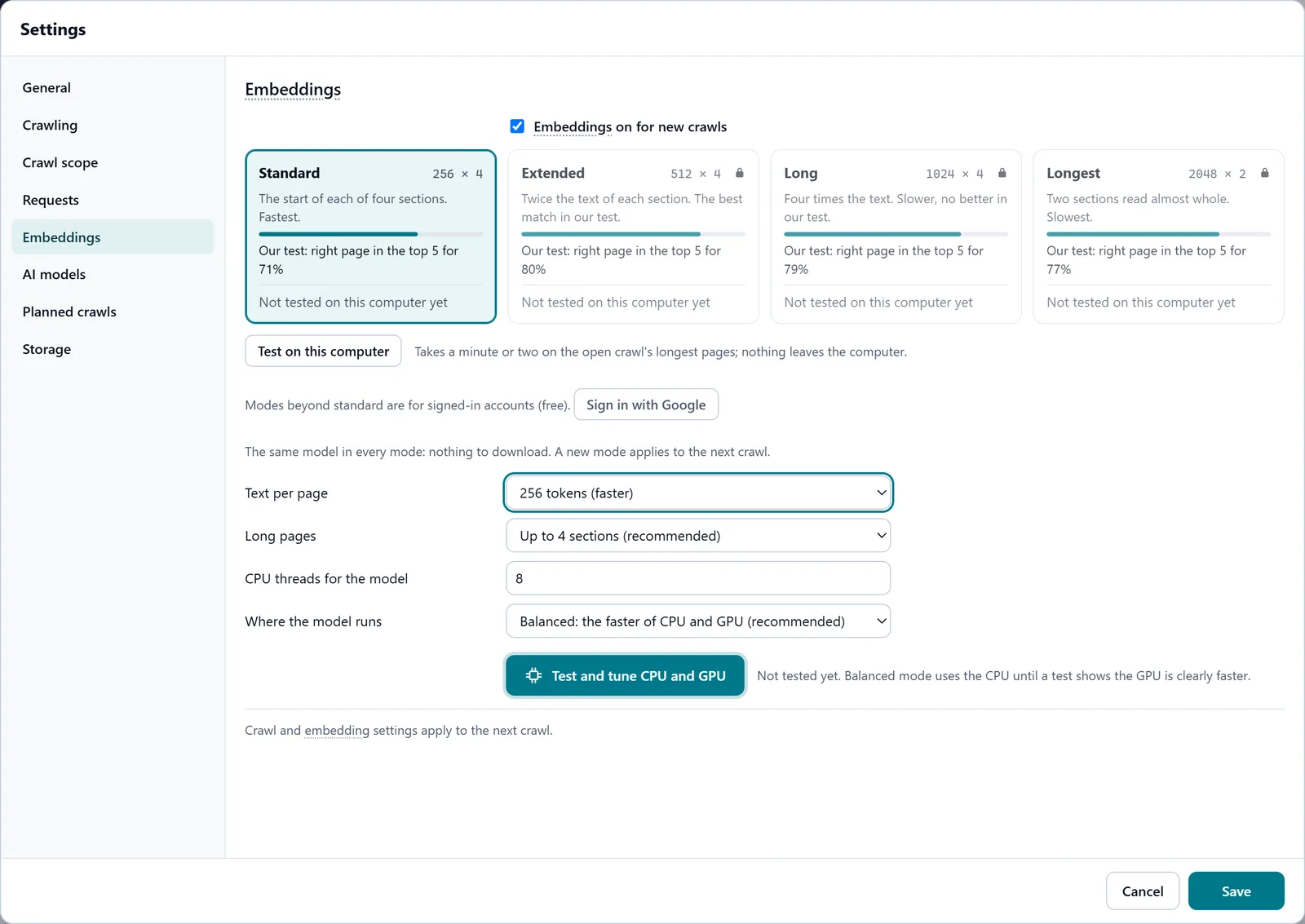
In the screenshot: Embeddings Open "Far from the site's subject"
The filter in the Content tab shows pages whose meaning is unusually far from the site's average. Molfar sets the threshold itself from your own site's spread, so it differs for a narrow shop and a broad publication. It needs at least twenty pages with embeddings.
Content — docs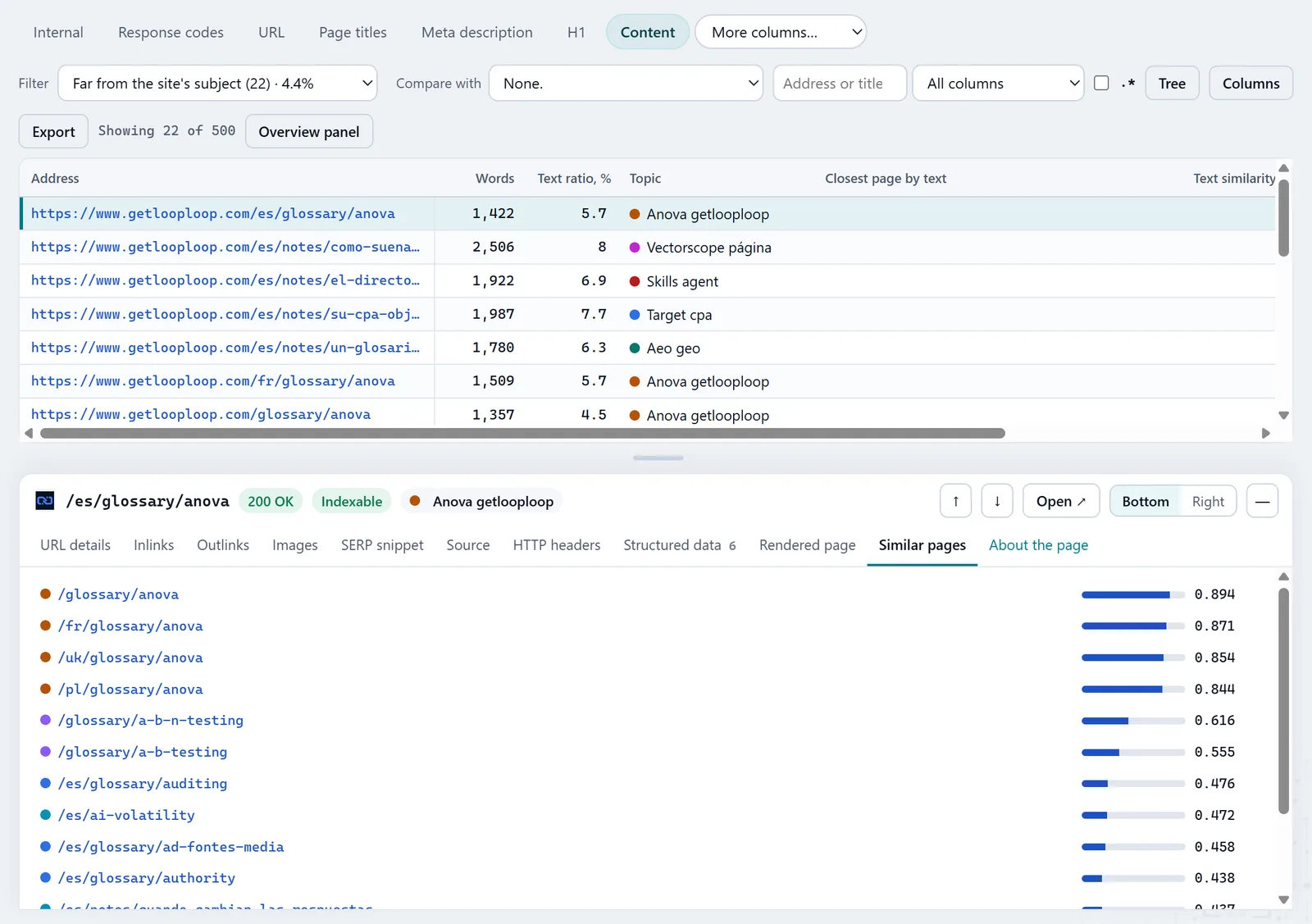
In the screenshot: Pages far from the site's subject See the whole spread
Add the Site fit column through More columns… and sort it ascending. The filter shows only clear cases; the column gives the whole picture, and the pages just above the threshold are the next to review.
Content — docsIn the screenshot: Pages far from the site's subject Find where they sit
The topic map lays pages out by meaning. Off-topic pages usually stand apart or fall into a topic that has nothing to do with the rest; the check "Fits no topic" finds the ones that fit nowhere.
Topic map — docs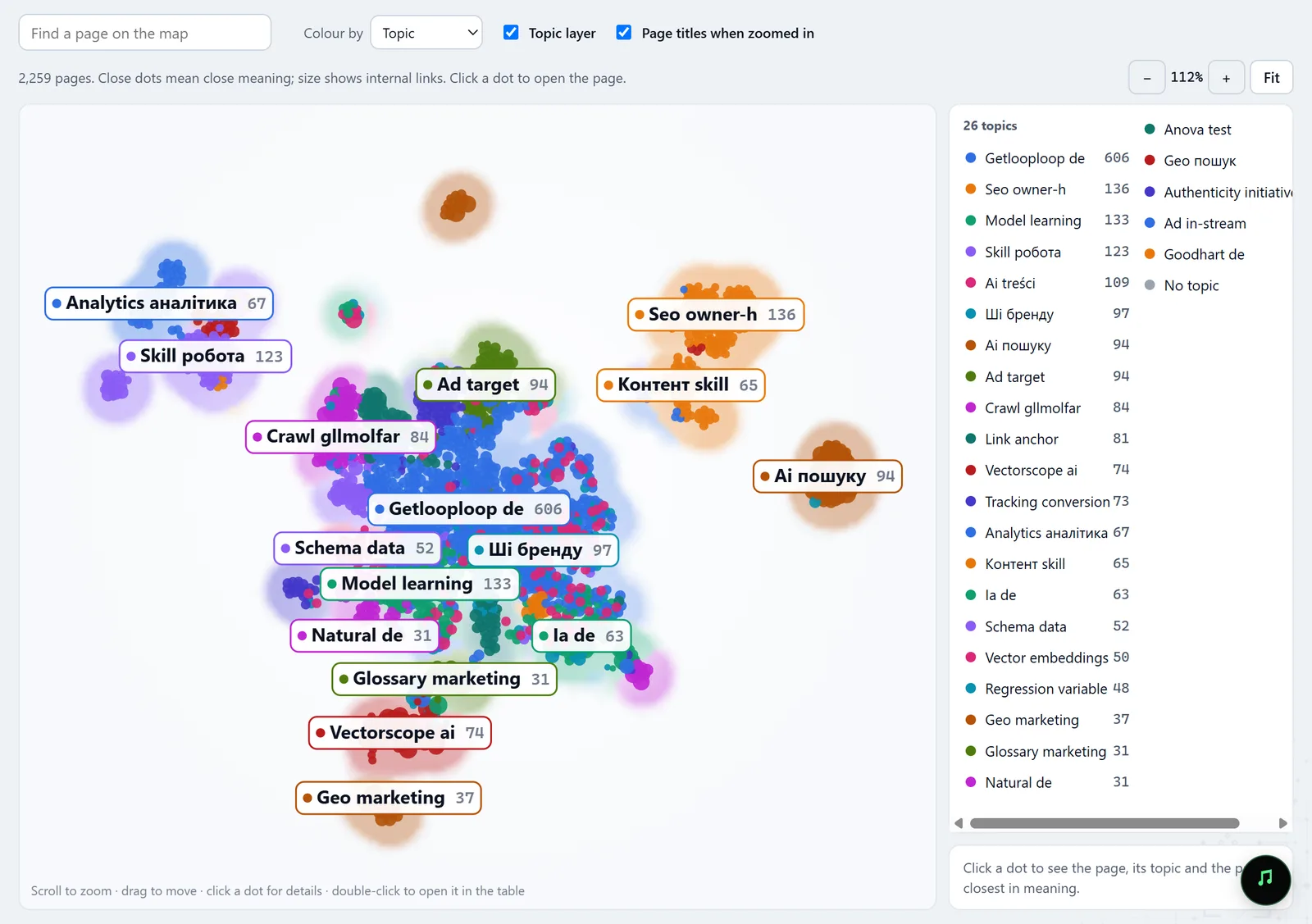
In the screenshot: Topic map Decide for each page
Far from the subject is not bad in itself: contacts, terms and job pages belong on the site. The rest are reviewed one by one in the inspector: rewrite or merge an old article, keep a guest post out of the index, delete a foreign insert and find out how it got there.
Page inspector — docs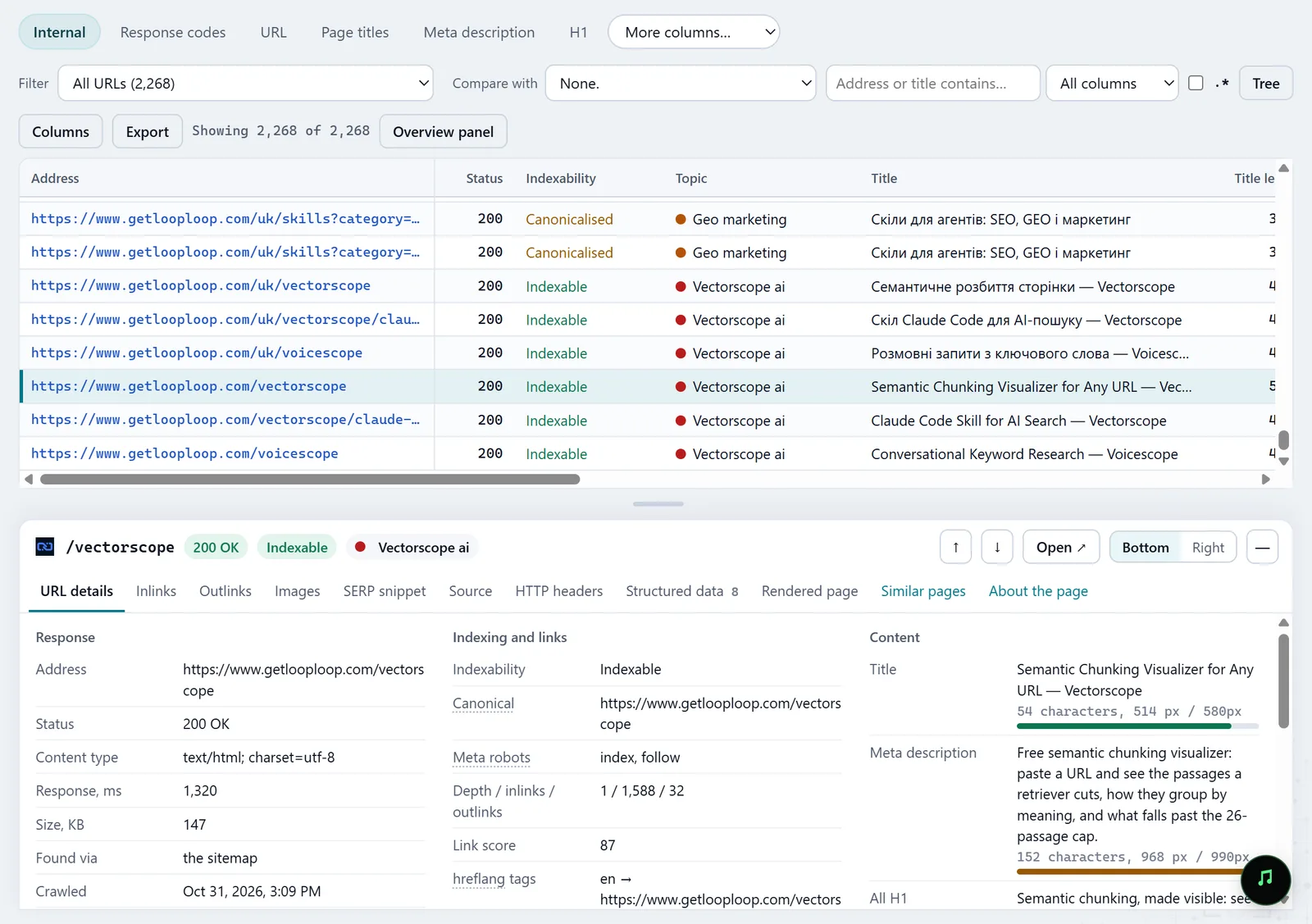
In the screenshot: All pages table with the inspector Check with the next crawl
After the clean-up, crawl again and compare in History: which pages are gone and which changed in meaning.
History — docs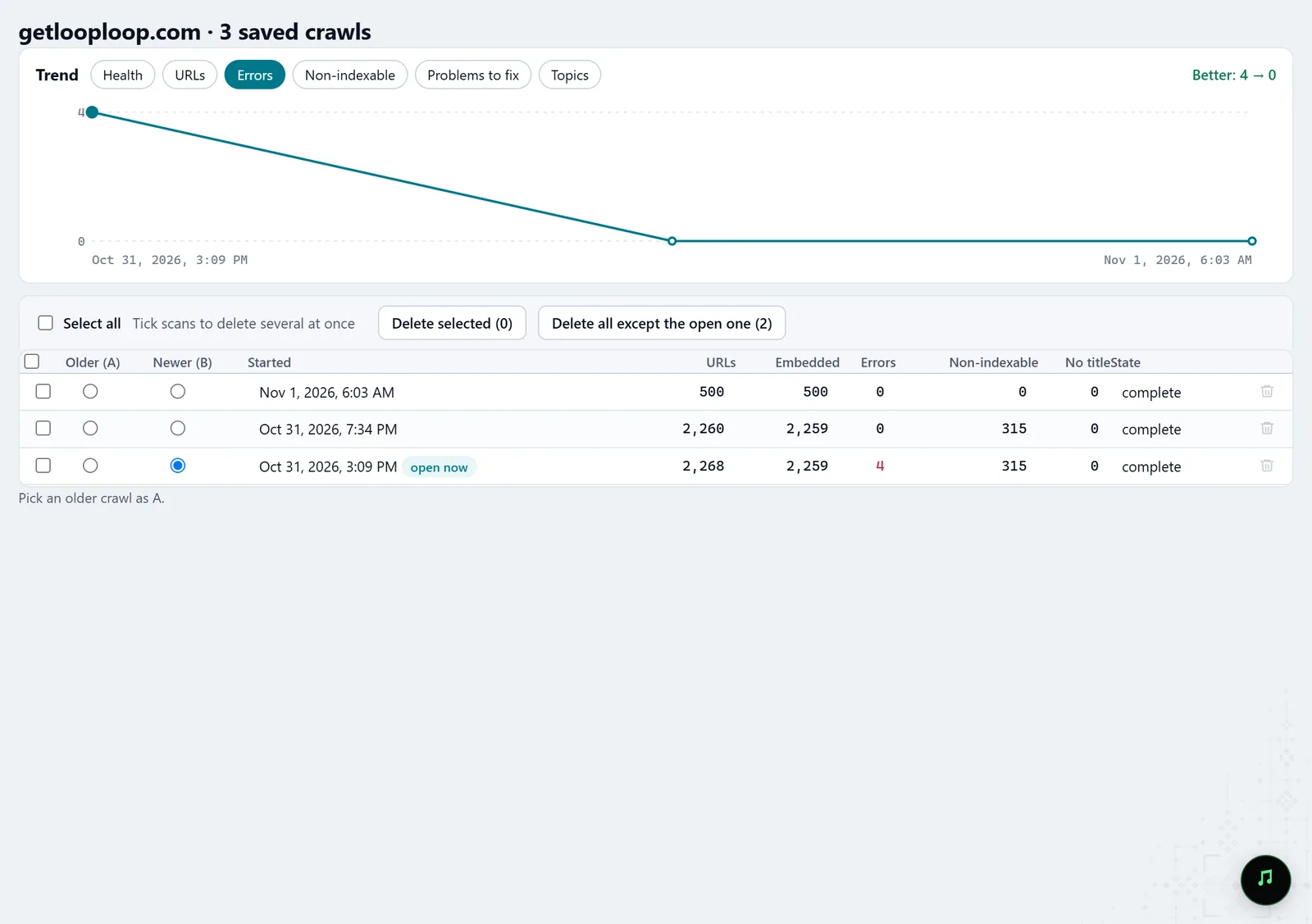
In the screenshot: Crawl history
What you get
Off-topic pages
The pages furthest from the site's meaning, furthest first.
Clean-up candidates
Old texts, guest posts and foreign inserts worth rewriting, closing or deleting.
A picture of focus
Site fit for every page, to follow from crawl to crawl.
Good to know
- It is a hint, not an error: Molfar does not know which pages are meant to be off-topic, and the decision stays yours.
- On sites with fewer than twenty embedded pages the filter does not run: the spread is too small to set a threshold.
- The comparison uses the text the model read; a page with little text is judged less well.
- Some tabs may be locked on your account; the lock on the tab says what opens it.
Questions
- Is my text sent anywhere?
- No. The embeddings are made by the model built into Molfar, on your computer.
- Why is my About page on the list?
- It really is about something other than the rest of the site. Leave such pages as they are; the filter is useful because beside them you see the pages that are there for no reason.
- Will it find hacked pages?
- It can: inserted pages about pills or casinos are usually very far from a site's subject. But it is not a security check, and a clean result is not enough to call a site unhacked.