

All scenarios/ Agency
Your own data from every page: extraction rules and a question for a model
The client wants a table no standard report has: which products have no price, which pages lack the analytics tag, who wrote each article, which intent each page serves. Some of it can be pulled from the HTML with a rule; some only someone who has read the page can say.
- Who
- An agency or analyst preparing non-standard reports
- Site
- A client's shop, publication or services site
- What hurts
- Data no tab has, and hundreds of pages to look through by hand
- What you need
- A column of your own for every page, to filter and export
Steps in Molfar
Set the rules before the crawl
"Custom extraction & search…" in the Crawl menu (Ctrl+Shift+K) takes five kinds of rule: CSS selector, XPath (subset), regular expression, "HTML contains" and "HTML does not contain". For each you choose what to take: text, inner HTML, an attribute value, a count, or yes/no. That is how you check whether a page has the analytics tag, whether it shows a price, how many reviews it holds.
Custom extraction & search — docs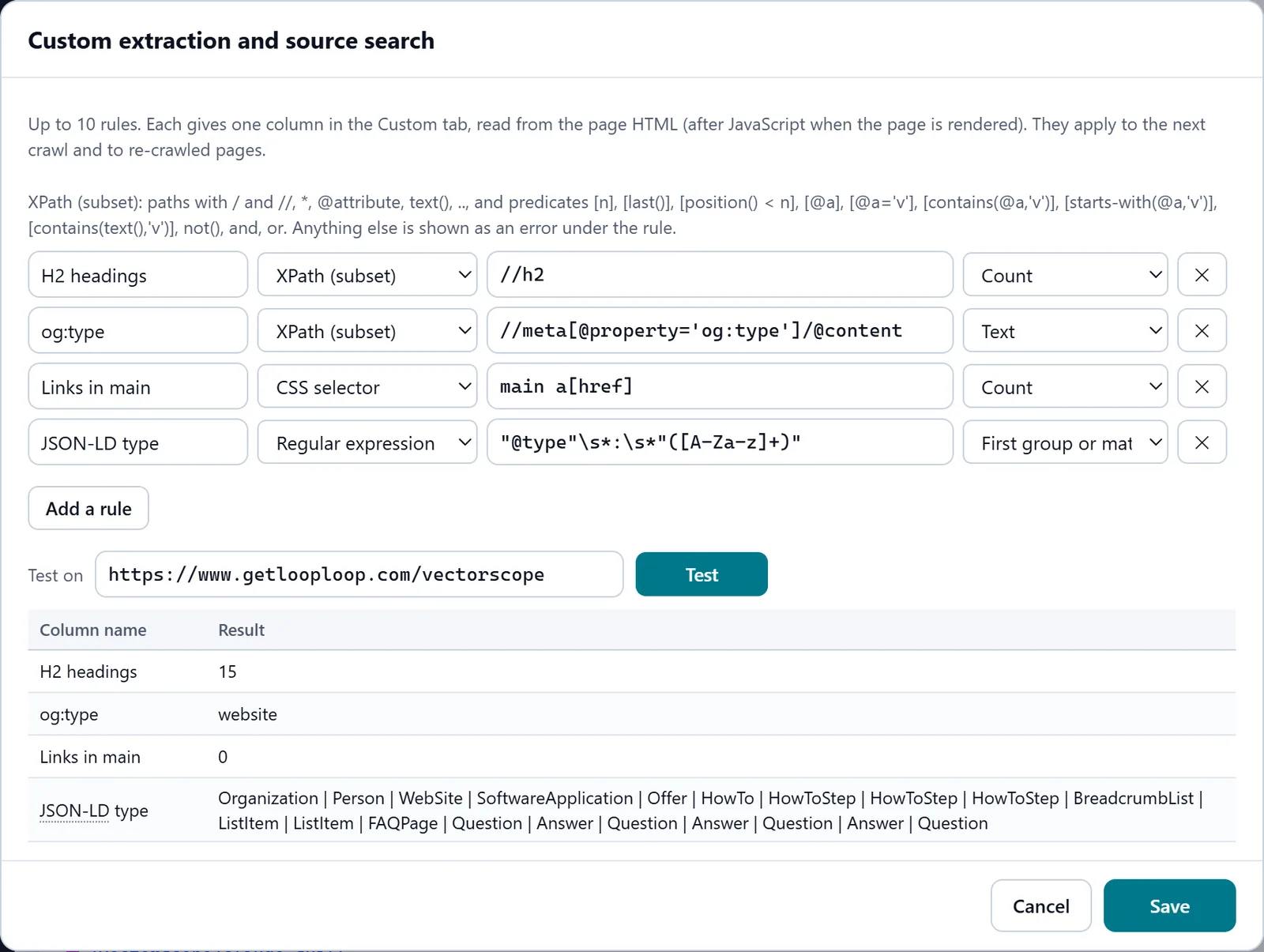
In the screenshot: Custom extraction Crawl and open Custom
The rules run during the crawl, on the rendered HTML where the page was rendered. Each rule's result is its own column in the Custom tab, to filter, sort and export with the rest of the table.
Custom — docsIn the screenshot: Custom extraction Ask where a rule cannot reach
Agent · test › Prompt on pages asks every page one question: a column name, a question with {url}, {title}, {h1} and {meta} filled in, and which pages — all indexable HTML pages, or the pages of one check. The page's text goes with the question.
Agent · test — docs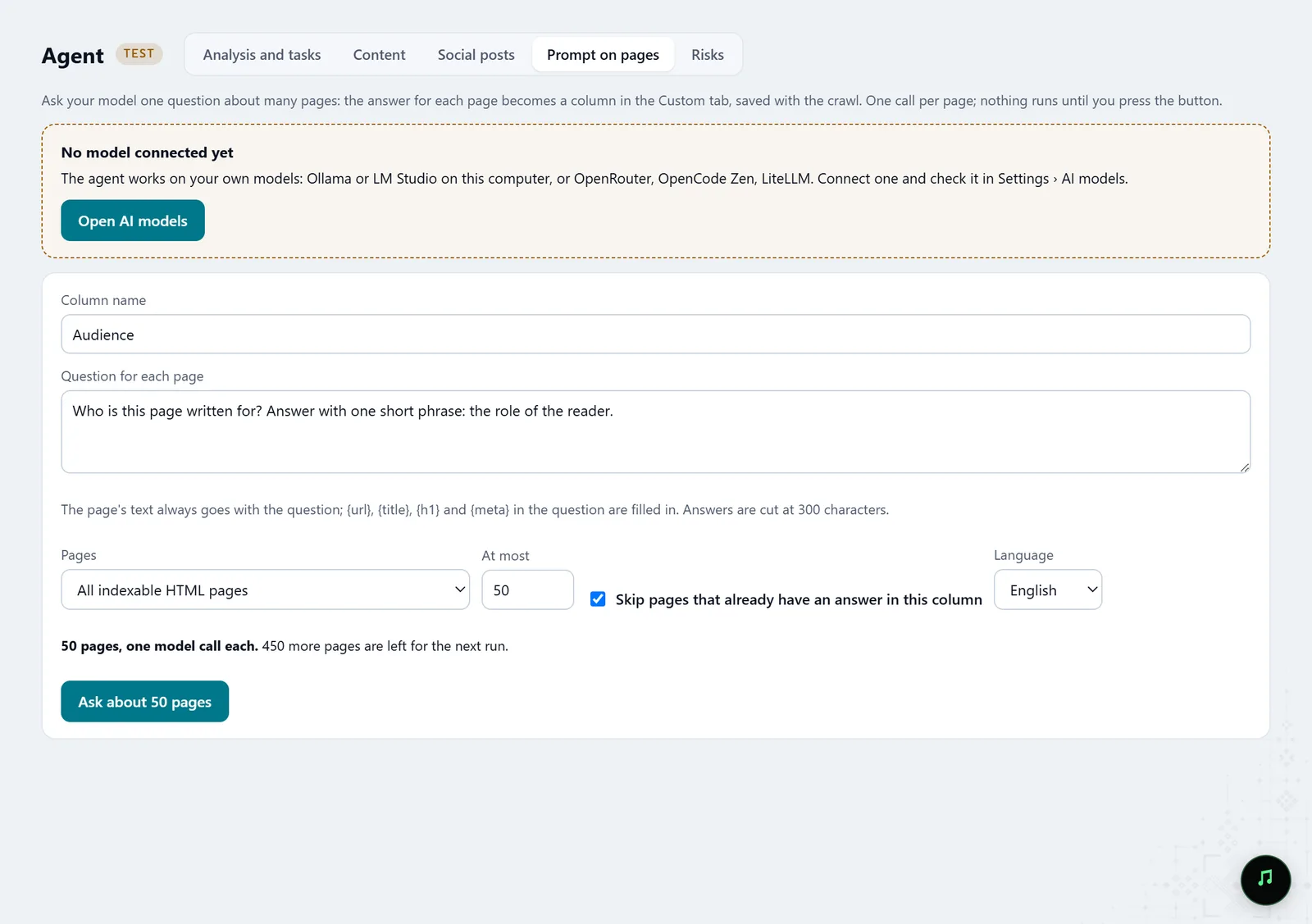
In the screenshot: Prompt on pages See the size before the start
Before the start, the button says how many pages will be asked, and the line under it that this is one model call per page. The questions go to the model you connected in the AI model settings: local or cloud, your choice.
Agent · test — docsIn the screenshot: Prompt on pages Read the answers beside the rest of the data
The answers land as a column in the Custom tab, next to the rule columns. The next run can skip pages that already have an answer, so a column can be filled in parts.
Custom — docsIn the screenshot: Prompt on pages Or hand it to an agent
Over MCP an agent can make the same column. Without confirmation it only counts the pages and model calls and shows you; it runs only with an explicit confirmation.
Connecting an agent (MCP) — docs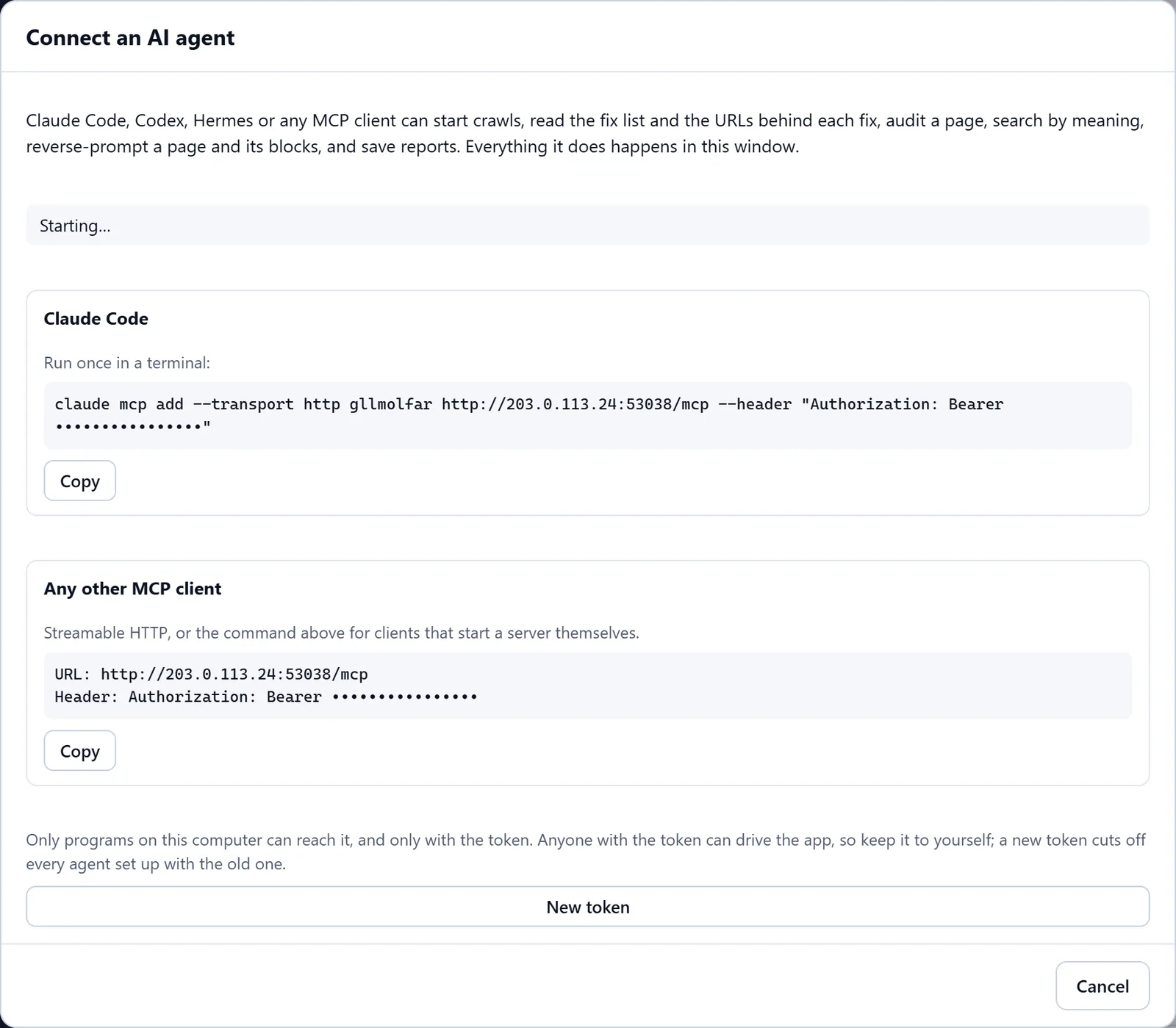
In the screenshot: Connecting an AI agent (MCP)
What you get
Columns from the HTML
Prices, authors, tags present and anything a rule can find, for every page.
A column from a model
An answer to your question for every page: intent, type, tone, anything that needs reading.
One table for the report
All of it beside the crawl's technical data, with filters and export.
Good to know
- XPath is a subset: paths, attributes, text() and the common predicates (contains, starts-with, position). Axes such as ancestor::, unions with | and functions such as count() are not supported: such an expression shows as an error under the rule, never as an empty column.
- A model's answers are short and can be wrong: look through a sample before taking the column to a client.
- A page that changed after it was answered keeps its old answer until you turn off skipping answered pages.
- With a cloud model, the pages' text goes to its provider; with a local one it stays on your computer.
Questions
- Which model does the column use?
- The one you connected in Molfar's AI model settings. Molfar does not put its own in.
- Can I ask only some pages?
- Yes: instead of all indexable pages, pick the pages of one check, such as thin content or pages without a meta description.
- Do rules work on JavaScript pages?
- Yes, if the page was rendered: the rule then sees the HTML after JavaScript.