

All scenarios/ Agency
A technical review of a prospect's site before the first meeting
Tomorrow you have a call with a prospect. Your agency deck will not win them over; a conversation about their own site will. In a few hours you need a handful of concrete, checked findings, shown in a way that points at pages, not just numbers.
- Who
- An agency or a consultant before a sale
- Site
- The prospect's site, with no access to their analytics
- What hurts
- A generic pitch does not set you apart
- What's needed
- A few clear findings and a short report
Steps in Molfar
Start with an audit of the home page
URL audit checks one page without a crawl: status, speed, what JavaScript changes, failed checks, robots.txt, headers and screenshots on desktop and as Googlebot smartphone. The screenshots are easy to show on a call as they are.
URL audit — docs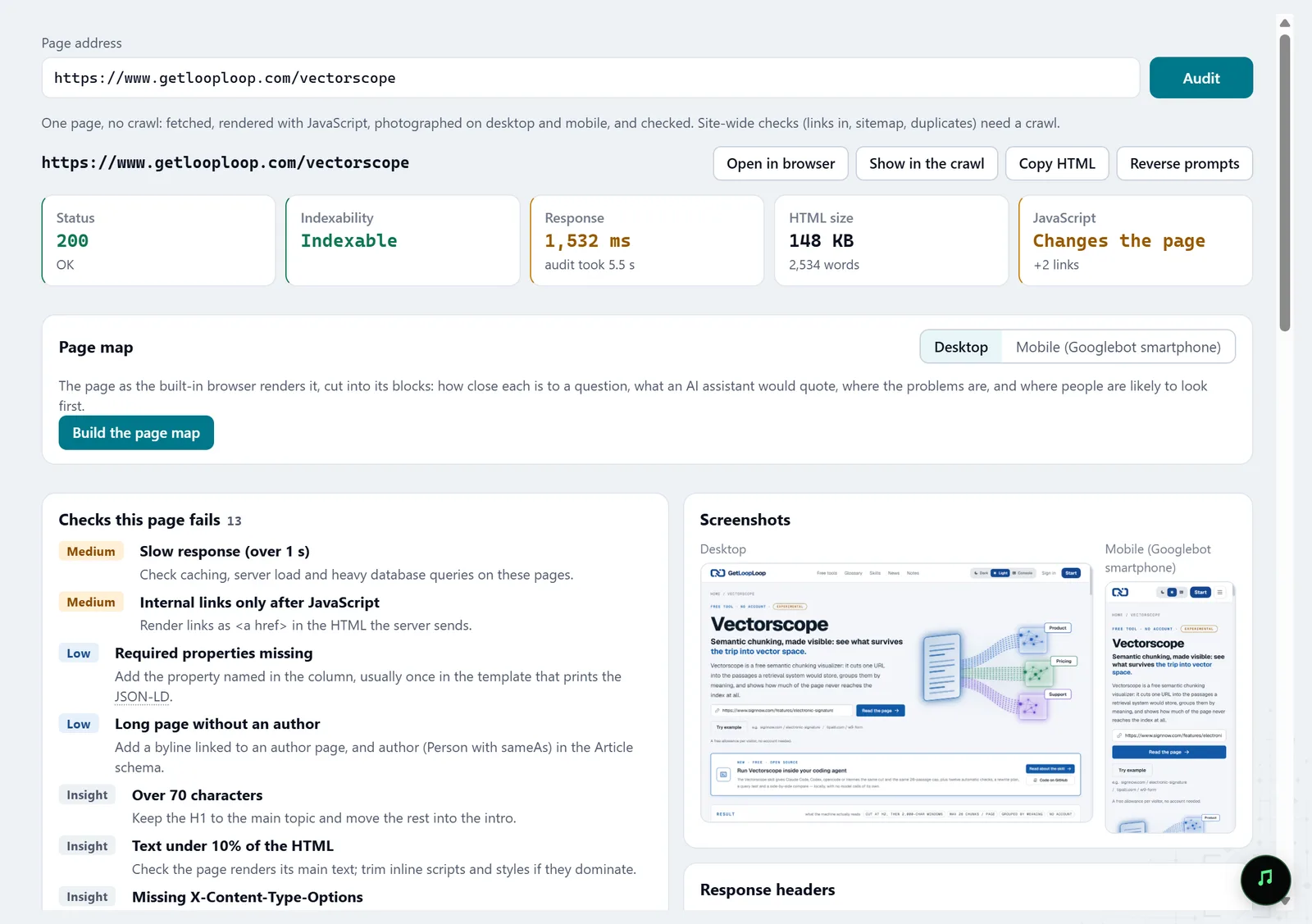
In the screenshot: URL audit Set up a polite crawl
In Settings › Crawling, set a low number of requests per second and parallel connections. Leave Respect robots.txt on. If the site asks for a CAPTCHA, the crawl pauses and opens it for you.
Settings · Crawling — docs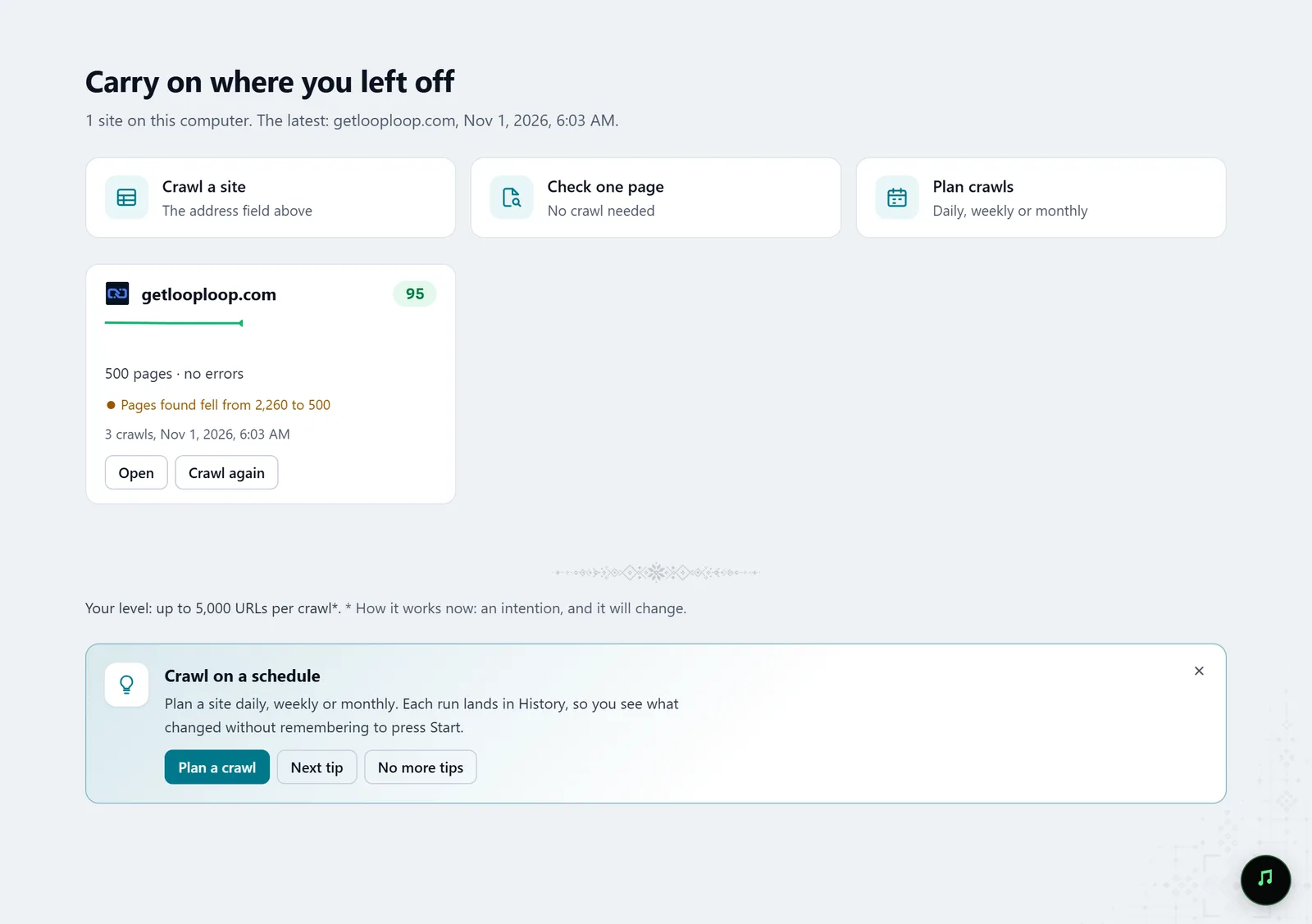
In the screenshot: Starting a crawl Read the Overview
After the crawl, the Overview shows one health score, six counters and what to fix first. Every number opens the pages behind it, so any finding can be backed with URLs.
Overview — docs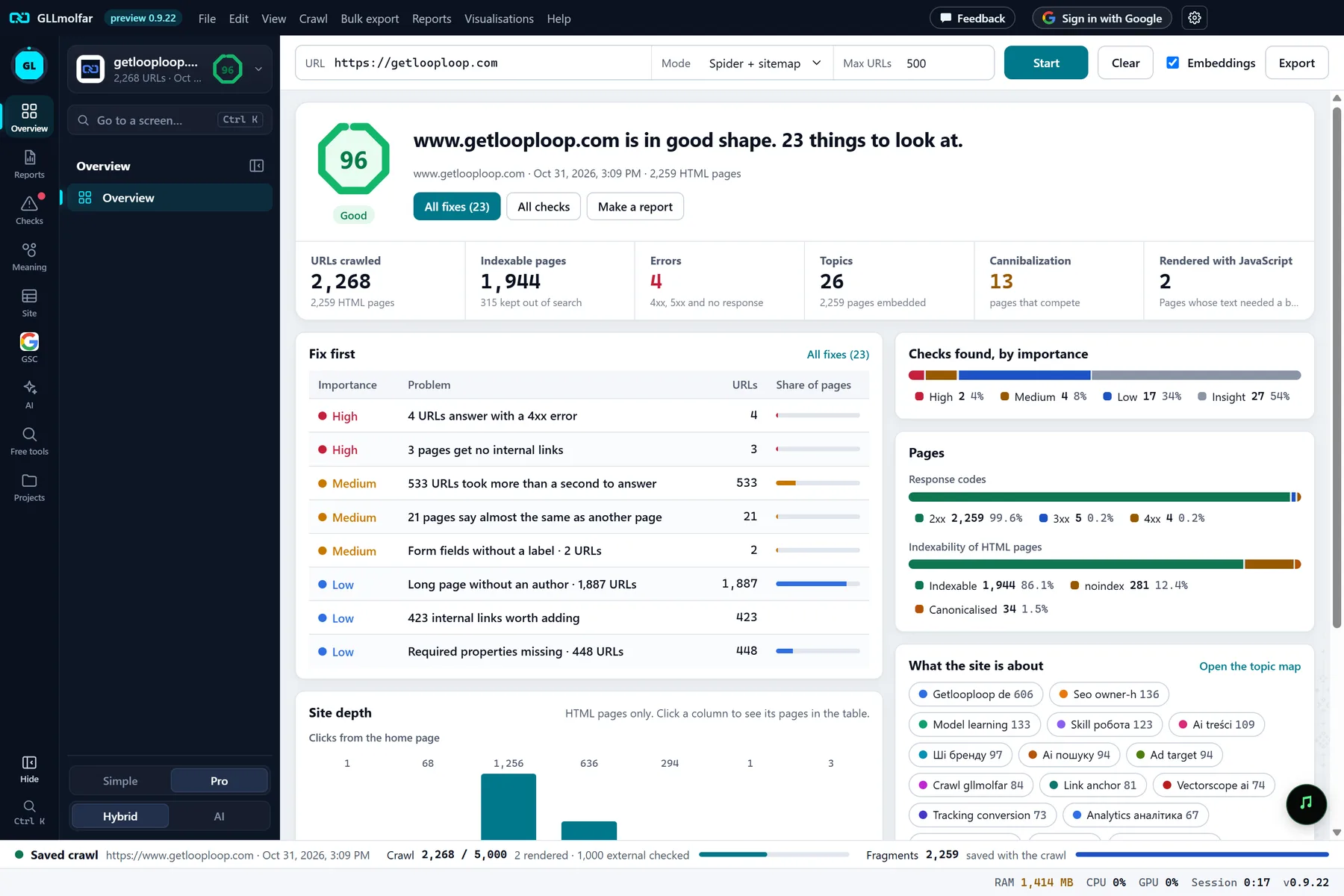
In the screenshot: Overview after a crawl Show exactly where the problem is
The heat map draws the site's folders as tiles sized by pages and coloured by problems per page. On the call, it shows which section of the site needs attention, and a tile opens its pages.
Heat map — docs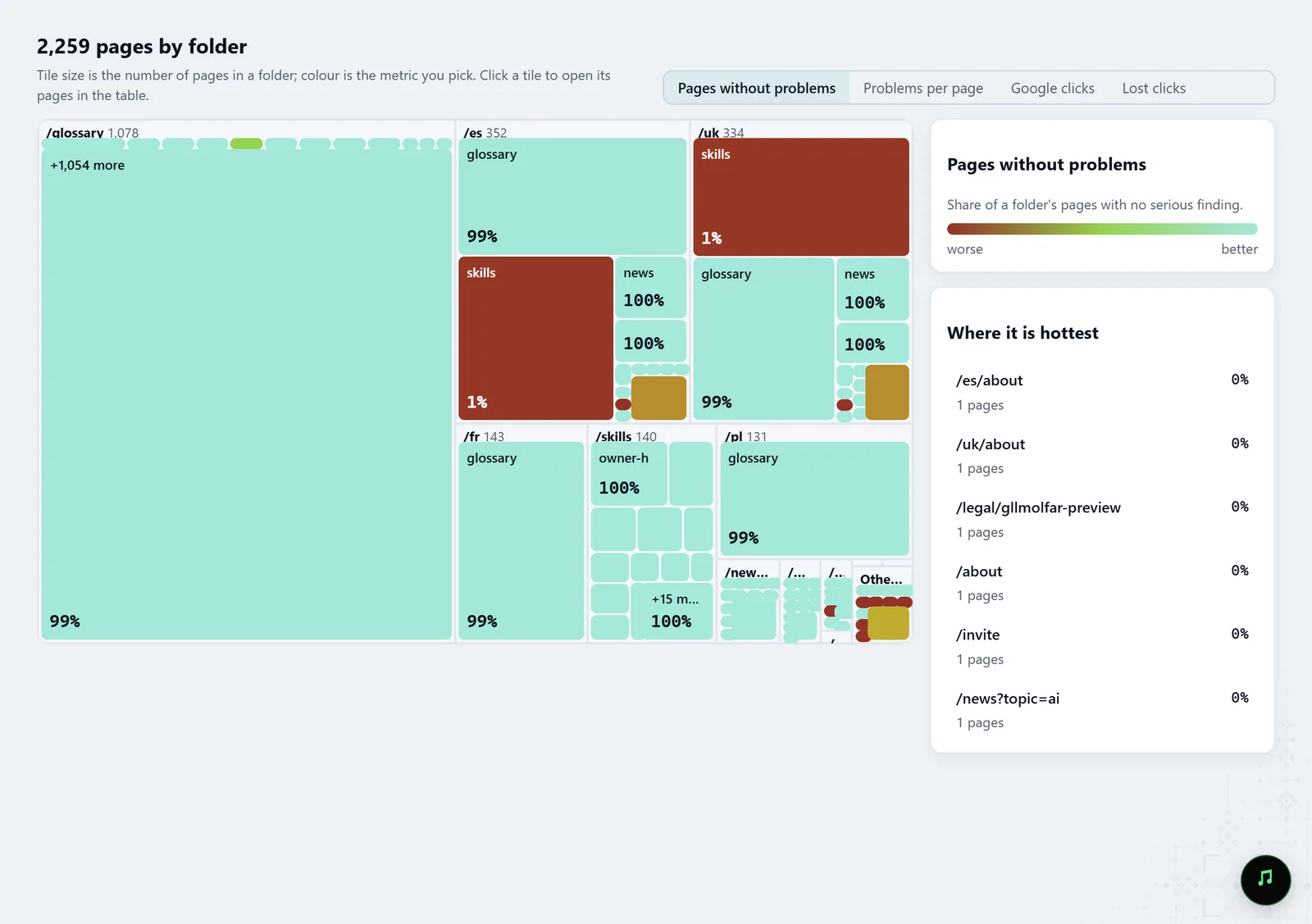
In the screenshot: Heat map of sections Add the AI search angle
The AI screen shows which folders robots.txt opens to which AI bots and what they get. Many site owners are asking that question now, and the answer is a concrete finding, not a promise.
AI — docs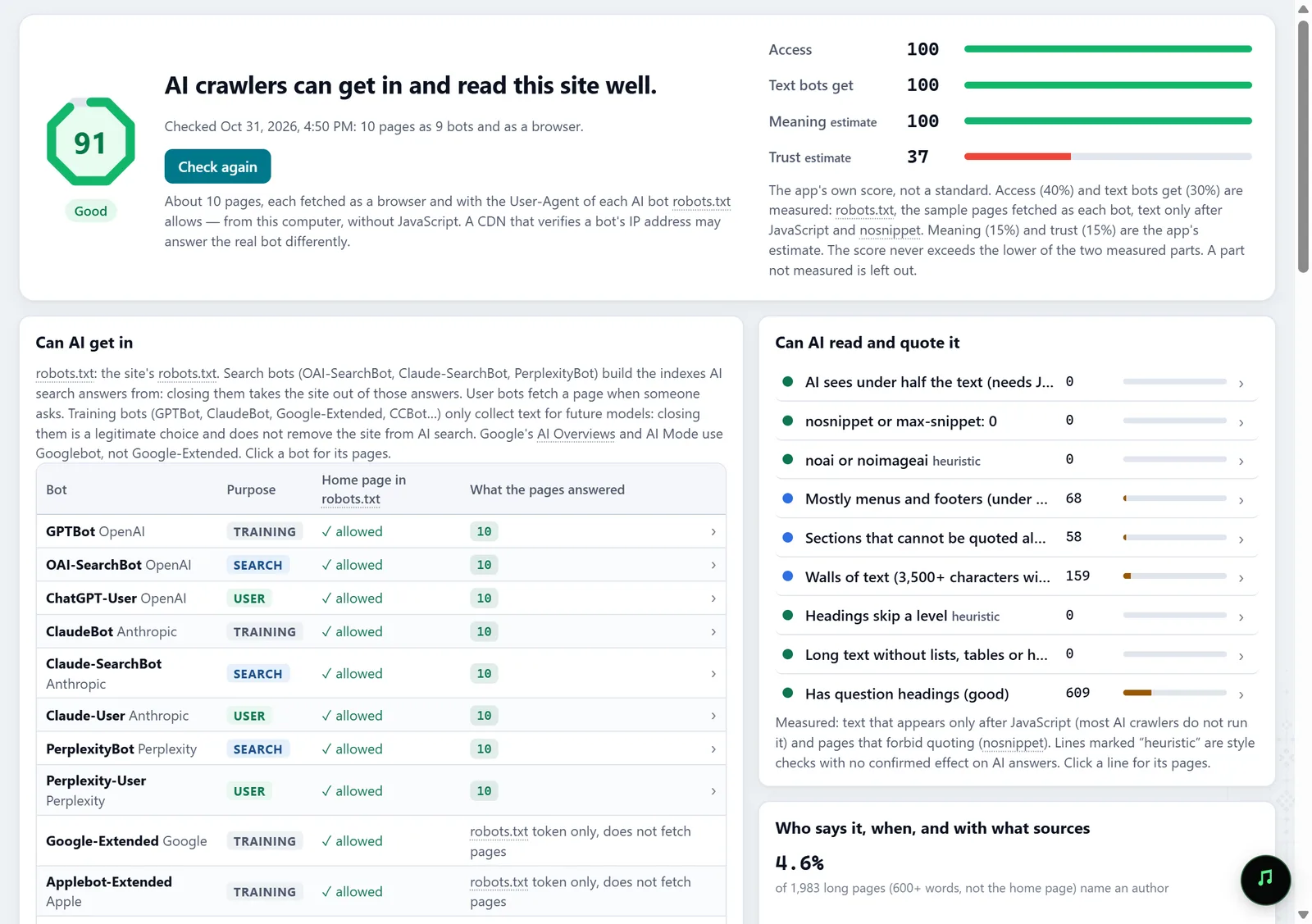
In the screenshot: The AI screen Save a short report
The Technical audit report answers what is broken, where, and what to fix first. Save it as HTML or PDF and send it after the call.
Reports · Technical audit — docs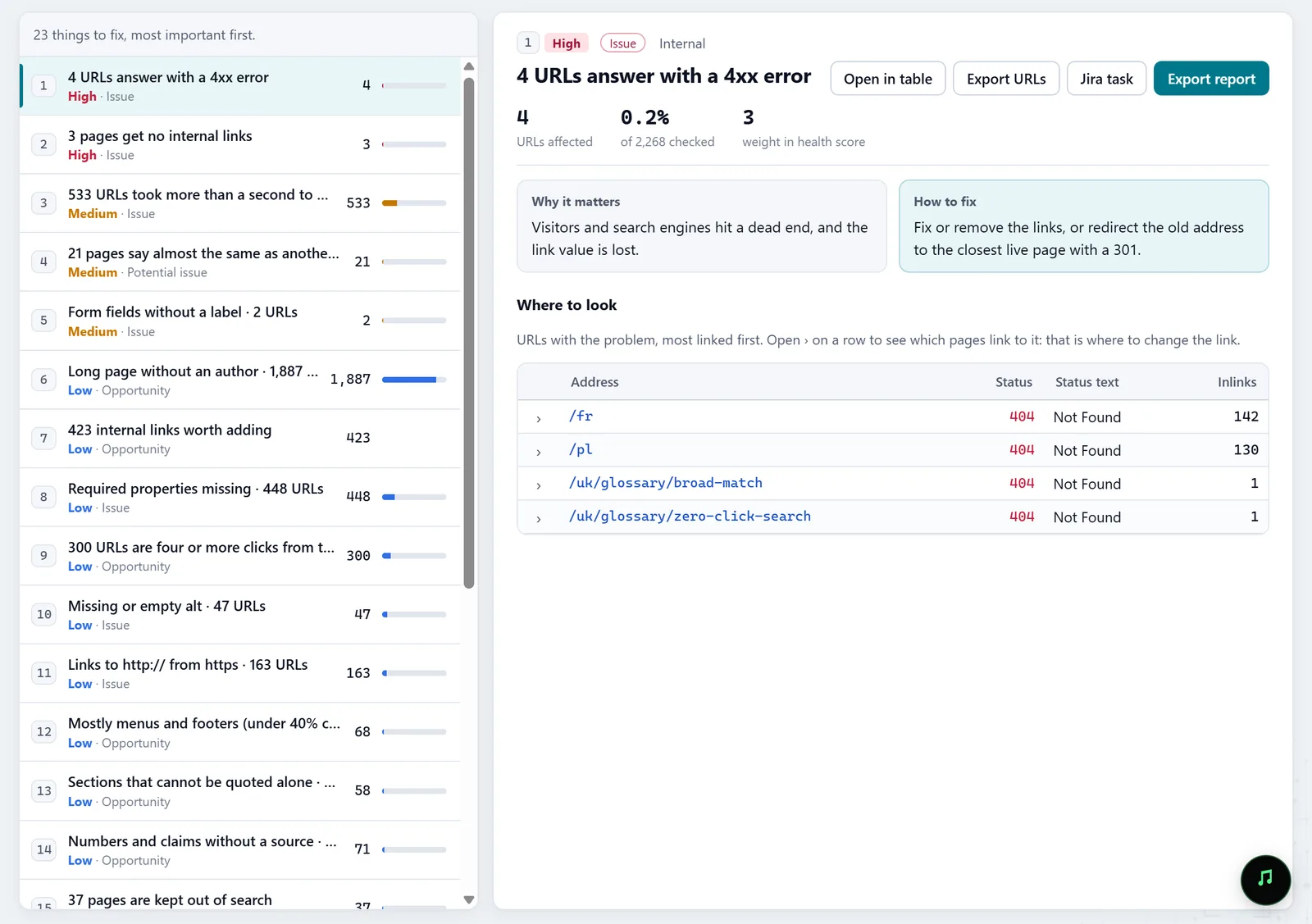
In the screenshot: Fix list
What you get
Visible findings
Page screenshots, section tiles and problems with URLs, ready to show on screen.
A short report
The Technical audit as HTML or PDF: what is broken, where and where to start.
A conversation starter
What AI bots can read on the prospect's site, with the robots.txt rules.
Good to know
- You are crawling someone else's site: do it politely, slowly, with robots.txt respected, and never work around their protection.
- Without access to the prospect's Search Console, the heat map cannot colour by clicks; the findings rest on the crawl alone.
- A large site takes longer to crawl; a pitch needs a few clear findings, not a full audit.
Questions
- Can I crawl a site without the owner's permission?
- By default Molfar respects robots.txt and asks you to pass a CAPTCHA if the site shows one. Crawl public pages slowly; save the full audit for after the client agrees.
- What should I show if the call is short?
- The home page screenshot from URL audit and the heat map: both read without explanation.
- Can I carry on with this site later?
- Yes: the crawl stays in Projects, and the next one is compared with it in History.