

All scenarios/ Site owner
Can Google and ChatGPT see my site? A first check with no SEO knowledge
You have a site, a portfolio, a blog, a clinic's or a workshop's site, and SEO is not your daily job. You have heard that people now ask ChatGPT as well as Google, and you want one simple thing: can either of them read your site at all, and what is wrong with it. No SEO course, no subscription.
- Who
- A site owner who runs the site alone
- Site
- A portfolio, a blog or a small business site
- What hurts
- No idea whether search and AI assistants see the site
- What you need
- A short answer and a few things to fix first
Steps in Molfar
Enter the address and press Start
The crawl runs in front of you: its stages, pages read per second and what robots.txt allows. It also shows who the site sees: Molfar's user agent and your computer's address.
Crawl — docs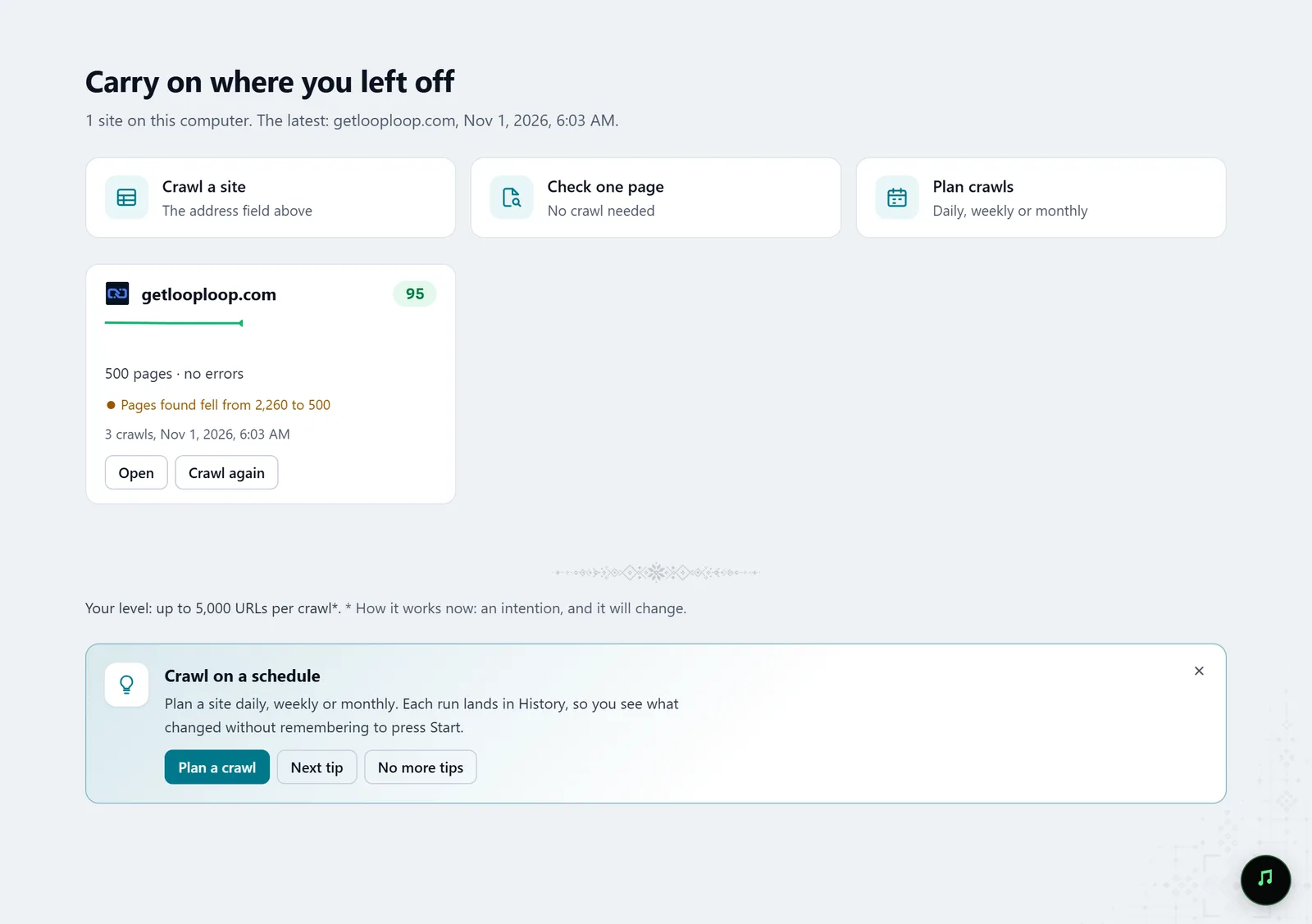
In the screenshot: Starting a crawl Read the Overview
A score from 0 to 100 and one sentence about the site with the number of things to fix. Below it, six counters and the first eight fixes, most important first. Technical terms have a dotted underline: hover one and Molfar explains it in plain words.
Overview — docs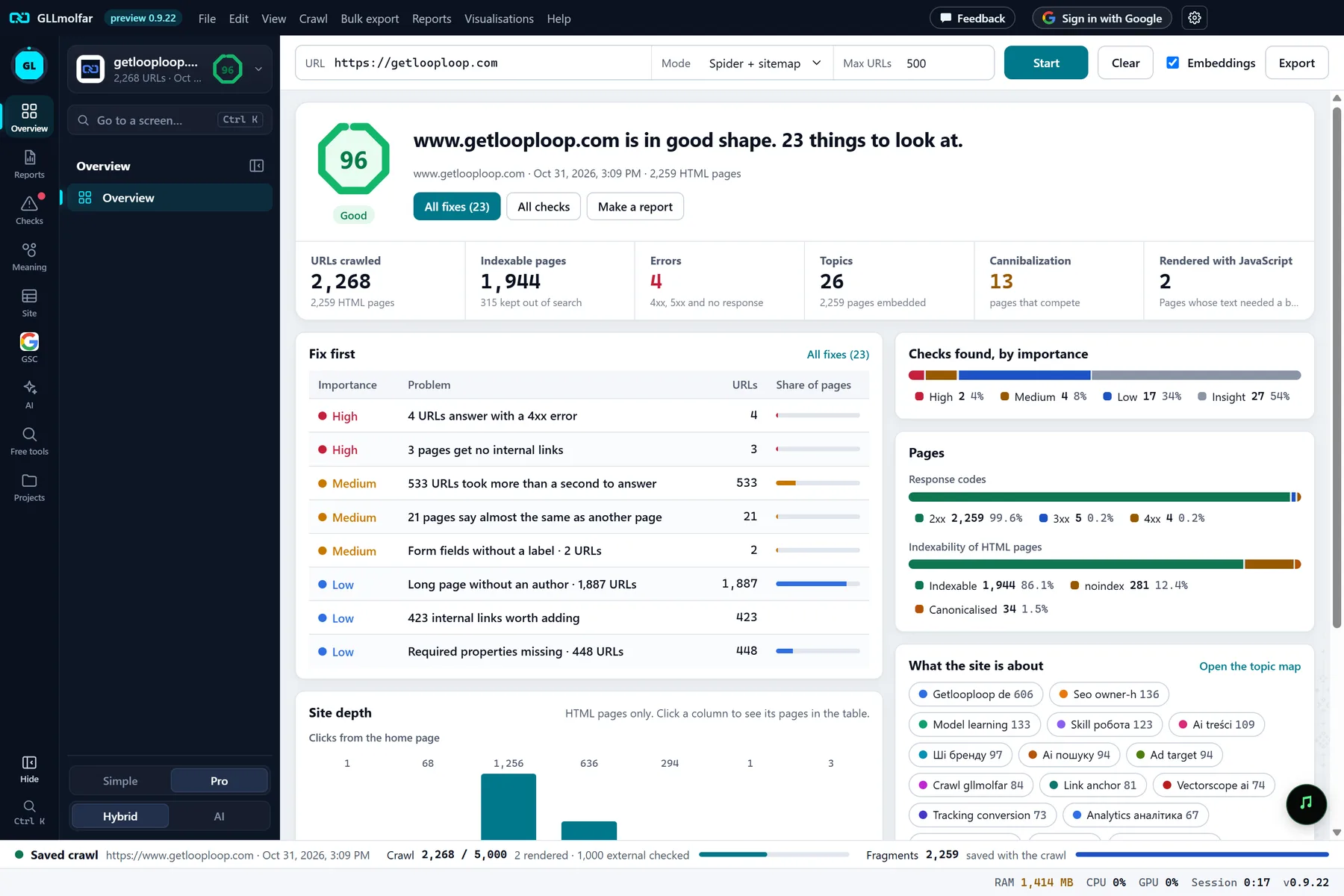
In the screenshot: Overview after a crawl See what AI sees
The AI screen shows an AI readiness score in four parts and every AI bot: why it comes and whether robots.txt lets it into the home page. Beside it: whether AI can read and quote the text, trust signals, llms.txt and Markdown for agents.
AI — docs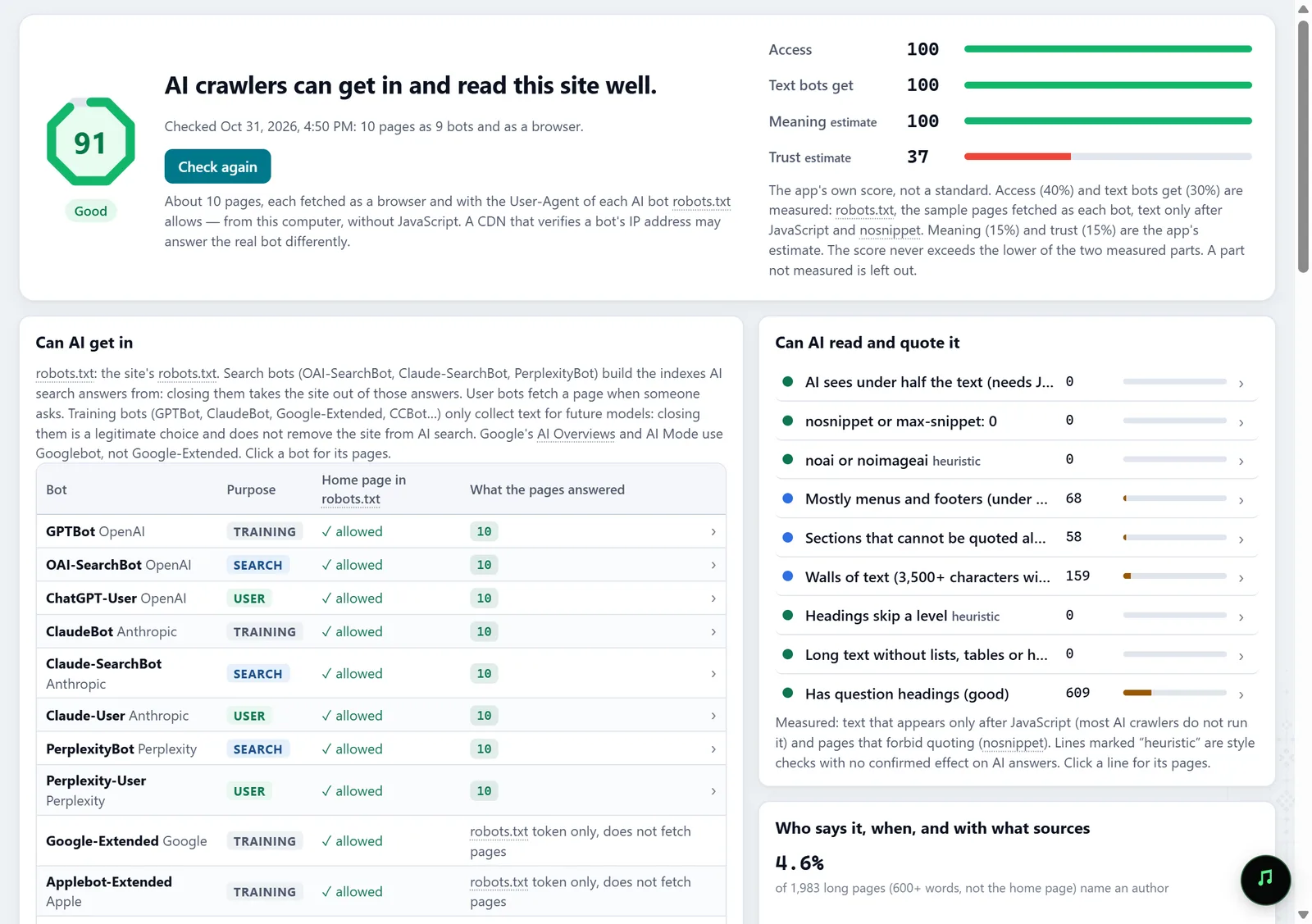
In the screenshot: The AI screen Check what Google shows
Connect Search Console if you have it: the Pages report shows each page's clicks, impressions and position next to its state in the crawl, and the crawled pages Google has never shown.
GSC · Pages — docs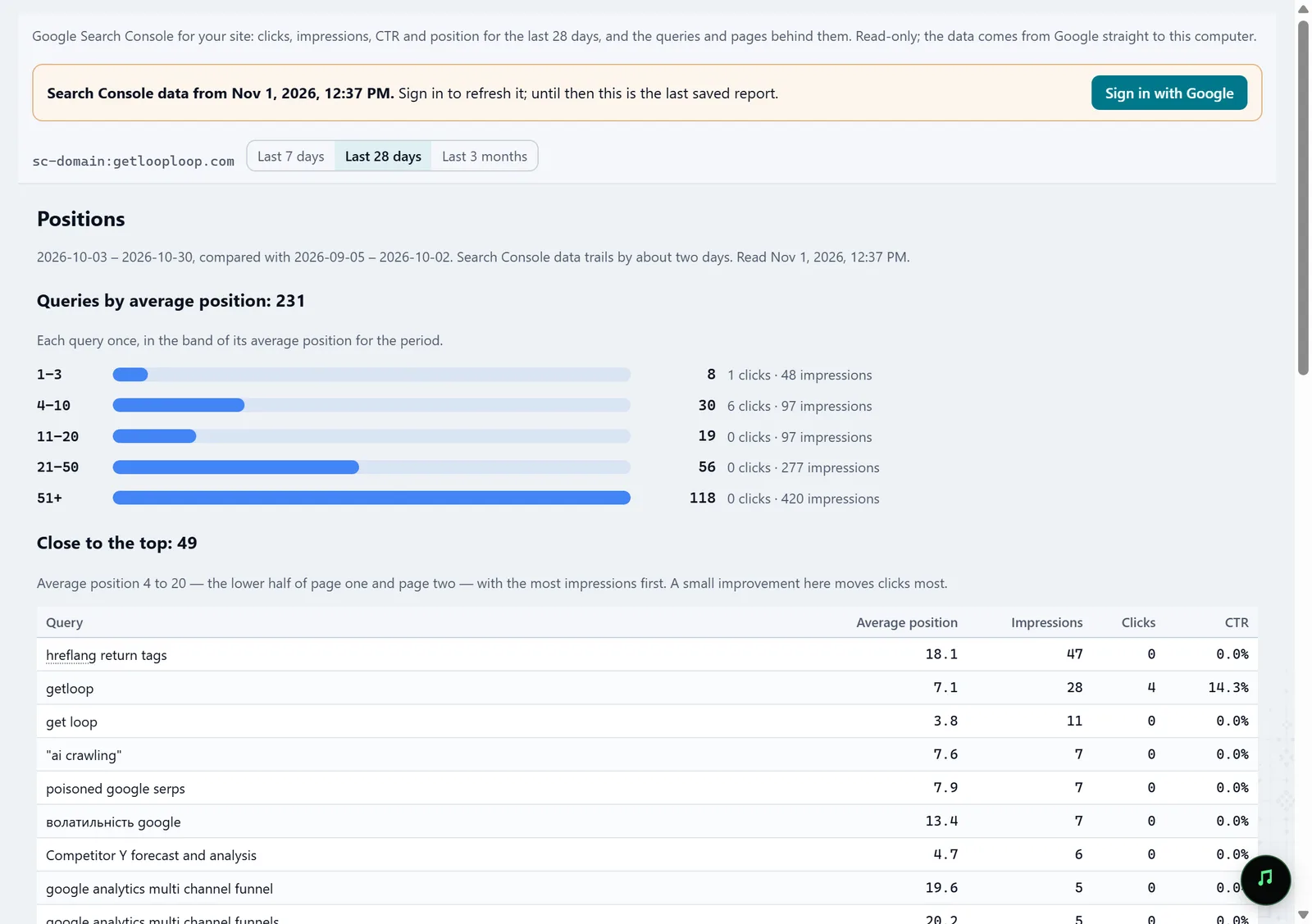
In the screenshot: Search Console Take the first three fixes
The Fix list explains every item: why it matters, how to fix it and which URLs it touches. Hand the first ones to a developer, or fix them yourself in the site's admin.
Fix list — docs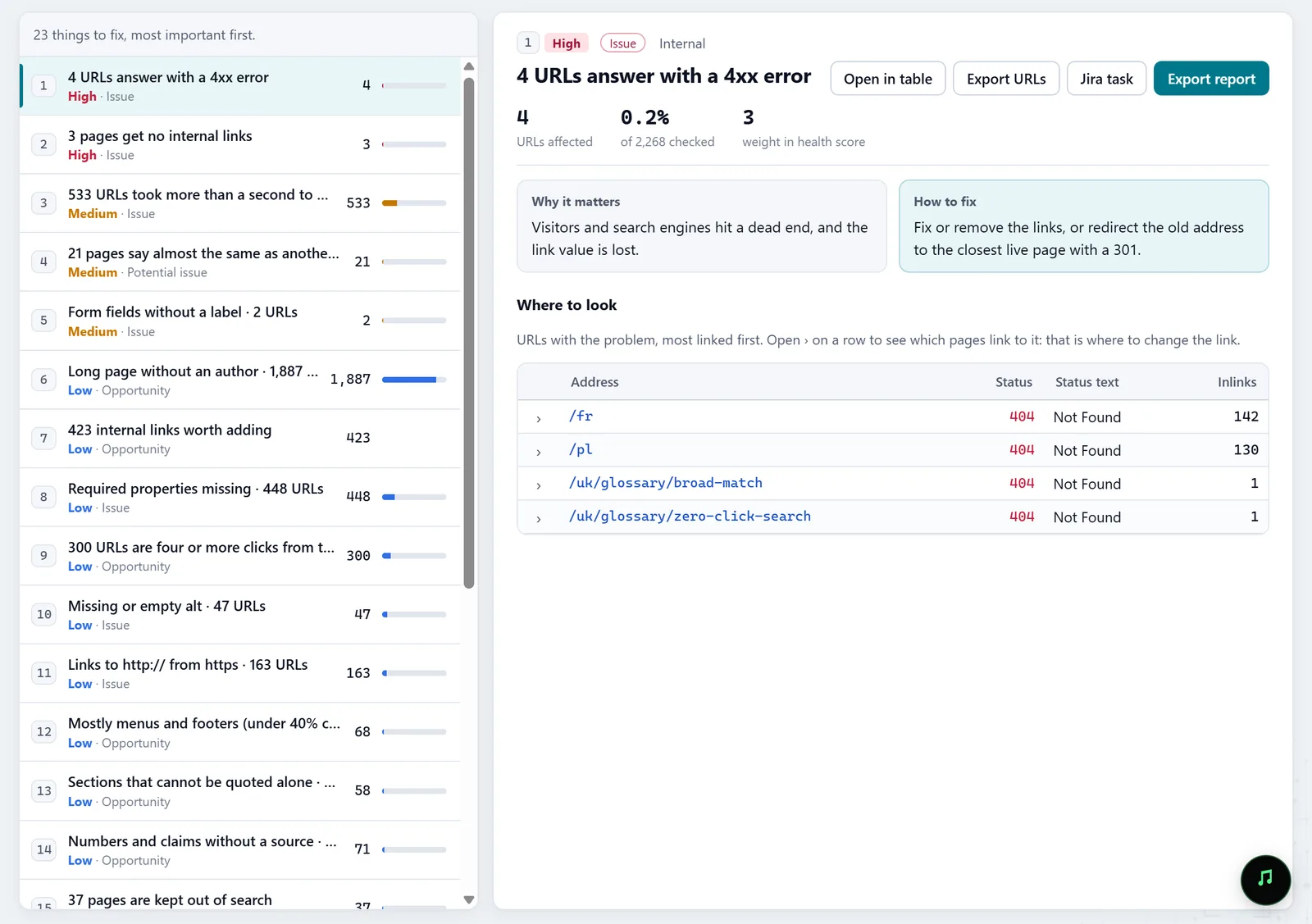
In the screenshot: Fix list Check the home page on its own
URL audit checks one page without a crawl: status, speed, what JavaScript changes, and how it looks on desktop and as Googlebot smartphone.
URL audit — docs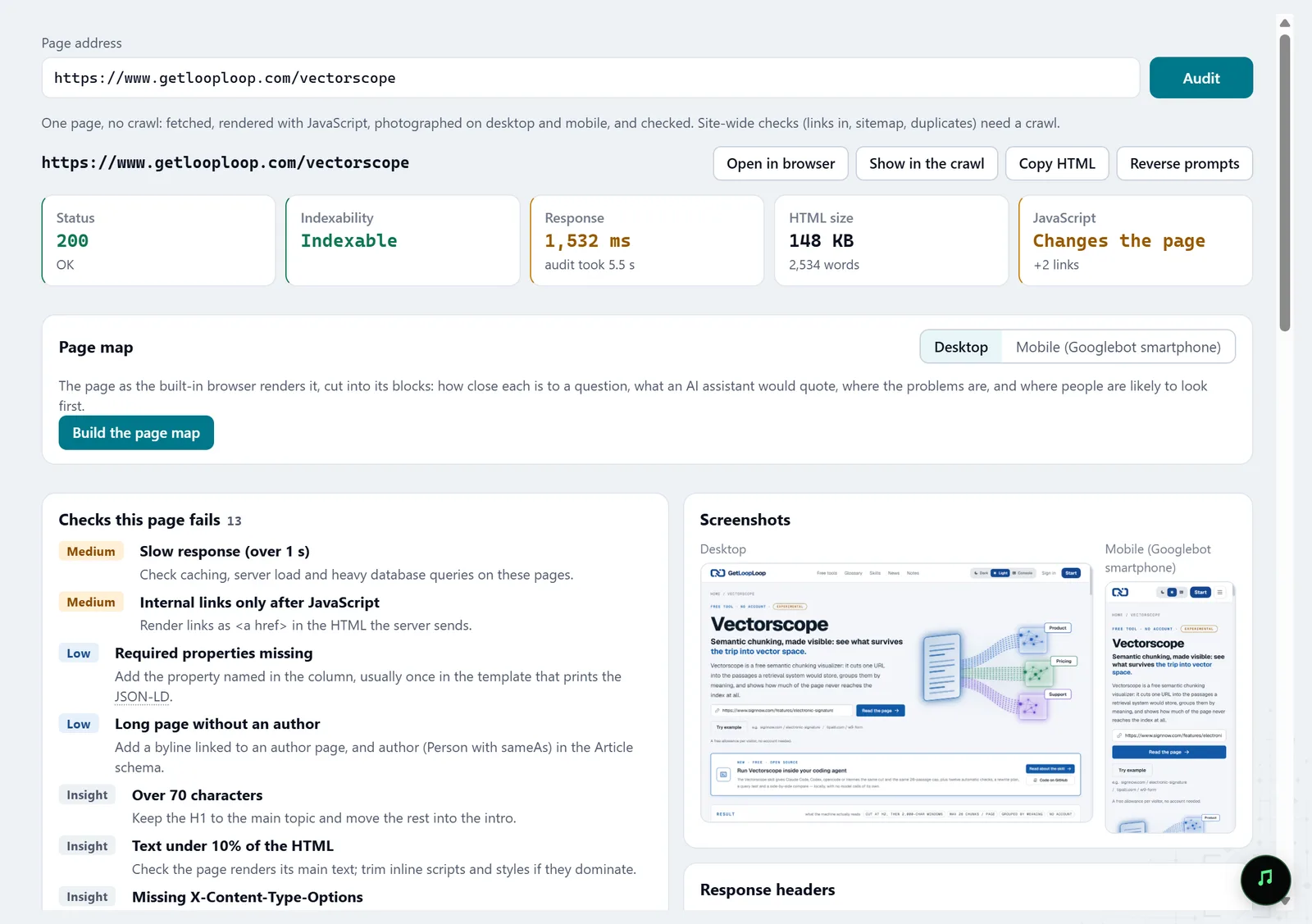
In the screenshot: URL audit
What you get
A straight answer
A health score for the site and one sentence about what is going on with it.
Who may read the site
Which AI bots and search crawlers your robots.txt lets in.
What to do first
A few fixes, most important first, explained in plain words.
Good to know
- Molfar shows what AI bots are allowed to read and whether the text can be quoted. Whether ChatGPT mentions you in its answers is a different question, and this scenario does not measure it.
- The Search Console reports appear only if you have access to the site's property in Search Console.
Questions
- I know nothing about SEO. Will I manage?
- This scenario is written for exactly that: a score, one sentence about the site, and an explanation of every term on hover.
- Will the crawl harm my site?
- Molfar obeys robots.txt by default, and the request rate is set in the crawling settings.
- What if I don't have Search Console?
- The crawl, the Overview, the AI screen and the Fix list work without it; Search Console only adds Google's clicks and impressions.